web
You’re offline. This is a read only version of the page.
close
Skip to main content

Announcements

No record found.

News and Announcements icon
Community site session details

Community site session details

Session Id :
Microsoft Dynamics AX (Archived)

Printing a route card to screen

(0) ShareShare
ReportReport
Posted on by

Hi

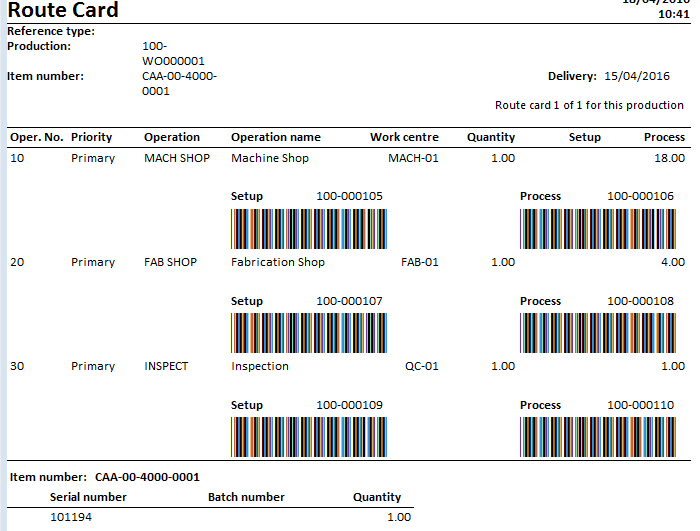
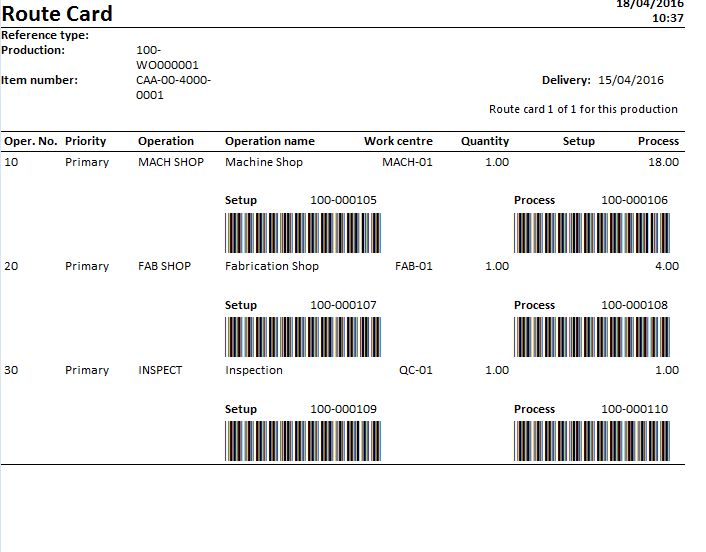
I have a user within AX2012 R3 where they are trying to print a route card to the screen, this works fine. The issue is that at the bottom of the route card nothing appears to be there, however when the user is granted system admin she can see the serial number etc along the bottom, I've attached images for it to make more sense. Can I also add ive granted a test account every single role within ax12 bar system admin and I still cannot see this, unless I have system admin....

Thanksroute-card-as-non-admin.PNGroute-card-as-admin.PNG
*This post is locked for comments

I have the same question (0)
  • ColbyGallagher Profile Picture
    3,668 on at

    Have you had the user check in the client to see if they can navigate to Inventory Mgmt-> Inquiries -> Dimensions -> Serial Numbers?  This sounds like a privilege issue with InventSerial.  

  • Community Member Profile Picture
    on at

    Hi Colby

    We don't use inventory mgmt, the module doesn't exist, even as an admin.

  • ColbyGallagher Profile Picture
    3,668 on at

    Are you sure Inventory Management is not just hidden / deselected from the Navigation Pane?   I'm not sure how else you would be getting serial numbers.  Do you have AOT access that you can go table browse InventSerial?  

  • Community Member Profile Picture
    on at

    I've had a look to see if its un ticked and it doesn't seem to be there, maybe ours is renamed to something else or removed, we've had a 3rd party company "implement" our system. Yes I can gain access to aot, I've looked within tables and can see inventserial? Thanks

  • Guy Terry Profile Picture
    28,981 Moderator on at

    Hi Simonsaccount,

    The Inventory management module is called different things in different languages. For example in British English, its called 'Stock management'. However, in all cases, it has an icon of a clipboard with a red tick. Can you find it now?

  • Community Member Profile Picture
    on at

    Guy, you're right, ive checked and its called stock mgmt, we're using an English version. Thanks

  • Community Member Profile Picture
    on at

    Colby, following Guys comment, it would seem its called stock mgmt with the English version. I've checked and the user can browse to dimensions>serial numbers. Thanks

  • Fredrik Sætre Profile Picture
    12,644 on at

    Go to the report data source and look at what tables are in there.

    Then try and add the security privilege to the user to access these tables.

    Also if this is an amendment, you would want the elements to be configured with security privileges accordingly. Make sure your developers do so.

Under review

Thank you for your reply! To ensure a great experience for everyone, your content is awaiting approval by our Community Managers. Please check back later.

Helpful resources

Quick Links

Introducing the 2026 Season 1 community Super Users

Congratulations to our 2026 Super Stars!

Meet the Microsoft Dynamics 365 Contact Center Champions

We are thrilled to have these Champions in our Community!

Congratulations to the April Top 10 Community Leaders

These are the community rock stars!

Leaderboard > 🔒一 Microsoft Dynamics AX (Archived)

#1
CP04-islander Profile Picture

CP04-islander 24

#2
Michel ROY Profile Picture

Michel ROY 14

#3
Jagadabi Profile Picture

Jagadabi 6

Last 30 days Overall leaderboard

Featured topics

Product updates

Dynamics 365 release plans