web
You’re offline. This is a read only version of the page.
close
Skip to main content

Notifications

Announcements

No record found.

Community site session details

Community site session details

Session Id :
Customer experience | Sales, Customer Insights,...
Suggested Answer

How to access the Sales Insights app in Dynamics 365?

(1) ShareShare
ReportReport
Posted on by

Hello Community,

I have set up a free trial instance of Dynamics 365 (Customer Engagement), and I have enabled D365 Sales Insights on the free trial instance. However, when I check the application status in the Dynamics 365 admin centre, it's still showing "Not Configured", but clearly it's saying the installation is complete and I can actually go to the configuration page. Please see screen shots below. This is very strange to me. In addition, if the Sales Insights app is indeed enabled, where could I access the app within my Dynamics instance. I could not find it in any of the navigation menus, not even in the change area of the apps. Again, please see my screen shots below. Any suggestions would be appreciated.

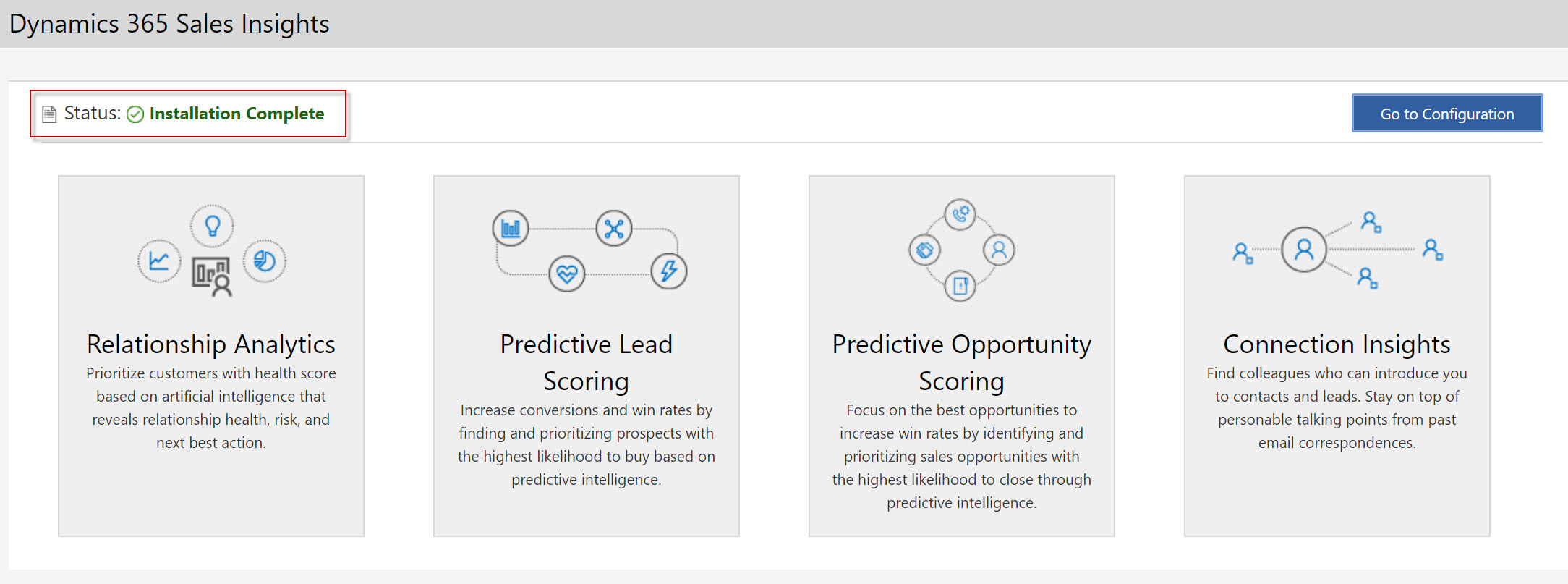
4857.Sales-Insights-1.jpg

7571.Sales-Insights-2.jpg

1205.Sales-Insights-3.jpg

3652.Sales-Insights-4.jpg

Thank you!

I have the same question (0)
  • terlochansingh Profile Picture
    on at

    Thank You for reporting... We are aware of this issue and tracking it to get it fixed.

    Thanks,

    Terlochan 

  • Community Member Profile Picture
    on at

    Hello,

    Thanks for the response. Would you know when this issue would be resolved? I have a client demo on Sales Insights tomorrow that's why I am worried. Is there a workaround way for me to access the Sales Insights app in my instance in the meantime? or would I be completely stuck tomorrow in the demo?

    Please advise. Thank you!

  • terlochansingh Profile Picture
    on at

    Hi,

    The bug is that the status is not updated in the admin center … from Sales Insights side all features are installed and ready to use. Please go ahead and enable the features which you like. Do let me know you if you face any issues

    Thanks,

    Terlochan

  • Community Member Profile Picture
    on at

    Hello,

    Thanks for the confirmation. But where would I see the Sales Insights app in the Dynamics 365 menu? And how can I access the Sales Insights settings area from within my Dynamics instance navigation?

    The problem I am facing at the moment is if I login to the Dynamics 365 instance, I don't know where to go to access Sales Insights. For example, in the menu we can select Sales, Service, etc. What about Sales Insights?

    Thanks again!

  • Suggested answer
    AJ-22040756-0 Profile Picture
    on at

    Hi Partner

    You can refer this article https://docs.microsoft.com/en-us/dynamics365/ai/sales/intro-admin-guide-sales-insights to configure the sales insights features and functionalities.

  • terlochansingh Profile Picture
    on at

    here you go : docs.microsoft.com/.../intro-admin-guide-sales-insights.

    Thanks,

    Terlochan

  • Community Member Profile Picture
    on at

    Hi Akash,

    Thanks for sharing the information, but that's what I have done. I am still not seeing the Sales Insights Settings in the change area menu though...that's strange.

    0804.Sales-Insights-5.jpg

  • terlochansingh Profile Picture
    on at

    Hi,

    Do you see a Sales Hub Tile in the main dashboard where all UCI apps are listed

    Thanks,

    terlochan

  • Community Member Profile Picture
    on at

    Hello,

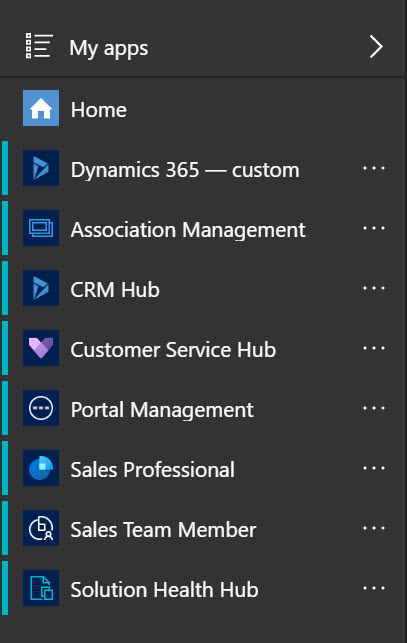
    No...unfortunately I don't see the Sales Hub tile. This is the free-trial D365 (Customer Engagement) instance I have set up. Please see screen shot below. The "Association Management" app is a model-driven app I have created in this demo instance. The rest are default what I got when I created this free-trial instance. Am I missing anything here? How can I enable Sales Hub?

    5810.Sales-Insights-6.jpg

  • terlochansingh Profile Picture
    on at

    Hi,

    Need to check and get back... please give me sometime

    Thanks,

    Terlochan

Under review

Thank you for your reply! To ensure a great experience for everyone, your content is awaiting approval by our Community Managers. Please check back later.

Helpful resources

Quick Links

Responsible AI policies

As AI tools become more common, we’re introducing a Responsible AI Use…

Neeraj Kumar – Community Spotlight

We are honored to recognize Neeraj Kumar as our Community Spotlight honoree for…

Leaderboard > Customer experience | Sales, Customer Insights, CRM

#1
Tom_Gioielli Profile Picture

Tom_Gioielli 83 Super User 2025 Season 2

#2
Gerardo Rentería García Profile Picture

Gerardo Rentería Ga... 49 Most Valuable Professional

#3
#ManoVerse Profile Picture

#ManoVerse 40

Last 30 days Overall leaderboard

Product updates

Dynamics 365 release plans