web
You’re offline. This is a read only version of the page.
close
Skip to main content

Announcements

No record found.

News and Announcements icon
Community site session details

Community site session details

Session Id :
Finance | Project Operations, Human Resources, ...
Suggested Answer

Purchase order (Excel) electronic reporting not generating tax informations

(0) ShareShare
ReportReport
Posted on by 92

Hello everyone,

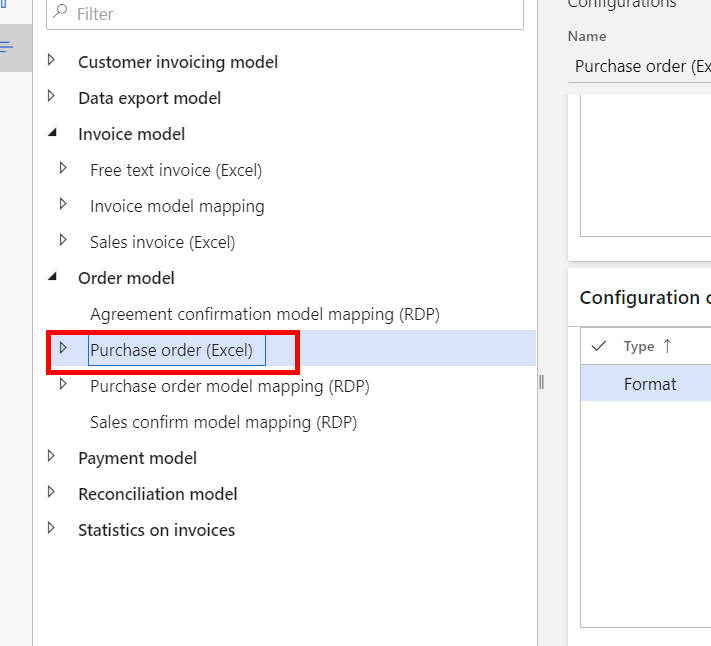
I want to use the standard "Purchase Order (Excel)" electronic report. But somes informations are not displayed such as sales tax.

Here is the electronic report I use:
pastedimage1594312291168v1.png

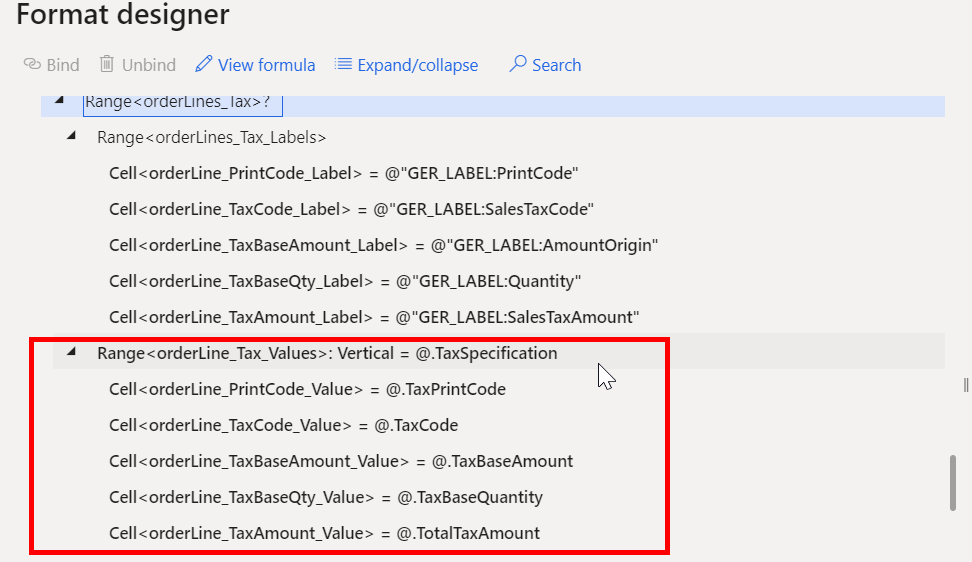
here is the mapping for taxes : 

pastedimage1594312331518v2.png

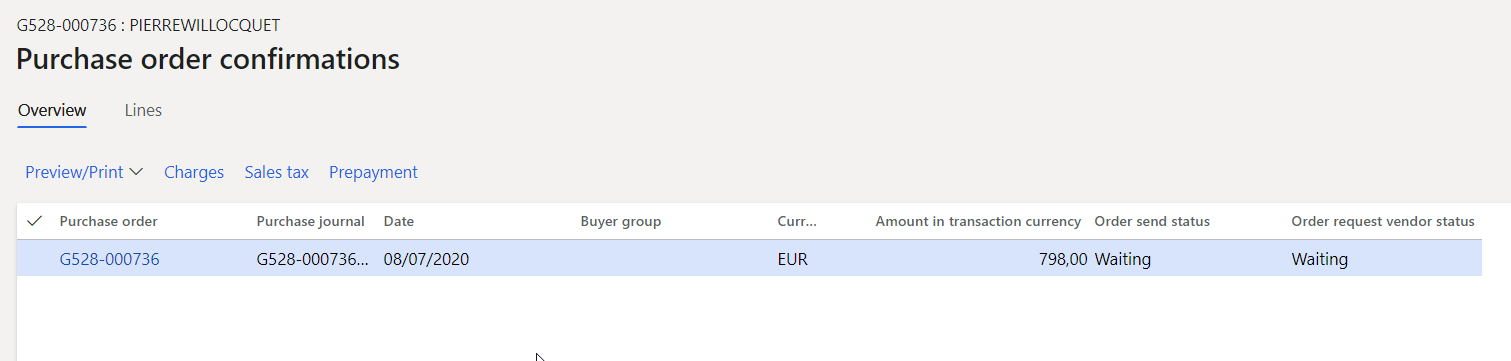
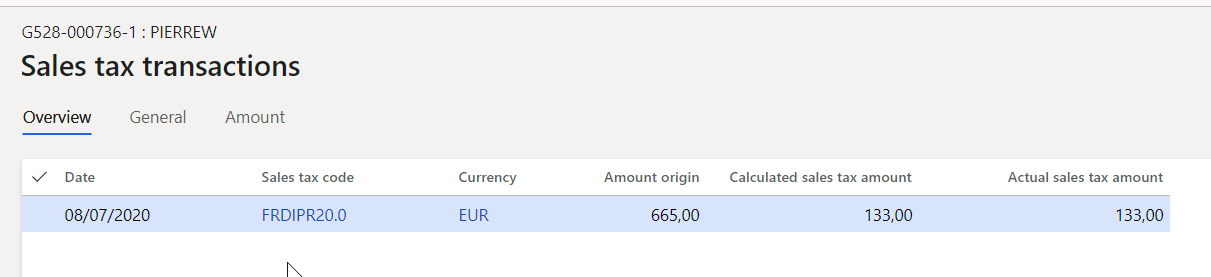
Here is a PO with sales taxes:

pastedimage1594312377170v3.pngpastedimage1594312394407v4.png

Then i generate the report and i dont have anything with the tax section:
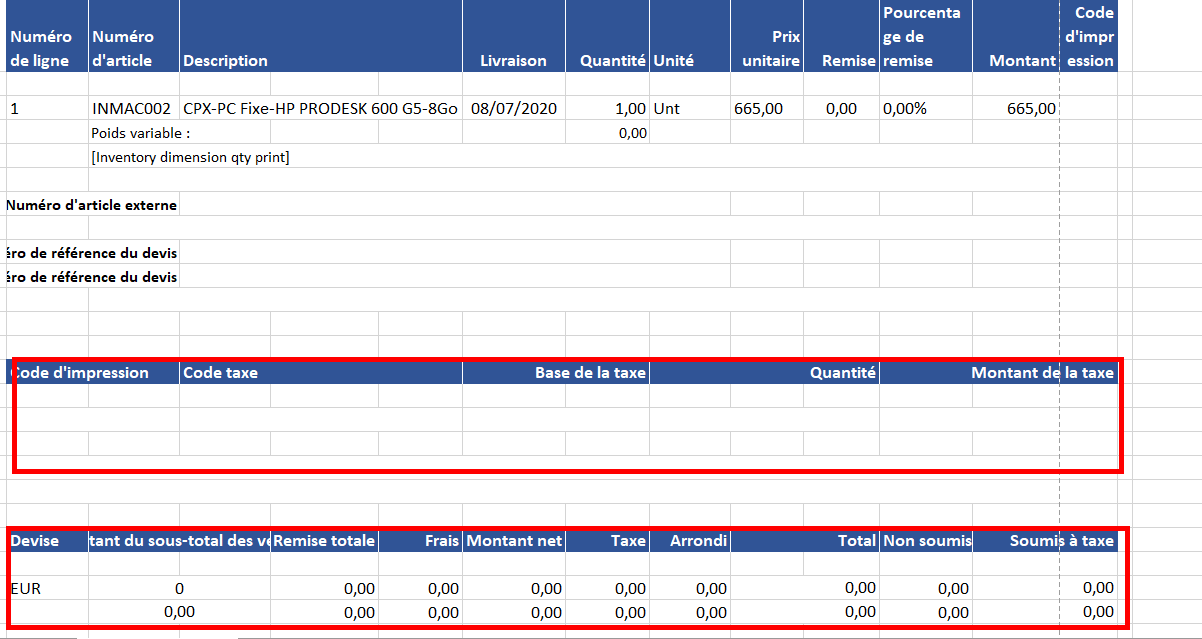
pastedimage1594312429619v5.png

Can someone help me please ?

Thank you very much.

I have the same question (0)
  • Suggested answer
    Ludwig Reinhard Profile Picture
    Microsoft Employee on at

    Hello Pierre,

    If you don't generate the report with electronic reporting but rather use the standard SSRS report, do you see the sales tax details then?

    Is that the PO confirmation related report?

    Best regards,

    Ludwig

  • Pierre Willocquet Profile Picture
    92 on at

    When i use standard report : 

    pastedimage1594318012735v1.png

    I have this (from the same PO) : 

    pastedimage1594318131759v2.png

    So no tax details ...

    Yes the report is generated from PO confirmations:

    pastedimage1594318163369v3.png

  • Suggested answer
    Ludwig Reinhard Profile Picture
    Microsoft Employee on at

    Hi Pierre,

    I would expect the ER to replicate the SSRS report.

    So, if the 'old' SSRS report did not hold tax information then the 'new' ER will not hold that information as well.

    If you need to include this tax information and if the standard ER does not provide it then you can either try modifying this report yourself or ask MS to do it for all D365FO by logging a product defect of missing feature.

    Best regards,

    Ludwig

Under review

Thank you for your reply! To ensure a great experience for everyone, your content is awaiting approval by our Community Managers. Please check back later.

Helpful resources

Quick Links

Introducing the 2026 Season 1 community Super Users

Congratulations to our 2026 Super Stars!

Meet the Microsoft Dynamics 365 Contact Center Champions

We are thrilled to have these Champions in our Community!

Congratulations to the April Top 10 Community Leaders

These are the community rock stars!

Leaderboard > Finance | Project Operations, Human Resources, AX, GP, SL

#1
Giorgio Bonacorsi Profile Picture

Giorgio Bonacorsi 804

#2
André Arnaud de Calavon Profile Picture

André Arnaud de Cal... 639 Super User 2026 Season 1

#3
Subra Profile Picture

Subra 528

Last 30 days Overall leaderboard

Product updates

Dynamics 365 release plans