web
You’re offline. This is a read only version of the page.
close
Skip to main content

Notifications

Announcements

No record found.

Community site session details

Community site session details

Session Id :
Microsoft Dynamics CRM (Archived)

Change language in dynamics crm

(0) ShareShare
ReportReport
Posted on by 6,211

Hi All,

How to change module name in dynamics crm, i am able to install french language but for some module it is still showing in English, please check below screenshot.
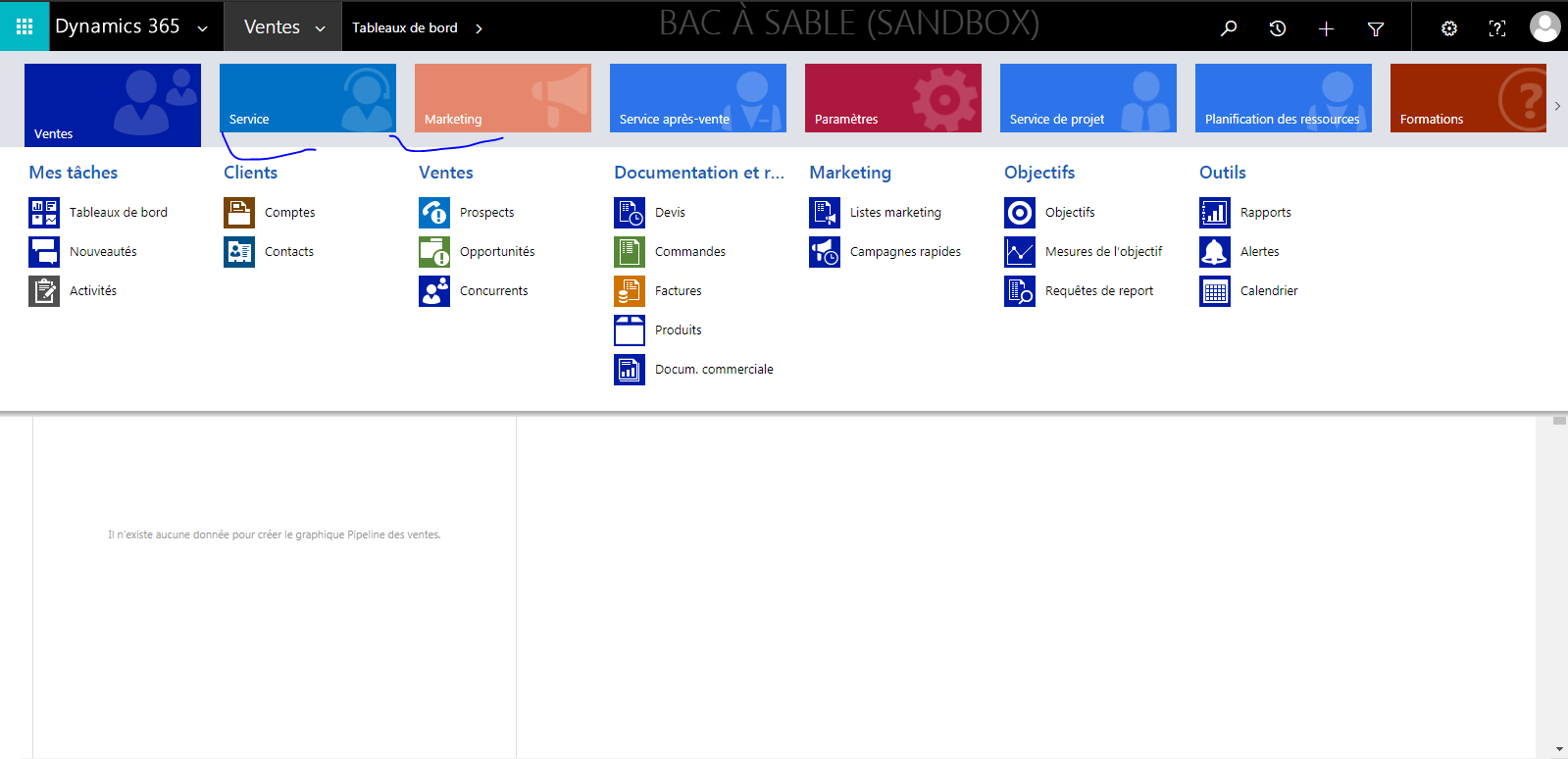
6204.language.PNG

Thanks,

Shahbaaz

*This post is locked for comments

I have the same question (0)
  • Verified answer
    Alex Fun Wei Jie Profile Picture
    33,628 on at

    Hi,

    you can change it via sitemap editor

    0654.6.PNG

  • Shahbaaz Ansari Profile Picture
    6,211 on at

    Thank fun wei jie, for the reply, this will change the language for all the user, but i want it for the users who only change the language for them self only.

  • Alex Fun Wei Jie Profile Picture
    33,628 on at

    Hi,

    I dont get you, i thought you want to translate the sitemap area name based on the current log in user language?

  • Shahbaaz Ansari Profile Picture
    6,211 on at

    yes correct, i want to change the sitemap language based on current user log in language.

  • Shahbaaz Ansari Profile Picture
    6,211 on at

    i tried to changed it from site map but nothing happens when i change logged in user language to french.

  • Alex Fun Wei Jie Profile Picture
    33,628 on at

    Hi,

    just follow that, look carefully at the picture, you can select language to insert the title.

  • Verified answer
    gdas Profile Picture
    50,091 Moderator on at

    Hi Shahbaaz,

    You should select the language and set the text accordingly in sitemap editor , so that based on user preference language setup User can see the label.

  • Shahbaaz Ansari Profile Picture
    6,211 on at

    @Wei Jie, i added it to french and didn't published correctly, again i published and worked fine.

    thanks,

    shahbaaz

  • Alex Fun Wei Jie Profile Picture
    33,628 on at

    Hi,

    no problem, sometime weird thing happens anyway. Haha

  • Suggested answer
    RaviKashyap Profile Picture
    55,410 Moderator on at

    Hi Shahbaz,

    In the screenshot shared by Alex above, that is the additional titles using different language which is based on the logged in user language. I would suggest to try this and see if it works.

    Hope this helps.

Under review

Thank you for your reply! To ensure a great experience for everyone, your content is awaiting approval by our Community Managers. Please check back later.

Helpful resources

Quick Links

Responsible AI policies

As AI tools become more common, we’re introducing a Responsible AI Use…

Neeraj Kumar – Community Spotlight

We are honored to recognize Neeraj Kumar as our Community Spotlight honoree for…

Leaderboard > 🔒一 Microsoft Dynamics CRM (Archived)

#1
SA-08121319-0 Profile Picture

SA-08121319-0 4

#1
Calum MacFarlane Profile Picture

Calum MacFarlane 4

#3
Alex Fun Wei Jie Profile Picture

Alex Fun Wei Jie 2

Last 30 days Overall leaderboard

Featured topics

Product updates

Dynamics 365 release plans



