web
You’re offline. This is a read only version of the page.
close
Skip to main content

Announcements

No record found.

News and Announcements icon
Community site session details

Community site session details

Session Id :
Finance | Project Operations, Human Resources, ...
Suggested Answer

Account Structure letting dimension value choose other values

(0) ShareShare
ReportReport
Posted on by 2

If you want to force the user to select Department dimension value but not CostCenter value and vice versa, can be done like this
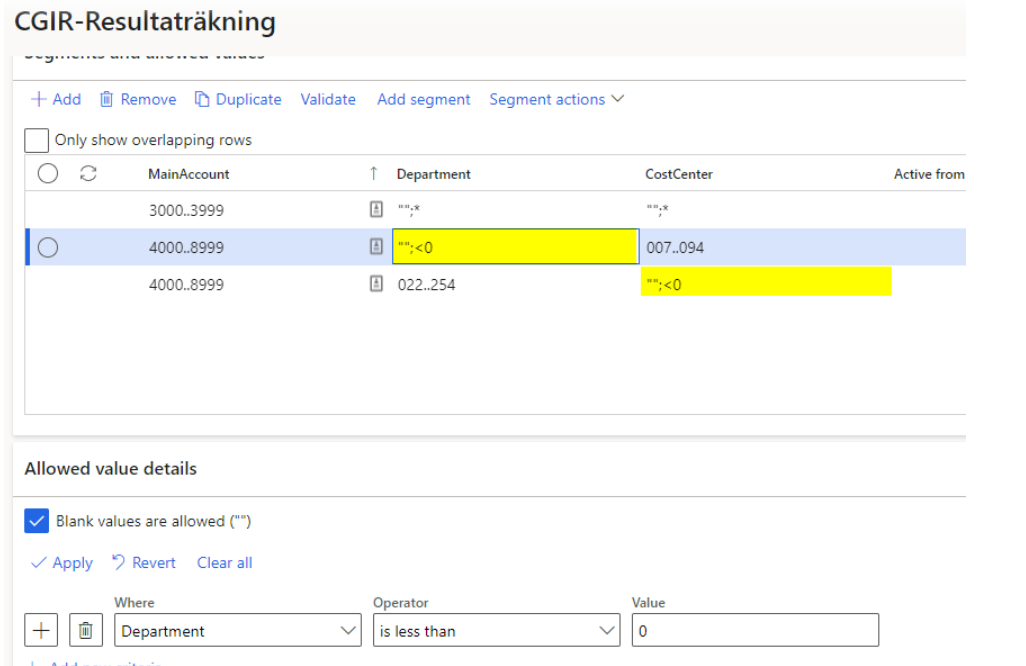
EitherOr.png

But what if we let user chooses Department in a range between 1000..9999, then the user can choose any CostCenter

or

if the user chooses a Cost center <=999, then the user can choose any Department value

I have tried using advanced rules with an additional condition for CC<=999 then Department *

Any ideas?

I have the same question (0)
  • saurabh bharti Profile Picture
    15,039 Moderator on at

    I think you should use advance rule for this?

    Also, are you saying use can choose cost centre first in some cases and department in some cases?

    But you will define segment in one sequence only depart then cost centre?

    Can you share exact rules requirement?

  • Suggested answer
    OsmanIstanbul Profile Picture
    2,818 on at

    Hi,

    Probably because of department code field is a string type field, your condition is not working. Try to use another operator such as the department equal to ZZZ (a not exist department code)

    Best.

  • Roger Mansson Profile Picture
    2 on at

    Hi. Sorry for long wait to reply. the forum didnt allow me to reply.

    Simply put

    For main accounts 5000..6599:6900-6999:

    1. Both cost center  + project fin dim allowed if

         a. cost center =50000..60000;80000;93000;980000

      OR

         b. if project <= 1000 any cost center can be used

Under review

Thank you for your reply! To ensure a great experience for everyone, your content is awaiting approval by our Community Managers. Please check back later.

Helpful resources

Quick Links

Introducing the 2026 Season 1 community Super Users

Congratulations to our 2026 Super Stars!

Congratulations to our 2025 Community Spotlights

Thanks to all of our 2025 Community Spotlight stars!

Leaderboard > Finance | Project Operations, Human Resources, AX, GP, SL

#1
André Arnaud de Calavon Profile Picture

André Arnaud de Cal... 527 Super User 2026 Season 1

#2
Giorgio Bonacorsi Profile Picture

Giorgio Bonacorsi 473

#3
Adis Profile Picture

Adis 284 Super User 2026 Season 1

Last 30 days Overall leaderboard

Product updates

Dynamics 365 release plans
