web
You’re offline. This is a read only version of the page.
close
Skip to main content

Announcements

No record found.

News and Announcements icon
Community site session details

Community site session details

Session Id :
Customer experience | Sales, Customer Insights,...
Suggested Answer

On Demand Workflow Process with in Business Flow

(0) ShareShare
ReportReport
Posted on by 2

Hello,

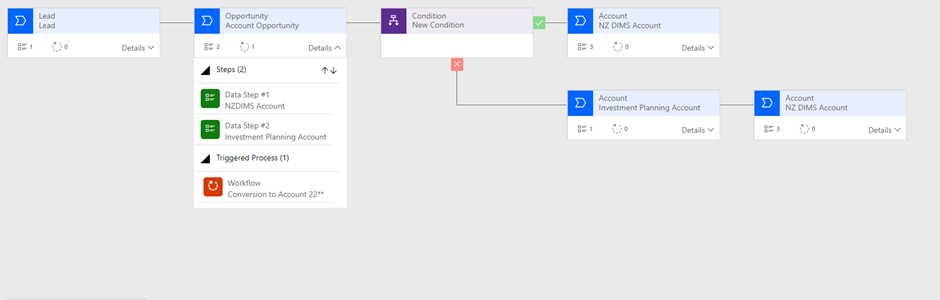
I have created a unique Business Flow as per the below screen shot relative to our business model as we are a finance company as opposed to a sales company so the out of the box BF do not apply to us. 

The Business Flow as per the below screen shot has been designed to flow through the stages of Lead, to Opportunity to Account.
pastedimage1670374123934v1.png

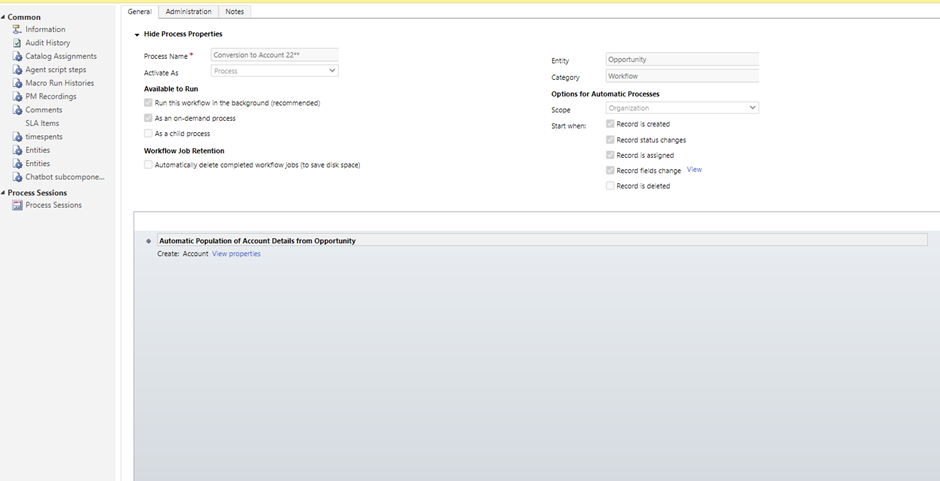
I have then created an On Demand Process ( Workflow ) and attached this to the Opportunity Stage within the Business Flow Process.

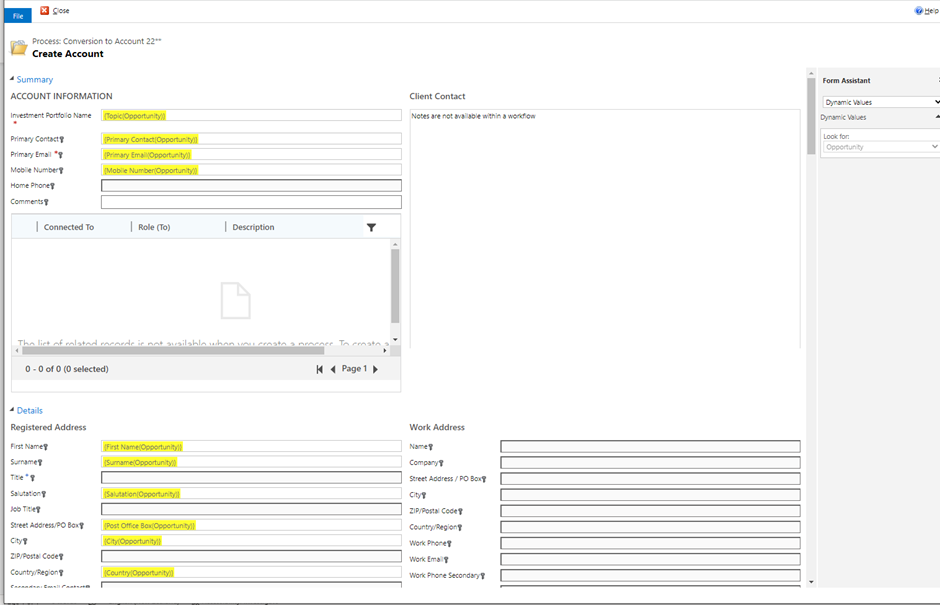
The point of creating the On Demand Process is so that when I move to the Next Stage of Account, the majority of field data which is contained on Opportunity Form is picked up 

in the Account Form.

However when I click on Next Stage " Create an Account" none of data from the Opportunity Form populates on the Account Form.  

I have activated everything and unsure as to why Active Workflow Process is not updating the Account.

I have provided a couple of screen examples below and hoping that someone has a relatively simple answer to my query.

Business flow confirming the fields selected.
pastedimage1670374132703v2.png

Steps within the Business Flow.

pastedimage1670374146878v3.png

I have the same question (0)
  • Inogic Profile Picture
    748 on at

    As this is a custom process flow, can you make sure that the workflow is triggered according to trigger option that you have selected. 

    Business-Flow.png

    Thanks!

  • Suggested answer
    Eiken Profile Picture
    Microsoft Employee on at

    Hi,

    Would you tell me whether the workflow in Business Process Flow is triggered.

    It can be checked in the System Jobs.

    Go to Advanced Settings > Drop-down between Setting > System Jobs.

    The following image shows a successful example.

    pastedimage1670488971057v1.png

    Then you can see more details by selecting the workflow.

    pastedimage1670489334716v3.png

    If it did not be triggered(Can not find it in System Jobs). Please check whether you select the ”Trigger” option. 

    pastedimage1670489149937v2.png

Under review

Thank you for your reply! To ensure a great experience for everyone, your content is awaiting approval by our Community Managers. Please check back later.

Helpful resources

Quick Links

Introducing the 2026 Season 1 community Super Users

Congratulations to our 2026 Super Stars!

Congratulations to our 2025 Community Spotlights

Thanks to all of our 2025 Community Spotlight stars!

Leaderboard > Customer experience | Sales, Customer Insights, CRM

#1
ManoVerse Profile Picture

ManoVerse 180 Super User 2026 Season 1

#2
11manish Profile Picture

11manish 123

#3
CU11031447-0 Profile Picture

CU11031447-0 100

Last 30 days Overall leaderboard

Product updates

Dynamics 365 release plans