web
You’re offline. This is a read only version of the page.
close
Skip to main content

Notifications

Announcements

No record found.

Community site session details

Community site session details

Session Id :
Finance | Project Operations, Human Resources, ...
Answered

Data entity virtual fields are not exported

(0) ShareShare
ReportReport
Posted on by 60

Dear experts,

I have added 2 virtual fields to standard data entity EcoResProductAttributeValueV2Entity.
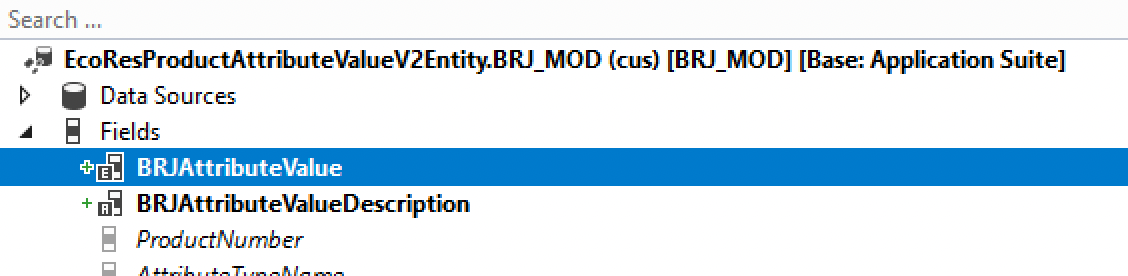
pastedimage1630658668834v1.png

Their properties:

pastedimage1630658725536v2.png

and

pastedimage1630658746120v3.png.

I created an extension class for data entity and extended the postLoad() method to populated my new virtual fields.

pastedimage1630658820885v4.png.

After that i have built my model with DB sync.

But, when I try to use this data entity for export operation, my new virtual fields are not exported at all.

And I cannot see my new fields when i open this data entityt from DMF workspace.

Though i have refreshed data entities with this:

pastedimage1630658995088v5.png

Can you advise me of what I should do to fix this issue?

I have the same question (0)
  • Martin Dráb Profile Picture
    237,817 Most Valuable Professional on at

    You didn't mention adding the fields to the staging table - isn't it the main problem?

  • Nick_Yurov Profile Picture
    60 on at

    Hi Martin,

    As far as I was developing virtual fields according to this instruction docs.microsoft.com/.../data-entity-computed-columns-virtual-fields, there was not a single word about the fact, that virtual fields must be linked to staging table fields. Must they?

  • huijij Profile Picture
    19,811 on at

    Hi Nick,

    Have you completed these steps Exposing custom fields on data entities to expose custom fields on the entity?

  • Nick_Yurov Profile Picture
    60 on at

    Hi Judy,

    No, I haven't completed these steps because I am not using custom fields on data entity. I am trying to output virtual fields on standard data entity.

  • Verified answer
    Martin Dráb Profile Picture
    237,817 Most Valuable Professional on at

    All right, so we've found the key problem.

    If you want to use your fields in data management (export & import), you need to add them to the staging table. If you have no corresponding fields in the staging table, the data can't be exported to staging and therefore can't be included in the exported file.

    Just for completeness - you wouldn't need fields in the staging table if you didn't want to use data management. You could still access them via OData, for example.

  • Nick_Yurov Profile Picture
    60 on at

    Thank you, Martin. I really appreciate your help. I should have figured this out by myself, because on this data entity UnitOfMeasure is also a virtual field and it was exported successfully.

Under review

Thank you for your reply! To ensure a great experience for everyone, your content is awaiting approval by our Community Managers. Please check back later.

Helpful resources

Quick Links

Responsible AI policies

As AI tools become more common, we’re introducing a Responsible AI Use…

Neeraj Kumar – Community Spotlight

We are honored to recognize Neeraj Kumar as our Community Spotlight honoree for…

Leaderboard > Finance | Project Operations, Human Resources, AX, GP, SL

#1
Martin Dráb Profile Picture

Martin Dráb 660 Most Valuable Professional

#2
André Arnaud de Calavon Profile Picture

André Arnaud de Cal... 512 Super User 2025 Season 2

#3
Sohaib Cheema Profile Picture

Sohaib Cheema 291 User Group Leader

Last 30 days Overall leaderboard

Product updates

Dynamics 365 release plans
