web
You’re offline. This is a read only version of the page.
close
Skip to main content

Announcements

No record found.

News and Announcements icon
Community site session details

Community site session details

Session Id :
Finance | Project Operations, Human Resources, ...
Suggested Answer

How to add a field to the Route so that it can be saved?

(0) ShareShare
ReportReport
Posted on by 314

Hi, Expert! Greetings!

So, I added a new field on the Route form (Product Information -> Released products -> Routes) which is 'Cycle Time'.
This field will be used as a reference later for the 'cycle time' column when creating a Job Card in the Production Order.
But the field I added can't be saved in the database for some reason. After I click the save button, the contents of this field disappear.
Can anyone shed some light on this? Please provide input and suggestions my friend.
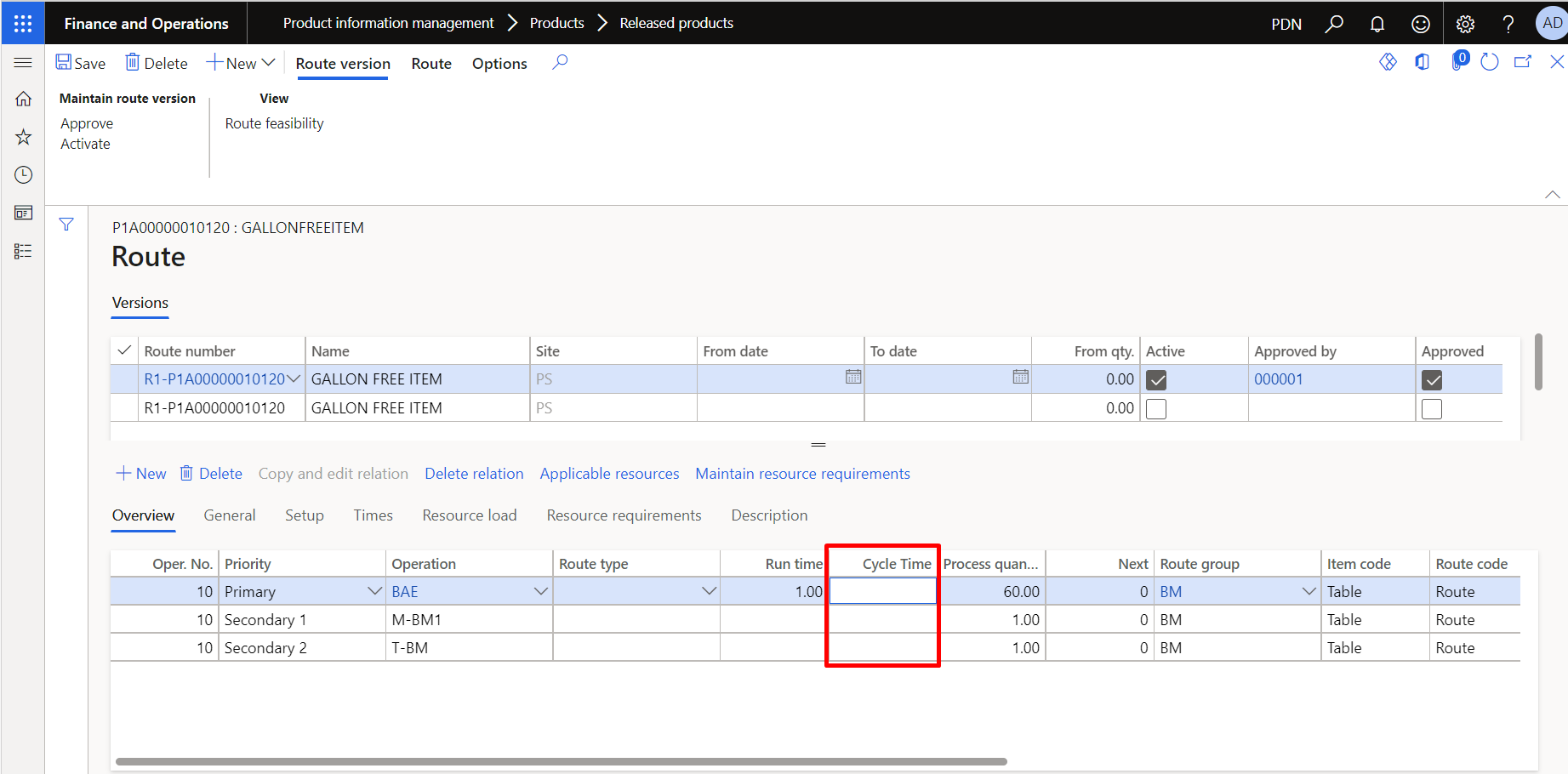
pastedimage1627200424308v1.png

(This is the field that i have added in Route form in D365 FO)

This additional field is a move from the AX2012 that we used before this.
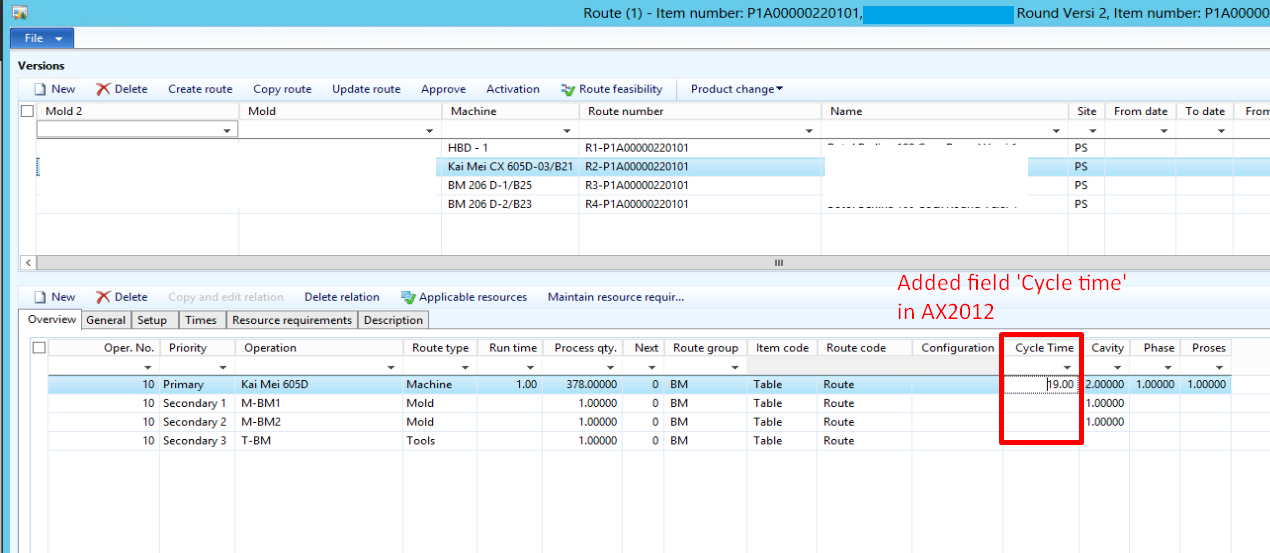
pastedimage1627200978962v2.png
I have the same question (0)
  • André Arnaud de Calavon Profile Picture
    304,774 Super User 2026 Season 1 on at

    Hi Michael,

    Can you tell if this field is added as new field via a table extension or did you create a new table with this field?

  • Michael Antony Profile Picture
    314 on at

    Hi Andre,

    This field is added as new field via table extension (ProdRoute table, as the datasource of RouteInventProd form).

  • Suggested answer
    André Arnaud de Calavon Profile Picture
    304,774 Super User 2026 Season 1 on at

    Hi Michael,

    Can you check the Field property called 'SaveContents'? This one might be changed unattended. If this has the correct value ('yes'), then try to open the table browser (I do assume this is not in a production environment yet) and check if values will be saved.

  • Michael Antony Profile Picture
    314 on at

    Hi Andre,

    Unfortunately, I have set the 'SaveContent' property to Yes, even the default in Visual Studio has the property set to Yes.

Under review

Thank you for your reply! To ensure a great experience for everyone, your content is awaiting approval by our Community Managers. Please check back later.

Helpful resources

Quick Links

Introducing the 2026 Season 1 community Super Users

Congratulations to our 2026 Super Stars!

Meet the Microsoft Dynamics 365 Contact Center Champions

We are thrilled to have these Champions in our Community!

Congratulations to the April Top 10 Community Leaders

These are the community rock stars!

Leaderboard > Finance | Project Operations, Human Resources, AX, GP, SL

#1
Giorgio Bonacorsi Profile Picture

Giorgio Bonacorsi 621

#2
André Arnaud de Calavon Profile Picture

André Arnaud de Cal... 575 Super User 2026 Season 1

#3
CP04-islander Profile Picture

CP04-islander 430

Last 30 days Overall leaderboard

Product updates

Dynamics 365 release plans
