Hi jaydee23,
Unfortunately, you can’t change User of bookable resource.
The User field of bookable resource is locked upon Save, and you can’t unlock it, which is by-design.
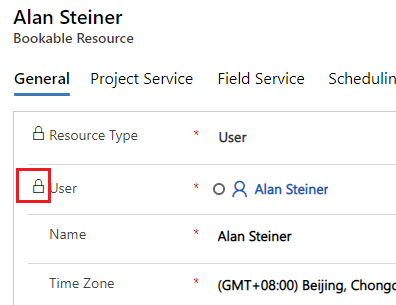
I have tried to use workflow and flow to update it, they are both can’t work.
In the workflow, the ‘User’ field is greyed out in update properties dialog, you can’t select any value.
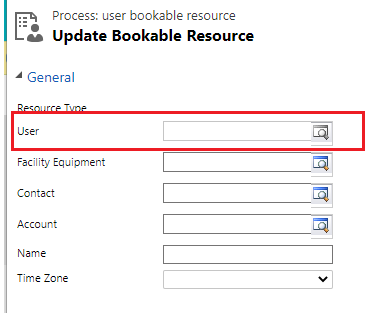
In the Flow, there is no ‘User’ field in ‘Update a record’ step, which make you also change user.
So you have to delete old resource and create new again, which may be the only solution to achieve it.
Regards,
Leah Ju
Please mark as verified if the answer is helpful. Welcome to join hot discussions in Dynamics 365 Forums.


