web
You’re offline. This is a read only version of the page.
close
Skip to main content

Notifications

Announcements

No record found.

Community site session details

Community site session details

Session Id :
Microsoft Dynamics CRM (Archived)

CRM service call returned an error: A validation error occurred. The value of 'leadqualitycode' on record of type 'lead' is outside the valid range.

(0) ShareShare
ReportReport
Posted on by

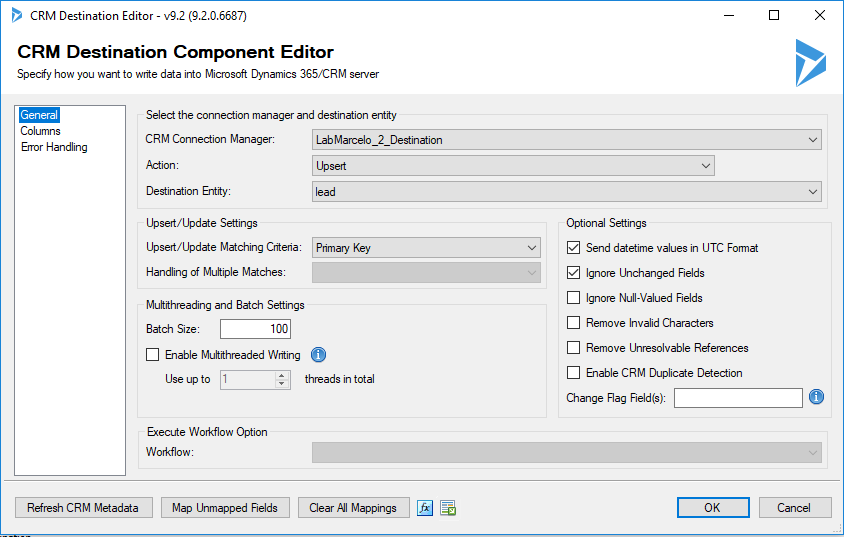
I am not an expert in Dynamic CRM and I started a job a week ago. The project I am involved in is migration. I'm trying out KingsWaySoft and I'm running some migration tests. At this moment I can not migrate the lead entity.
I always have the message: CRM service call returned an error: A validation error occurred. The value of 'leadqualitycode' on record of type 'lead' is outside the valid range.

I have no idea what to do to solve the problem....
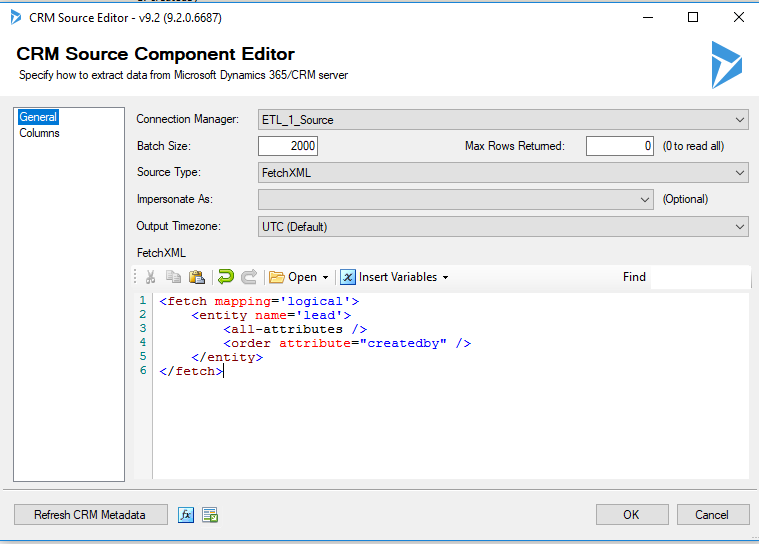
0131.lead_5F00_source.PNG

3755.lead_5F00_destination1.PNG

I used Text Lookup in the fields :

input column: owneridname
destination CRM files: ownerid Choisir: Chose Target Fields(s)
how text lookup is performed: Chose Target Fields(s)
Lookup methode: Manually Specify
systemuser: Target: fullname
team: Target: name
Options: Ignore Case
Cache: Full Cache
=======================
input column: transactioncurrencyname
destination CRM files: transactioncurrencyid
how text lookup is performed: Chose Target Fields(s)
Lookup methode: Manually Specify
Target: currencyname
Options: Ignore Case
Cache: Full Cache

=======================
input column: createdbyname
destination CRM files: createby
how text lookup is performed: Chose Target Fields(s)
Lookup methode: Manually Specify
Target: fullname
Options: Ignore Case
Cache: Full Cache

*This post is locked for comments

I have the same question (0)
  • Verified answer
    David Jennaway Profile Picture
    14,065 on at

    The issue will be that you have some data in the 'leadqualitycode' field which relates to an option set value that has been deleted. A simple workaround would be to remove this field from the destination. A more involved one would be to check what the missing values are - if you have CRM OnPremise you can do this with the following SQL 

    select leadqualitycode, leadqualitycodename from filteredlead where leadqualitycodename is null


  • Verified answer
    gdas Profile Picture
    50,091 Moderator on at

    Hi Marcelo,

    The error related to "leadqualitycode" , you need to pass  "leadqualitycode" value  between 1 to 3.

    Here is the field details .

    Type:

    Edm.Int32

    Description:

    Select a rating value to indicate the lead's potential to become a customer.

    Default Options:

    1 : Hot

    2 : Warm

    3 : Cold

    Display Name:

    Rating

    Hope this helps.

  • Verified answer
    Community Member Profile Picture
    on at

    Hello. I was able to solve the problem in the following way:
    I made 3 Mapping OptionSet: 
    - First for salesstagecode
    - Second for leadqualitycode
    - Third to leadsourcecode

    Here (with French comments)

    answer-2.PNG 

Under review

Thank you for your reply! To ensure a great experience for everyone, your content is awaiting approval by our Community Managers. Please check back later.

Helpful resources

Quick Links

Responsible AI policies

As AI tools become more common, we’re introducing a Responsible AI Use…

Neeraj Kumar – Community Spotlight

We are honored to recognize Neeraj Kumar as our Community Spotlight honoree for…

Leaderboard > 🔒一 Microsoft Dynamics CRM (Archived)

#1
SA-08121319-0 Profile Picture

SA-08121319-0 4

#1
Calum MacFarlane Profile Picture

Calum MacFarlane 4

#3
Alex Fun Wei Jie Profile Picture

Alex Fun Wei Jie 2

Last 30 days Overall leaderboard

Featured topics

Product updates

Dynamics 365 release plans