web
You’re offline. This is a read only version of the page.
close
Skip to main content

Announcements

No record found.

News and Announcements icon
Community site session details

Community site session details

Session Id :
Customer experience | Sales, Customer Insights,...
Suggested Answer

Separate Marketing & Sales Hub Contacts

(0) ShareShare
ReportReport
Posted on by

Hi, 

How do I separate Marketing contacts from Sales hub contacts. I don't want to see them in both the apps.

I tried switching the "Marketing Only" field to "YES" for contact in the Sales hub but I still see him in both the apps. I don't want to create a View to see them.

Is there a way to keep marketing contacts in Marketing app only and Sales Hub contacts in Sales app only?

I have the same question (0)
  • Suggested answer
    cloflyMao Profile Picture
    25,210 on at

    Hi Shaivya,

    A view corresponds to a group of query conditions: to separate contacts based on value of a specific field(YES/NO), two views are necessary anyway.

    You could copy the existing "My Active Contacts" view to achieve your requirement.

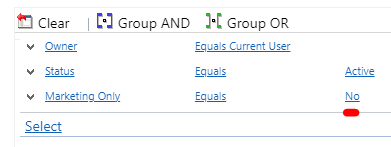
    1. Go to Advanced Settings > Customizations > Customize the System > Entities > Contact > View, edit filter criteria of "My Active Contacts" view: 
    pastedimage1615343320815v1.png

    Save the view. (The existing default view will be enabled in Sales Hub and disabled in Marketing.)

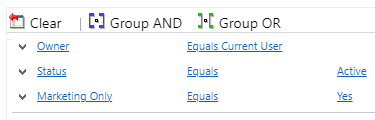
    2. Click "Save As" to create a duplicate view, change the filter: Marketing Only to Yes,
    pastedimage1615343662663v2.png

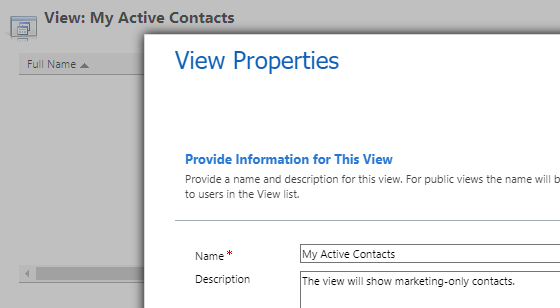
    and give its description to differentiate the new view and the default.
    pastedimage1615343797733v3.png

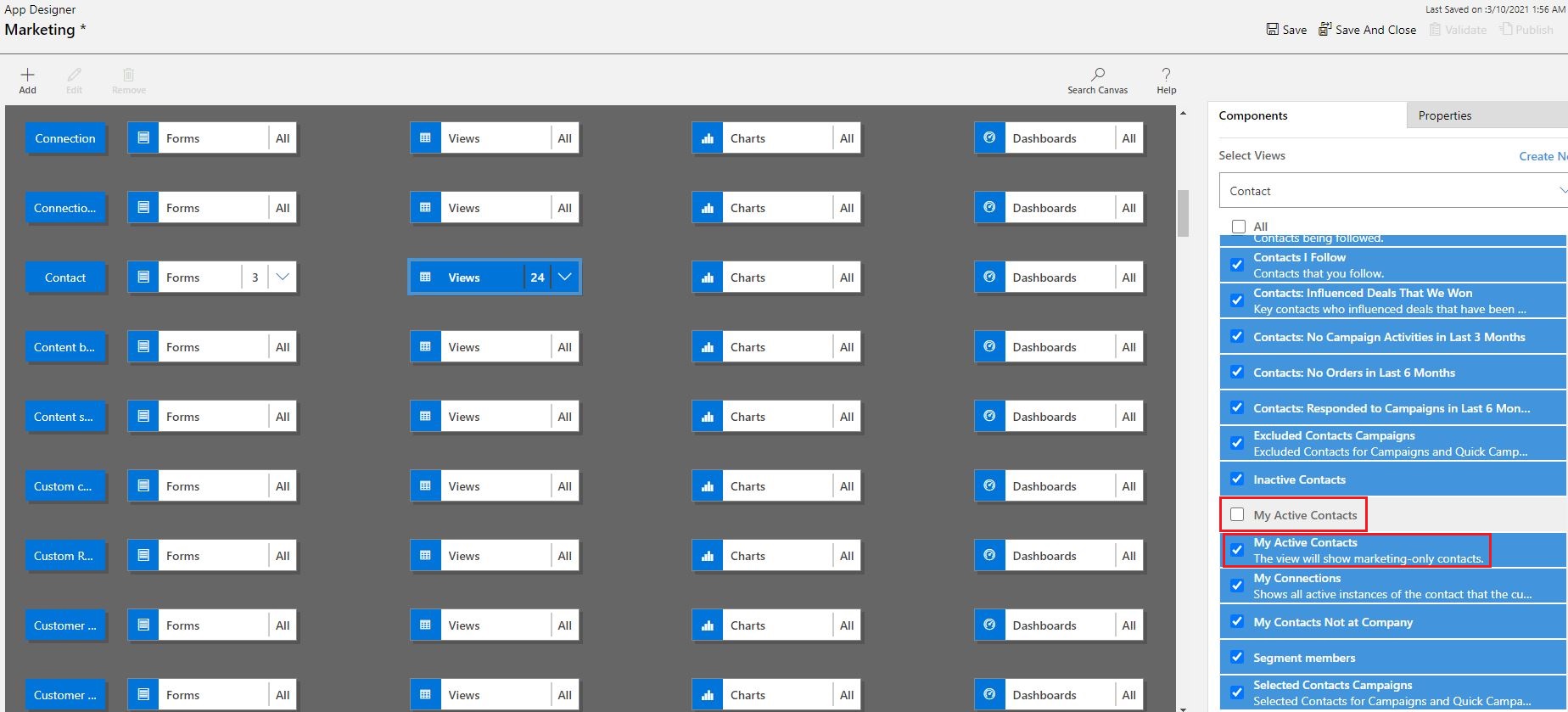
    3. Open Marketing App in App Designer: only disable the default "My Active Contacts" view.
    7140.q1.JPG

    Save & Publish Marketing app.

    4. Do similar operation in Sales Hub.

  • cloflyMao Profile Picture
    25,210 on at

    Hi Shaivya,

    Please let me know whether the solution could make sense for you. :)

Under review

Thank you for your reply! To ensure a great experience for everyone, your content is awaiting approval by our Community Managers. Please check back later.

Helpful resources

Quick Links

Introducing the 2026 Season 1 community Super Users

Congratulations to our 2026 Super Stars!

Congratulations to our 2025 Community Spotlights

Thanks to all of our 2025 Community Spotlight stars!

Leaderboard > Customer experience | Sales, Customer Insights, CRM

#1
ManoVerse Profile Picture

ManoVerse 129 Super User 2026 Season 1

#2
Jimmy Passeti Profile Picture

Jimmy Passeti 46 Most Valuable Professional

#3
NeerajPawar Profile Picture

NeerajPawar 41

Last 30 days Overall leaderboard

Product updates

Dynamics 365 release plans
