web
You’re offline. This is a read only version of the page.
close
Skip to main content

Notifications

Announcements

No record found.

Community site session details

Community site session details

Session Id :
Finance | Project Operations, Human Resources, ...
Suggested Answer

Custom D365 F&O Entity is leaving out some records when exporting.

(0) ShareShare
ReportReport
Posted on by 35

Good day,

Im working with a custom entity that was created by the previous developer.

Its name is InvoicePaymentTrackerDataStaging.

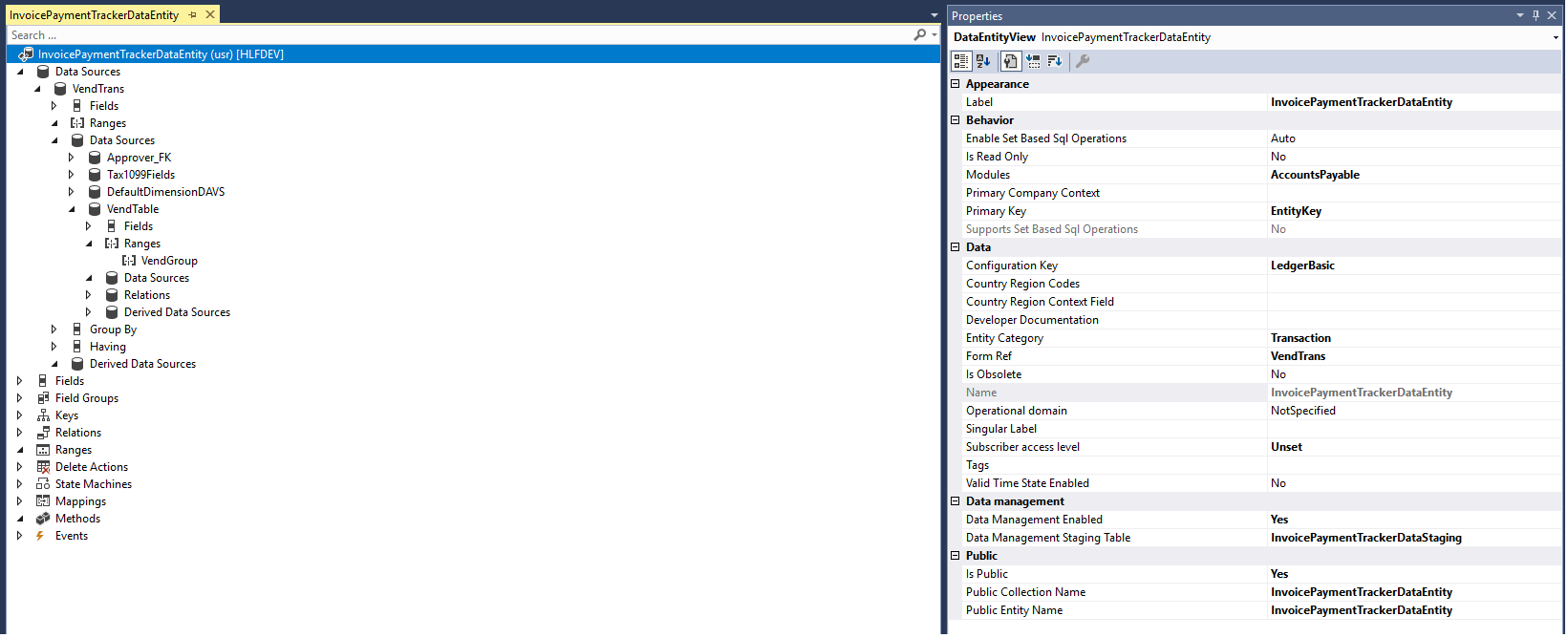
It's using VendTrans table as the main datasource. Under VendTrans table its has HCMWorker, Tax1099Fields, DimensionSetEntity and VendTable as datasources.

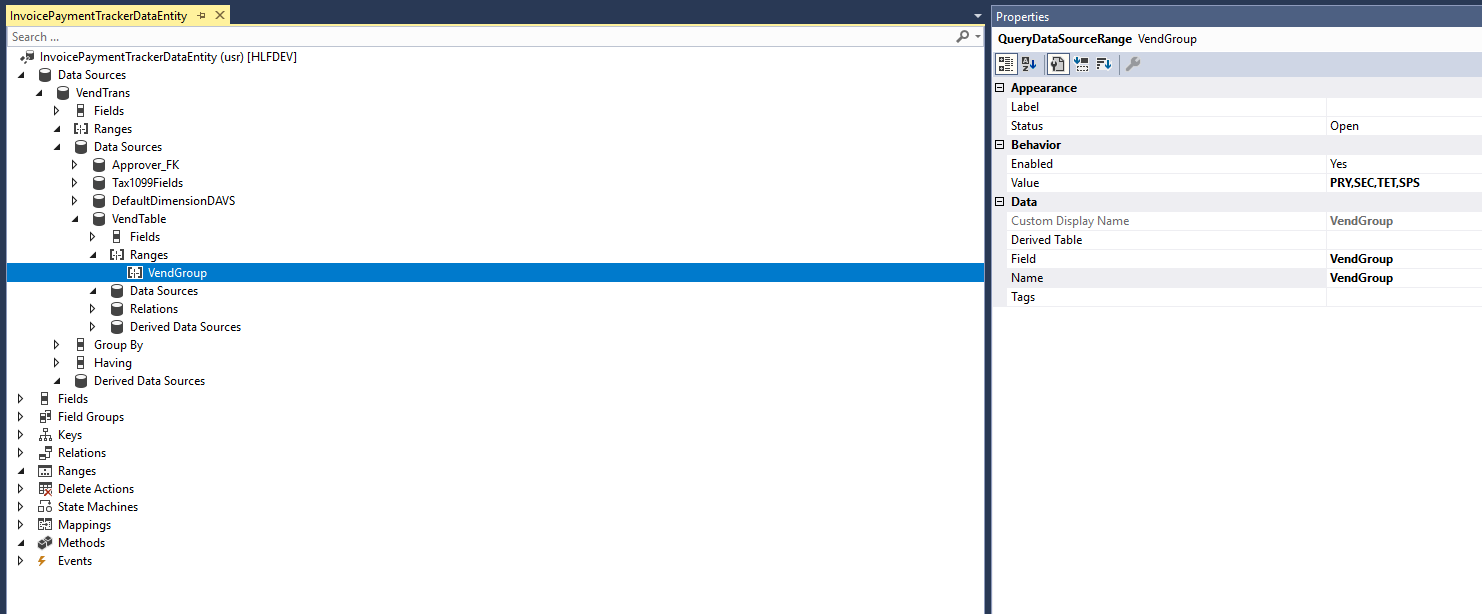
Under VendTable, the range specified is VendGroup and values provided are PRY,SEC,TET,SPS. 

The other tables dont have any ranges specified/set on them.

However when i run the export operation on the data entity it is leaving out several records which meet the range specified ie the records are in one of the PRY,SEC,TET,SPS VendGroups but they are being left out when i run the export operation.

I have refreshed the Entity list but still the problem is persisting.

Im kindly asking for pointers/assistance in resolving this. I have attached some screenshots to give you a visual. 

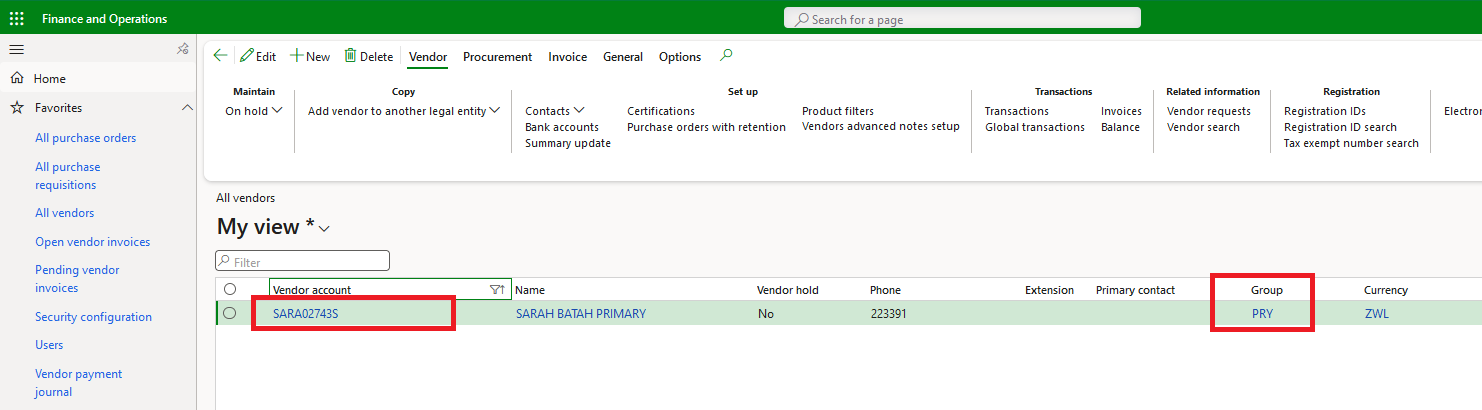
One of the screenshots is of the VendTrans table with a highlighted record which is missing when the export-operation is run on the entity, the vendor is part of the PRY,SEC,TET,SPS VendGroup as displayed in the other screenshot. Hope this makes sense. 
Screenshot-_2800_25_2900_.pngVendAccount-specified-is-part-of-the-listed-vendGroup.pngScreenshot-of-VendTrans-with-Record-which-is-missing-from-the-entity.png

Regards. 

I have the same question (0)
  • Suggested answer
    GirishS Profile Picture
    27,827 Moderator on at

    Hi Tapiwa,

    I am assuming Data entity is built on the HcmWorker table which is related to showing Approver - So from the excel screenshot, "Approver" name seems to be empty - May be that is the issue. Can you check that one?

    Thanks,

    Girish S.

  • Suggested answer
    Mohit Rampal Profile Picture
    12,565 Moderator on at

    Hi, To troubleshoot, I think it would be easier to make change to this data entity in SQL server and test the records. You can check the query for this data entity in Sql server in AxDB, open Views, find your data entity, right click Script View as -->Create To-->New query editor window.

    Use the select statement to make changes.

  • Suggested answer
    Bharani Preetham Peraka Profile Picture
    3,634 Moderator on at

    As there many datasources there might be an issue in the joins. Can you check the records of the entity in SSMS? If you find any difference then you can play around the join types.

Under review

Thank you for your reply! To ensure a great experience for everyone, your content is awaiting approval by our Community Managers. Please check back later.

Helpful resources

Quick Links

Responsible AI policies

As AI tools become more common, we’re introducing a Responsible AI Use…

Neeraj Kumar – Community Spotlight

We are honored to recognize Neeraj Kumar as our Community Spotlight honoree for…

Leaderboard > Finance | Project Operations, Human Resources, AX, GP, SL

#1
Martin Dráb Profile Picture

Martin Dráb 704 Most Valuable Professional

#2
André Arnaud de Calavon Profile Picture

André Arnaud de Cal... 570 Super User 2025 Season 2

#3
BillurSamdancioglu Profile Picture

BillurSamdancioglu 408 Most Valuable Professional

Last 30 days Overall leaderboard

Product updates

Dynamics 365 release plans