web
You’re offline. This is a read only version of the page.
close
Skip to main content

Announcements

No record found.

News and Announcements icon
Community site session details

Community site session details

Session Id :
Customer experience | Sales, Customer Insights,...
Suggested Answer

Portal Entity List - Workflows

(0) ShareShare
ReportReport
Posted on by 75

Hi 

I have a weird issue .

I have a  Entity list , on which I have defined some workflows to be run. depending on the option chosen
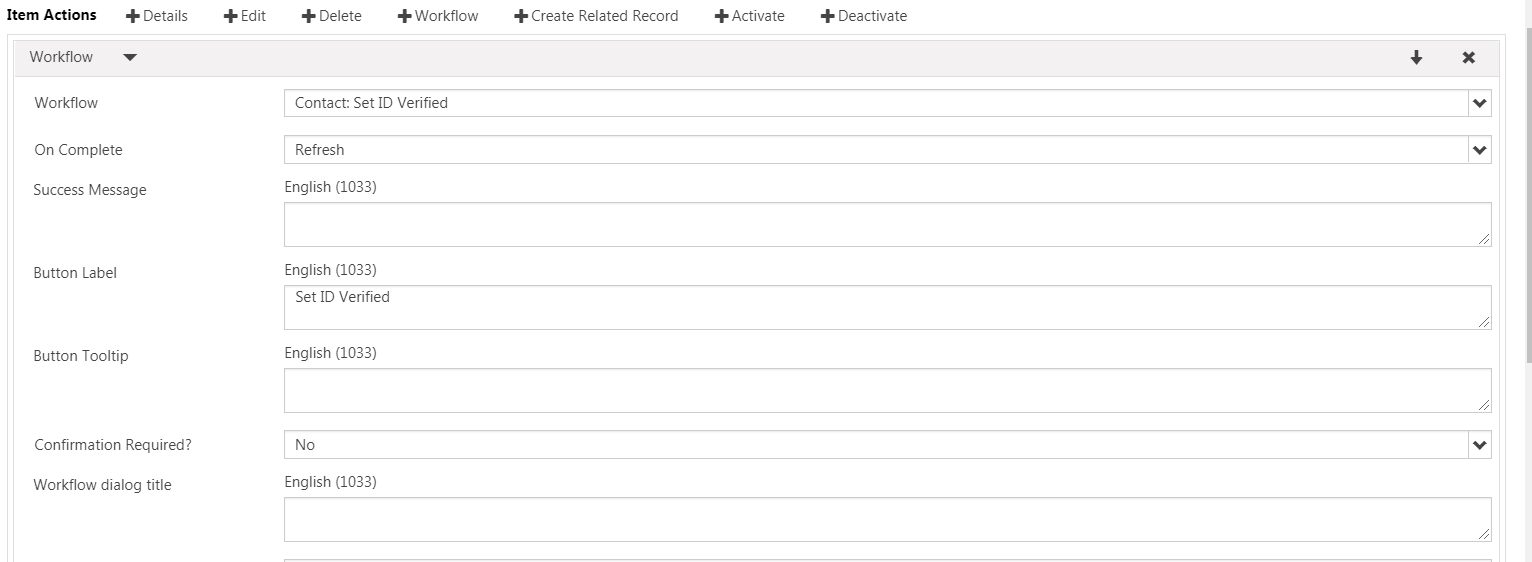
pastedimage1585675568605v1.png

When I run portal I can see a Drop down against the Records that get displayed 
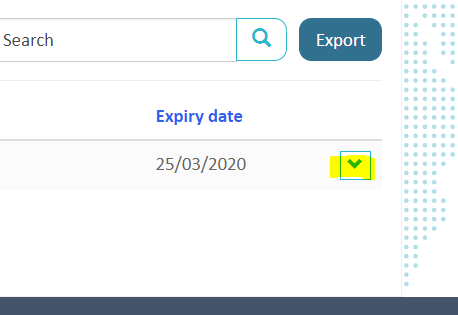
pastedimage1585675702149v2.png

But when I hover over the Drop down, the tool tip with the menu options are being displayed on the Left hand corner of the page.   Once I click on the drop down I can see the options coming correctly.  it is just when Hovering over the button.   it is completely out of sync.   IS there a Way I can DISABLE the tool tip showing. 

The tool tip / popup  showing the options comes to the extreme left hand of the page as below
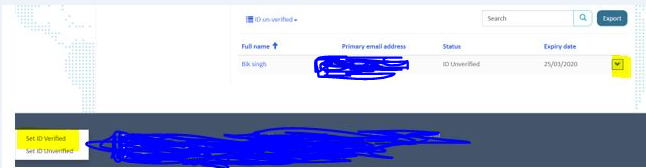
pastedimage1585676118318v3.png

WHen I click the dropdown it comes out fine 
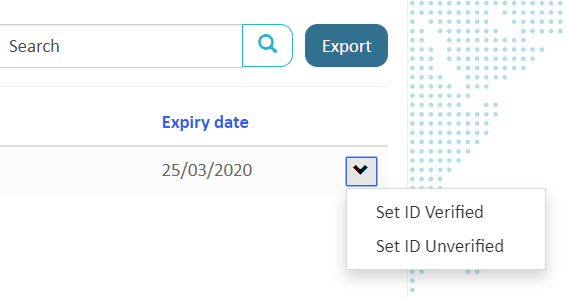
pastedimage1585676162858v4.png

The intitial Tooltip I want to either disable or Not show all together..   Is there a way I can do that please .. I am stuggling now to sort this issue 

Thanks

I have the same question (0)
  • Suggested answer
    oliver.rodrigues Profile Picture
    4,052 on at

    Did you make any changes to the .CSS

    if yes it is most likely that the style changes you've made are causing some issues there

    have you tried different browsers as well?

  • bik@inturi Profile Picture
    75 on at

    Hi,  There are some changes to the .css. I will take them out and then test again.

    It is happening on IE too.

    Thanks

  • bik@inturi Profile Picture
    75 on at

    I have now created a brand new page with bare minimum added a entity list with a workflow to be ctivated.  the issue is still happening when i hover my mouse on the drop down arrow.. a tool tip appears on the extreme left had corner.

    very weird.

  • Suggested answer
    oliver.rodrigues Profile Picture
    4,052 on at

    did you revert your changes on the .css file?

    the changes will affect every new page

  • bik@inturi Profile Picture
    75 on at

    Hi Oliver

    I created a new webpage-pagetemplate-webtemplate.  Added an entity list which had an option to run a workflow.

    and the same thing happened when I hover the mouse it shows me the menu items for the drop down in the extreme left corner.

    thanks

Under review

Thank you for your reply! To ensure a great experience for everyone, your content is awaiting approval by our Community Managers. Please check back later.

Helpful resources

Quick Links

Introducing the 2026 Season 1 community Super Users

Congratulations to our 2026 Super Stars!

Meet the Microsoft Dynamics 365 Contact Center Champions

We are thrilled to have these Champions in our Community!

Congratulations to the April Top 10 Community Leaders

These are the community rock stars!

Leaderboard > Customer experience | Sales, Customer Insights, CRM

#1
ManoVerse Profile Picture

ManoVerse 130 Super User 2026 Season 1

#2
11manish Profile Picture

11manish 117

#3
Muhammad Shahzad Shafique Profile Picture

Muhammad Shahzad Sh... 69 Most Valuable Professional

Last 30 days Overall leaderboard

Product updates

Dynamics 365 release plans
