web
You’re offline. This is a read only version of the page.
close
Skip to main content

Announcements

No record found.

News and Announcements icon
Community site session details

Community site session details

Session Id :
Microsoft Dynamics AX (Archived)

GST Posting profile account error

(0) ShareShare
ReportReport
Posted on by

Hi,

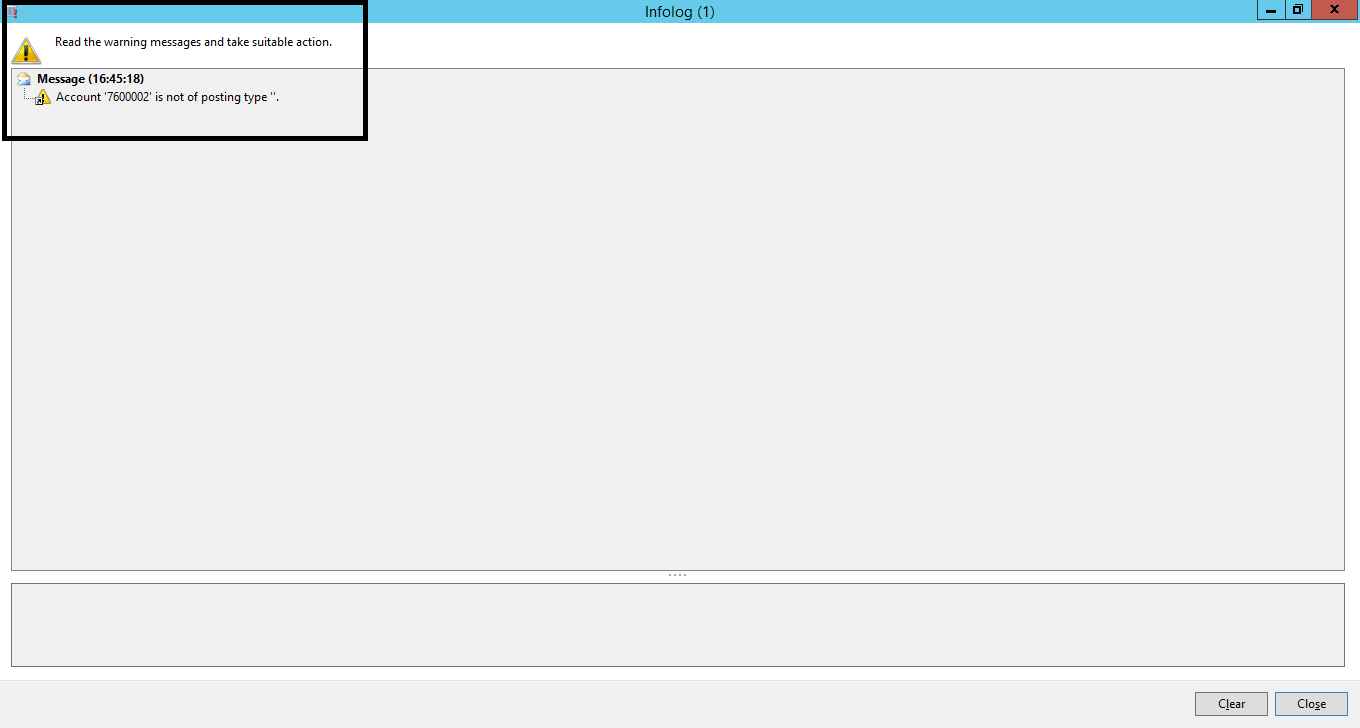
At the time of configure GST i.e. goods and service tax in AX2012 R3 for Indian localisation, Error of account posting type is generated.
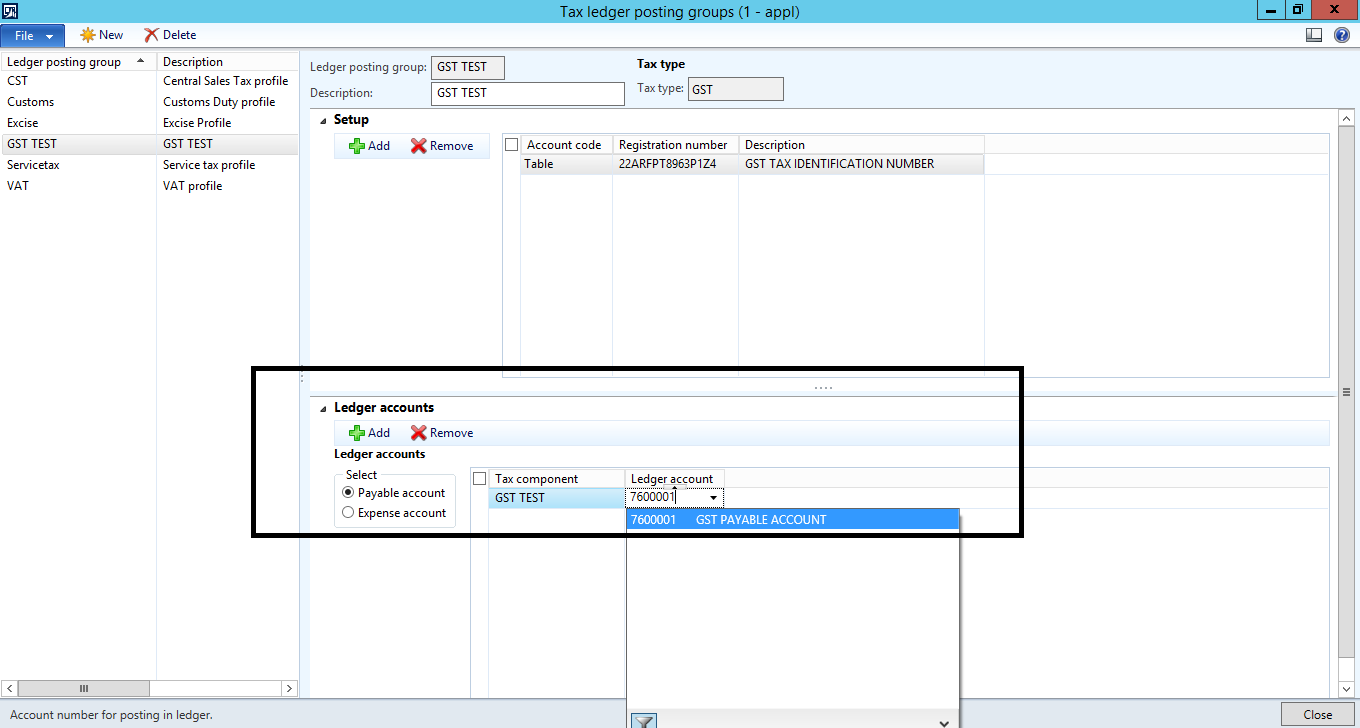
Account-Posting.png

3058.Error-Message.png

I have already set up an account with GST posting type and still error is generated.
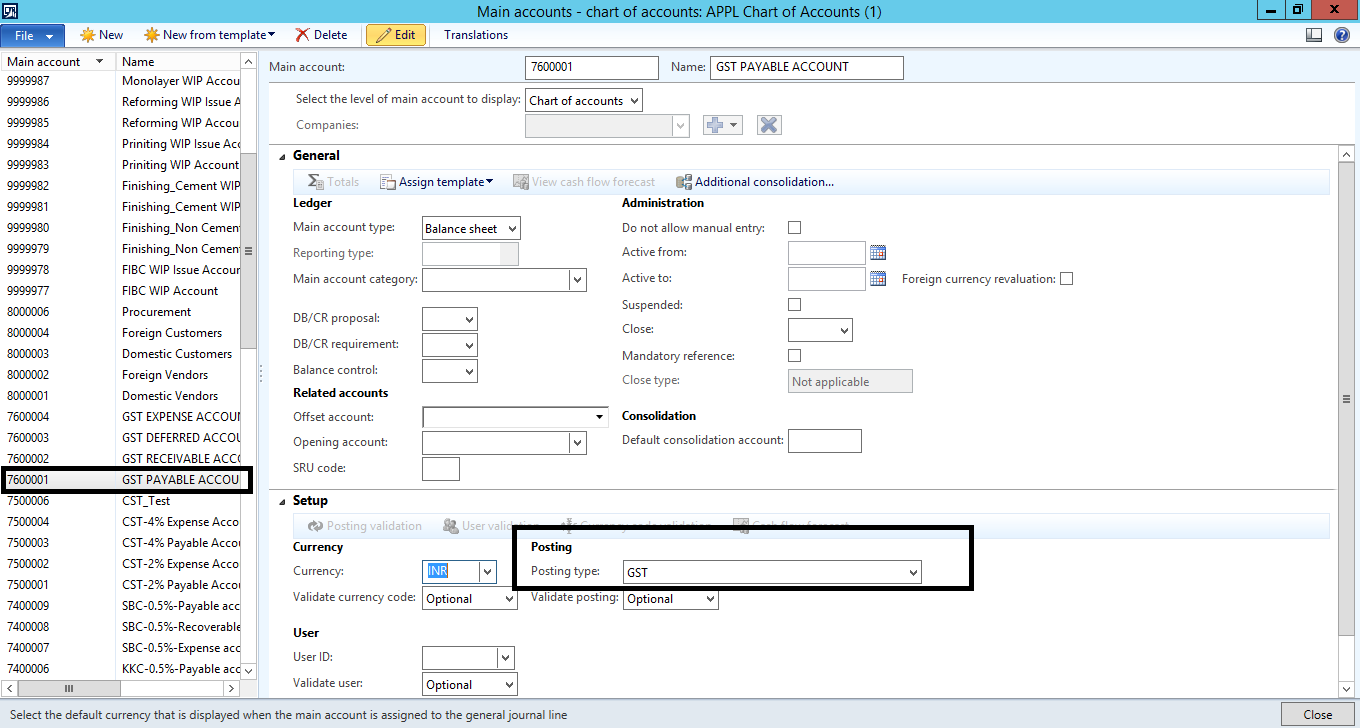
Posting-type.png

Kindly guide me in the matter.

Is there any set up missed by me?

Thank you.

*This post is locked for comments

I have the same question (0)
  • Suggested answer
    Ludwig Reinhard Profile Picture
    Microsoft Employee on at

    Hi Harpal Gohil,

    The error message referred to ledger account 7600002. Is it setup the same way as account 760001 that you show in the previous screenprint?

    Best regards,

    Ludwig

  • Ludwig Reinhard Profile Picture
    Microsoft Employee on at

    Hi Harpal Gohil,

    Just wondering if you have been able to get this resolved?

    Would be great if you could keep us updated here.

    Many thanks and best regards,

    Ludwig

  • Community Member Profile Picture
    on at

    Hi Ludwig Reinhard,

    Same setup was done in 760002 as 760001

  • Suggested answer
    Ludwig Reinhard Profile Picture
    Microsoft Employee on at

    Hi Harpal Gohil,

    I am not familiar with the Indian sales tax setup.

    The only thing that I can identify is that your posting type GST is probably wrong. There is another 'India sales tax' posting type available.

    Can you try to select this one instead?

    Best regards,

    Ludwig

  • Community Member Profile Picture
    on at

    Hello Ludwig Reinhard,

    Thanks for your reply,  FYI Indian Sales Tax posting type is use for Central Sales Tax Transaction and not for GST.

  • Suggested answer
    Ludwig Reinhard Profile Picture
    Microsoft Employee on at

    Hi Harpal Gohil,

    Thank you for the information :-)

    From my demo systems I can identify the following posting type

    india1.png

    Have you been able to get this issue resolved or do you still get the error message?

    Best regards,

    Ludwig

  • Community Member Profile Picture
    on at

    Hello Ludwig Reinhard,

    Still I face same issue.

  • Suggested answer
    Ludwig Reinhard Profile Picture
    Microsoft Employee on at

    Hi Harpal Gohil,

    Mmhh. If you still face the issue probably check if the newly released hotfix for the Indian GST system resolves the issue. If this does not help either, I would recommend to involve a developer to debug the problem.

    Best regards,

    Ludwig

  • Community Member Profile Picture
    on at

    Hello Ludwig Reinhard,

    I have download and installed KB3215584 for enable GST in Dynamics AX 2012 R3. After install hotfix I got GST tab in general ledger.

  • Ludwig Reinhard Profile Picture
    Microsoft Employee on at

    Hi Harpal Gohil,

    Ok and does this overcome your issue?

    I mean can you setup GST now or is there anything else not working as expected?

    Best regards,

    Ludwig

Under review

Thank you for your reply! To ensure a great experience for everyone, your content is awaiting approval by our Community Managers. Please check back later.

Helpful resources

Quick Links

Introducing the 2026 Season 1 community Super Users

Congratulations to our 2026 Super Stars!

Meet the Microsoft Dynamics 365 Contact Center Champions

We are thrilled to have these Champions in our Community!

Congratulations to the March Top 10 Community Leaders

These are the community rock stars!

Leaderboard > 🔒一 Microsoft Dynamics AX (Archived)

#1
CP04-islander Profile Picture

CP04-islander 39

#2
Michel ROY Profile Picture

Michel ROY 14

#3
imran ul haq Profile Picture

imran ul haq 8

Last 30 days Overall leaderboard

Featured topics

Product updates

Dynamics 365 release plans
