web
You’re offline. This is a read only version of the page.
close
Skip to main content

Notifications

Announcements

No record found.

Community site session details

Community site session details

Session Id :
Small and medium business | Business Central, N...
Suggested Answer

Applying Vendor Payments to multiple Invoices through Vendor Ledger Entries configuration package

(0) ShareShare
ReportReport
Posted on by 15
Our client receives an export file from their outside payables servicer and they upload a configuration package with all of the payment journal lines, however they can only apply one invoice to a payment when doing so. Is anyone aware of how this can be handled in BC? Is there another table that can be used? My other thought was using the vendor ledger entry configuration package, exporting, and adding the applies to doc type and no, as well as applies to ID and Amount to apply, however I have no success with this approach. Any guidance is greatly appreciated. 
I have the same question (0)
  • Nitin Verma Profile Picture
    21,698 Moderator on at

    Hi trademann ,

    I am not sure if you can achieve Payment application with invoice by using of Config. Package, If you want to do the automate this process, please ask your developer to do a customization for you to achieve this after you import all the payment journal lines and configure the automate process afterwards.

    Thanks.

  • Suggested answer
    YUN ZHU Profile Picture
    95,329 Super User 2025 Season 2 on at

    Hi, Yes, only one-to-one if importing from Payment journal.
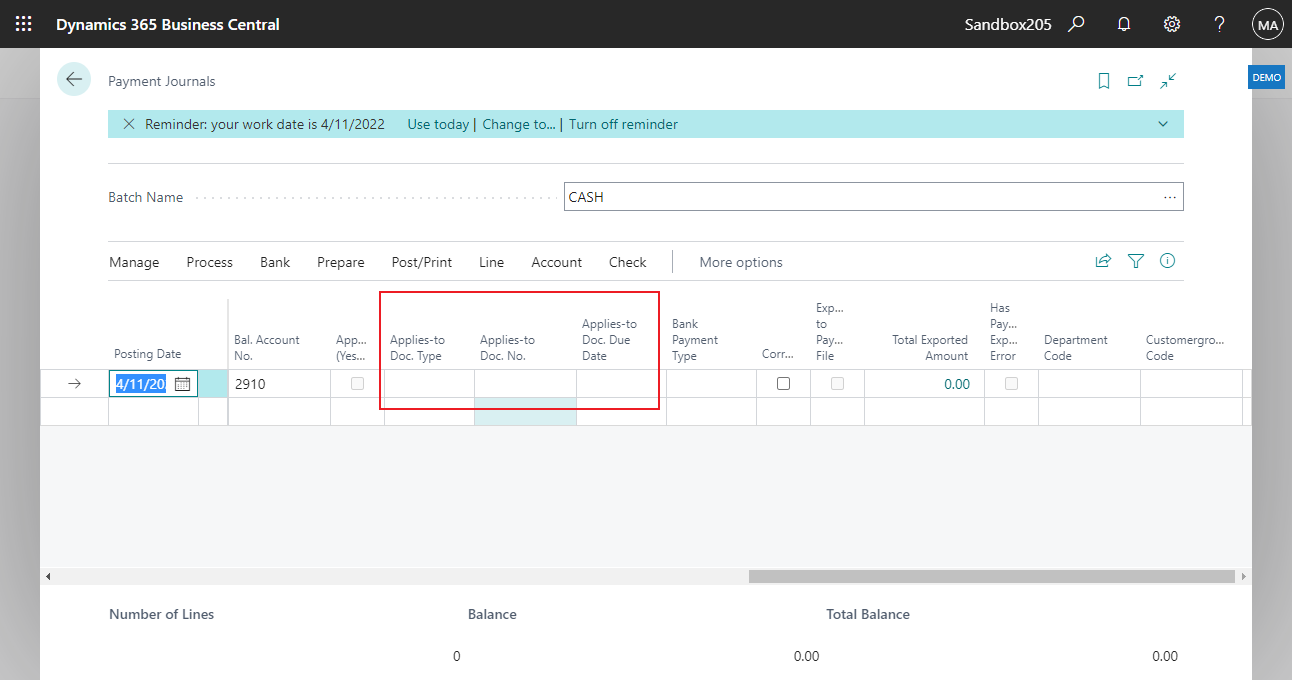
    pastedimage1662617490445v1.png

    If you want one-to-many, you need to choose Apply Entries... on the page.
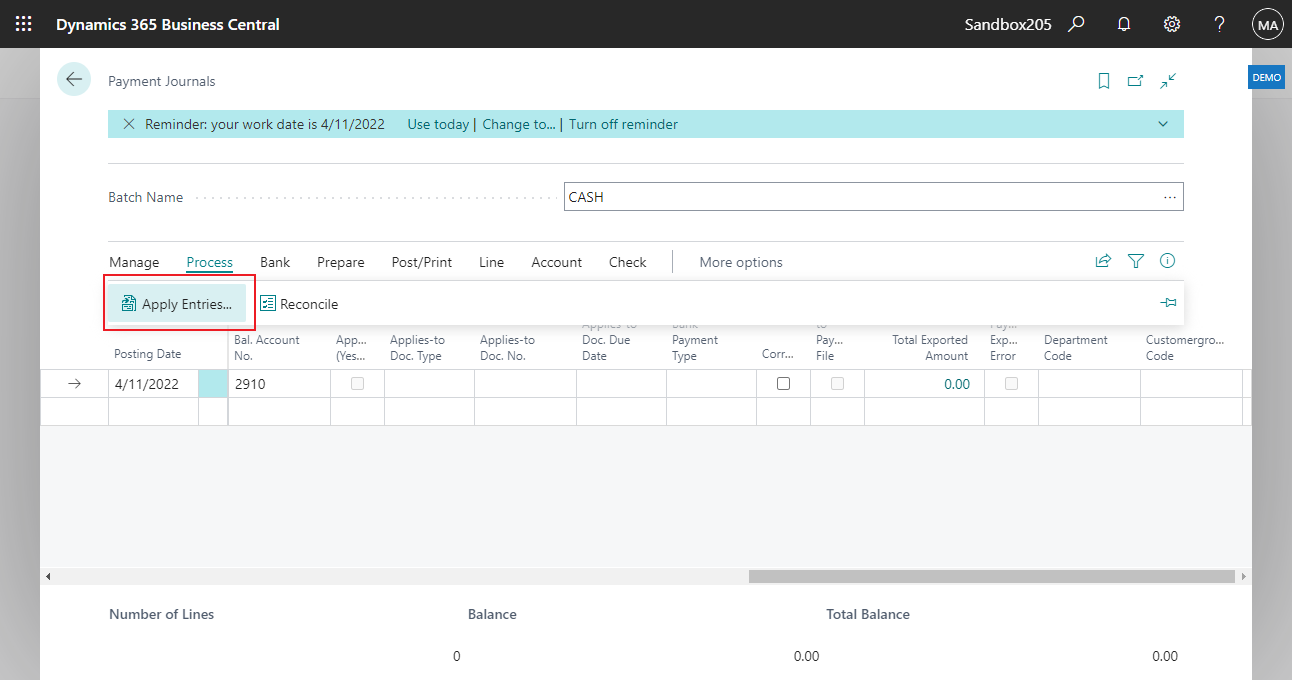
    pastedimage1662617575555v2.png

    As far as I know, this is calculated when the page is opened and cannot be imported from the Configuration Package.
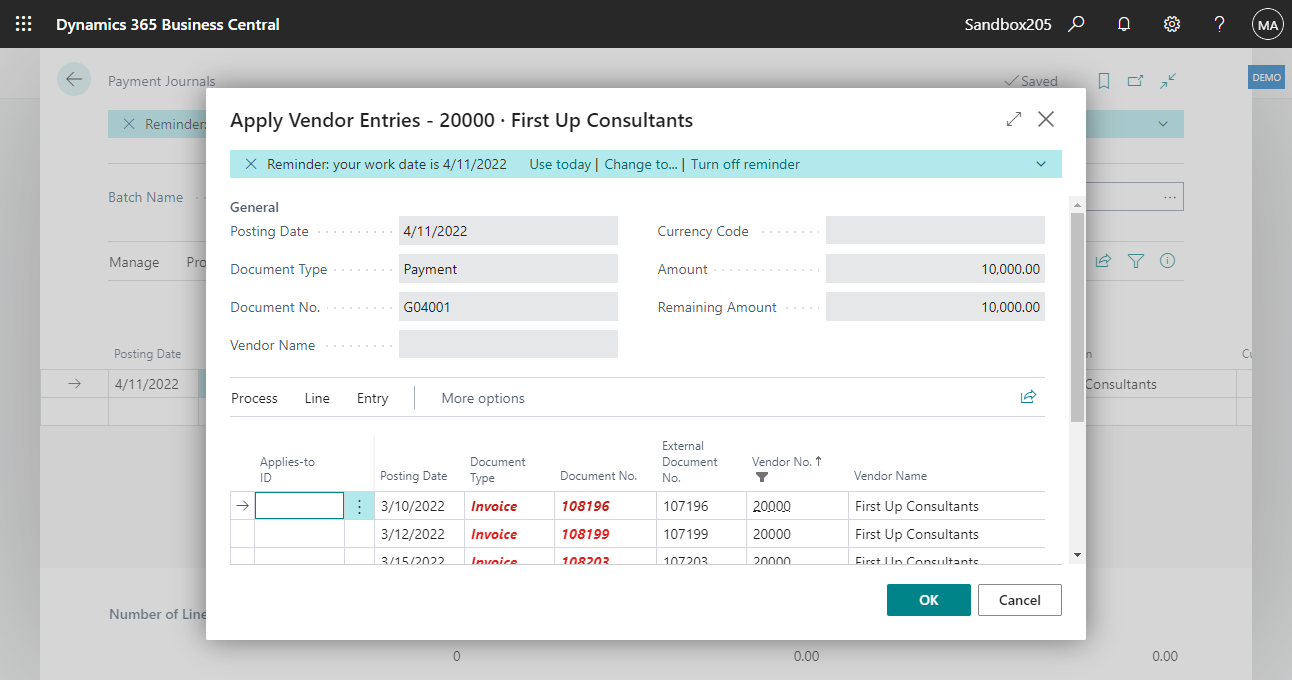
    pastedimage1662617618534v3.png

    So I personally recommend that it is better to do it manually, otherwise it will require a lot of customization.

    And maybe the link below can give you some hints.


    Hope this helps as well.
    Thanks.

    ZHU

  • Suggested answer
    Inge M. Bruvik Profile Picture
    1,105 Moderator on at

    If the file your receive contains all the payment references involved in a payment. You could develop a specific import job for it instead of using the configuration packages. But it depends on how your data is formatted and what information you receive.

    If you receive information both on the total amount paid to each vendor and the amount for each specific payment reference (invoice) you receive then you basically have all the information you need to build an import job that can do this automatically. But the config. packages may not be the best approach.

  • Suggested answer
    Amit Baru Profile Picture
    3,037 on at

    Hi,

    Pls do manually one by one. Data is temporary fill while open the Applies Entry Page. As per my knowledge Configuration Package is not suitable option.

    Can do customization for applying bulk entries in one go.

    Regards

    Amit Sharma

    www.erpconsultors.com

    Press Yes if info is suitable. 

Under review

Thank you for your reply! To ensure a great experience for everyone, your content is awaiting approval by our Community Managers. Please check back later.

Helpful resources

Quick Links

Responsible AI policies

As AI tools become more common, we’re introducing a Responsible AI Use…

Neeraj Kumar – Community Spotlight

We are honored to recognize Neeraj Kumar as our Community Spotlight honoree for…

Leaderboard > Small and medium business | Business Central, NAV, RMS

#1
OussamaSabbouh Profile Picture

OussamaSabbouh 3,229

#2
Jainam M. Kothari Profile Picture

Jainam M. Kothari 1,867 Super User 2025 Season 2

#3
YUN ZHU Profile Picture

YUN ZHU 1,153 Super User 2025 Season 2

Last 30 days Overall leaderboard

Featured topics

Product updates

Dynamics 365 release plans
