web
You’re offline. This is a read only version of the page.
close
Skip to main content

Notifications

Announcements

No record found.

Community site session details

Community site session details

Session Id :
Dynamics 365 Community / Forums / Human Resources forum / Allowing Manager role ...
Human Resources forum

Allowing Manager role access to People Hub

(0) ShareShare
ReportReport
Posted on by 352

Hi, we have noticed people on the Manager role in Talent cannot see the People Hub shortcut in the Home Page. I reviewed the Duties assigned to that role but I could not figure out which one need to be enabled in order to gran them access to that screen.

Any guidance would be much appreciated.

Xavier Villafuerte

Categories:
I have the same question (0)
  • Verified answer
    Community Member Profile Picture
    on at

    Hello Xavier,

    I believe the reason no one is responding to the question, is that this has not been done before ;)

    Opening up the workspace People to managers will give them a lot of access to employee records, that can be controlled quite difficult. Therefore I always advise my clients not to do this.

    Annyway...

    You need the privilege "View the people hub workspace"  which is part of 2 duties:

    - Inquire into workforce management proces

    - Enable workforce management process

    Those 2 duties contain a lot of HR processes.

    If you would only give the privilege as mentioned above, this will result in a blanc screen:
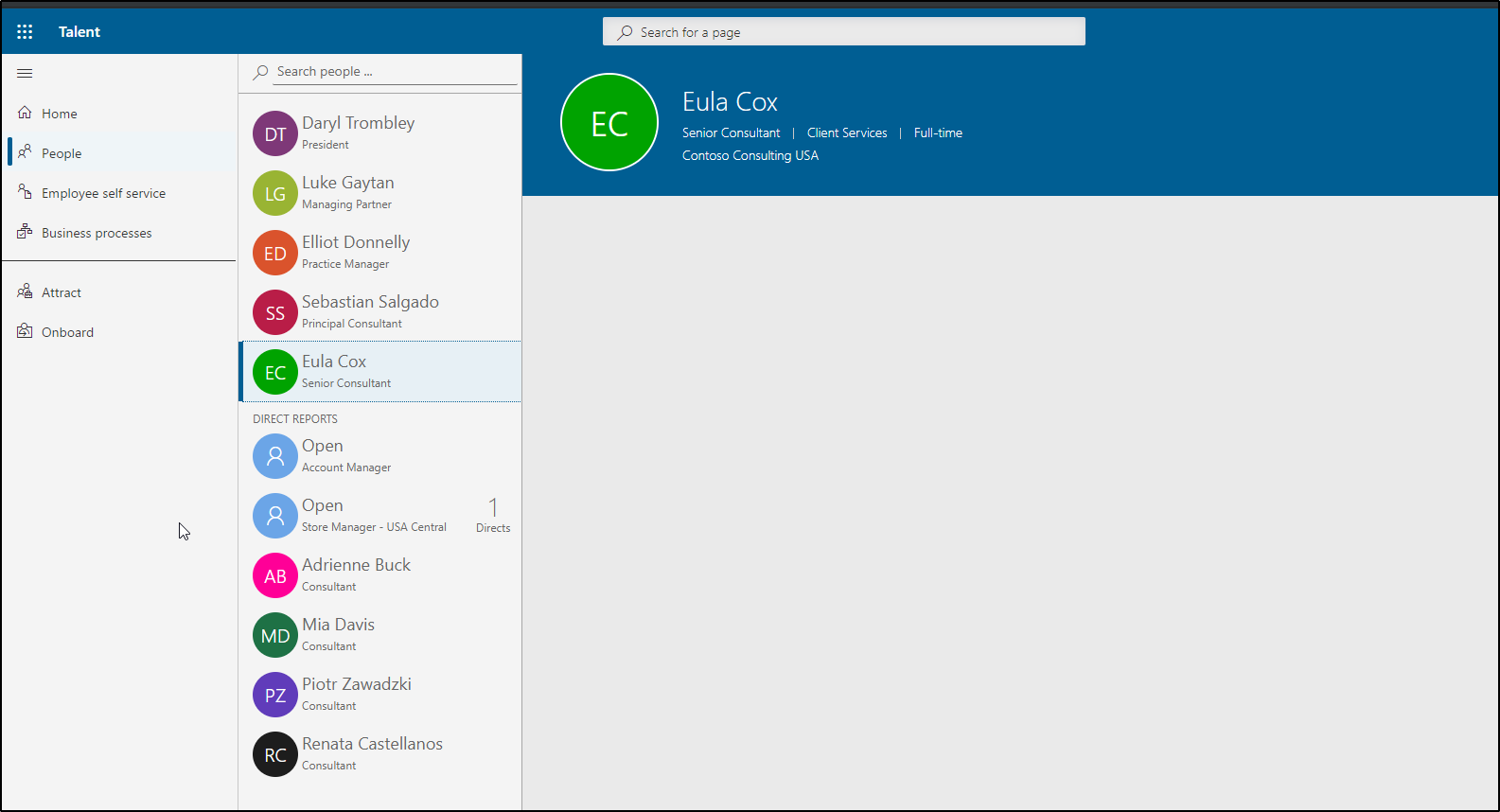
    pastedimage1567054736129v1.png

    You would need to add specific parts of information to be added (for example personal information).

    But keep in mind, the acces for the manager will not be restricted to his hierarchy, but to the legal entities he has access to..

    With regards,

    Erik de Boer

    Please mark as verified if the answer is helpful, it would be greatly appreciated.

  • Xavier Villafuerte Profile Picture
    352 on at

    Erik, thanks a lot for your answer. I understand the process and implications. Is there any way to restrict the view to only the manager hierarchy?

  • Suggested answer
    Community Member Profile Picture
    on at

    Hi Xavier,

    The security can only be restricted by legal entity for workspaces.

    So as far as I know, this is not possible.

    With regards,

    Erik  

  • Xavier Villafuerte Profile Picture
    352 on at

    Thanks for your time. Have a good day.

Under review

Thank you for your reply! To ensure a great experience for everyone, your content is awaiting approval by our Community Managers. Please check back later.

Helpful resources

Quick Links

November Spotlight Star - Khushbu Rajvi

Congratulations to a top community star!

Forum Structure Changes Coming on 11/8!

In our never-ending quest to help the Dynamics 365 Community members get answers faster …

Dynamics 365 Community Platform update – Oct 28

Welcome to the next edition of the Community Platform Update. This is a status …

Leaderboard > Human Resources

Last 30 days Overall leaderboard

Featured topics

Product updates

Dynamics 365 release plans
