web
You’re offline. This is a read only version of the page.
close
Skip to main content

Announcements

No record found.

News and Announcements icon
Community site session details

Community site session details

Session Id :
Microsoft Dynamics AX (Archived)

Can not pick (reserved physical) items

(0) ShareShare
ReportReport
Posted on by

hello everyone 

when i try create  a packing slip i get an error that says   i have to add serial number to an item that is already picked  ..

and when i open the pick form to reverse picking and add a serial number ..the status of the item change from picked to reserved physical .

when i try to pick it again

  i get the following error 
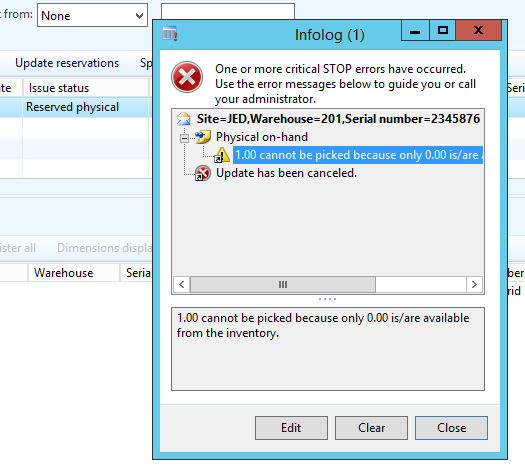
physicalReserved.PNG

how can i pick this item again ?

inventory transactions :-

inventtrans2692.PNG

inventory reservation :-

invent-reservation-2692.PNG

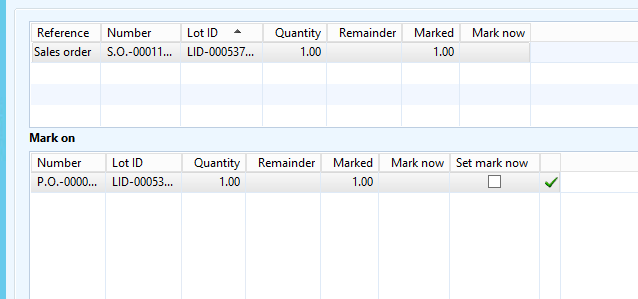
marking :-

inventmarking-2692.PNG

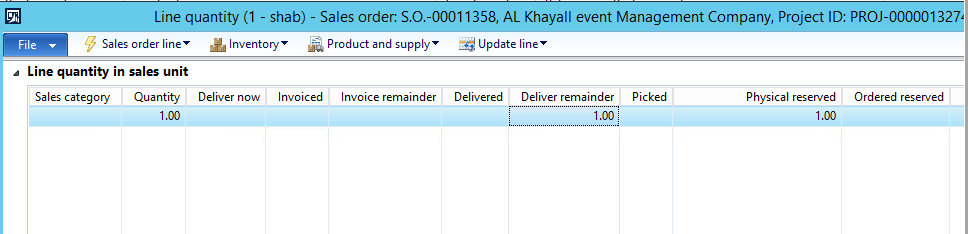
line quantity :-

linquantity-2692.PNG


*This post is locked for comments

I have the same question (0)
  • Community Member Profile Picture
    on at

    this is happening on many sale orders ..

    first " inventory dimension serial number must be specified "  

    and then when i try to register items i get

    "1.00 cannot be picked because only 0.00 is/are available from the inventory."

  • feelyd Profile Picture
    260 on at

    Can you check the stock level of this item.

    The error message relates to no stock being available. 

    Can you stock adjust to meet you sales order (using that serial number)

  • Suggested answer
    Hossein.K Profile Picture
    6,648 on at

    Hi Mazin,

    The error message says that 0 qty in the on hand, It's the sum up of all qty on hand from all site and warehouse.  So you can pick the qty on hand from other site and warehouse by change inventory dimension in the journal.

  • Suggested answer
    Hossein.K Profile Picture
    6,648 on at

    more, It means the inventory dimensions such as location, warehouse, batch and serial numbers used to register the pick list are not having inventory.

    Make sure there is on hand on the dimensions used for pick list registration

  • Community Member Profile Picture
    on at

    hello hossein

    thank you for your reply , how could the serial number dose not have an inventory  could you explain further ?

    because the first error asked me to specify a serial number ,

    and when i do i get error that says " there is no inventory for this serial number "?

    could there be an inventory to different serial number ?

  • guk1964 Profile Picture
    10,888 on at

    What CU are you on? -  there were several hotfixes in this area in CU10

    The comments above are asking you to validate that the combination of site warehouse and serial where the inventory is held, is the same as the combination  from which you are trying to pick.

Under review

Thank you for your reply! To ensure a great experience for everyone, your content is awaiting approval by our Community Managers. Please check back later.

Helpful resources

Quick Links

Introducing the 2026 Season 1 community Super Users

Congratulations to our 2026 Super Stars!

Meet the Microsoft Dynamics 365 Contact Center Champions

We are thrilled to have these Champions in our Community!

Congratulations to the April Top 10 Community Leaders

These are the community rock stars!

Leaderboard > 🔒一 Microsoft Dynamics AX (Archived)

#1
CP04-islander Profile Picture

CP04-islander 24

#2
Michel ROY Profile Picture

Michel ROY 14

#3
Jagadabi Profile Picture

Jagadabi 6

Last 30 days Overall leaderboard

Featured topics

Product updates

Dynamics 365 release plans