web
You’re offline. This is a read only version of the page.
close
Skip to main content

Notifications

Announcements

No record found.

Community site session details

Community site session details

Session Id :
Microsoft Dynamics CRM (Archived)

CRM button in portal.office.com/home not working for some users

(0) ShareShare
ReportReport
Posted on by 80

Hi!

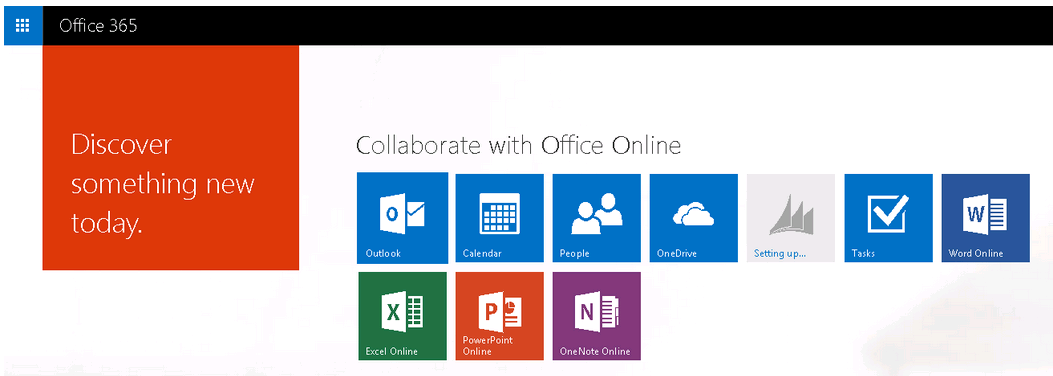
We use Dynamics CRM Online. I am trying to understand why I can see and click the CRM button in the portal.office.com/home page, but when I try as a regular user, the button is not clickable. It just says "Setting up...", like this screenshot:
Andreas

*This post is locked for comments

I have the same question (0)
  • Verified answer
    BrianC Profile Picture
    1,515 on at

    Hello Adron,

    I  have had this issue in the past with some users.

    CRM - I removed their license and security role and then re-added license and then security role.

  • BrianC Profile Picture
    1,515 on at

    Please note: remove the CRM Online license from a user, all data associated with the CRM online service for this user is deleted and cannot be recovered

    You could try renaming the user and saving, then change the name back and save again... see if that works.

    It just seemed as if something needed to be refreshed in order for it to Sync with 365

  • Adron Profile Picture
    80 on at

    Are you sure that the data asssociated with the user is removed? I thought there was a grace period before any data was removed, for example if you want to switch a user to a different license. I will try renaming the user for now.

  • Community Member Profile Picture
    on at

    Hi Adron,

    Feel free to log a support ticket to have an investigation on this particular case about your CRM instance.

  • Verified answer
    Adron Profile Picture
    80 on at

    I ended up removing and readding the license for the user, which solved the problem. It also did *not* remove the user's data from the CRM online service.

Under review

Thank you for your reply! To ensure a great experience for everyone, your content is awaiting approval by our Community Managers. Please check back later.

Helpful resources

Quick Links

Responsible AI policies

As AI tools become more common, we’re introducing a Responsible AI Use…

Neeraj Kumar – Community Spotlight

We are honored to recognize Neeraj Kumar as our Community Spotlight honoree for…

Leaderboard > 🔒一 Microsoft Dynamics CRM (Archived)

#1
SA-08121319-0 Profile Picture

SA-08121319-0 4

#1
Calum MacFarlane Profile Picture

Calum MacFarlane 4

#3
Alex Fun Wei Jie Profile Picture

Alex Fun Wei Jie 2

Last 30 days Overall leaderboard

Featured topics

Product updates

Dynamics 365 release plans



