web
You’re offline. This is a read only version of the page.
close
Skip to main content

Announcements

No record found.

News and Announcements icon
Community site session details

Community site session details

Session Id :
Customer experience | Sales, Customer Insights,...
Unanswered

Too Many Hops Between Related Entities - Realtime Marketing Email Issue

(0) ShareShare
ReportReport
Posted on by 35

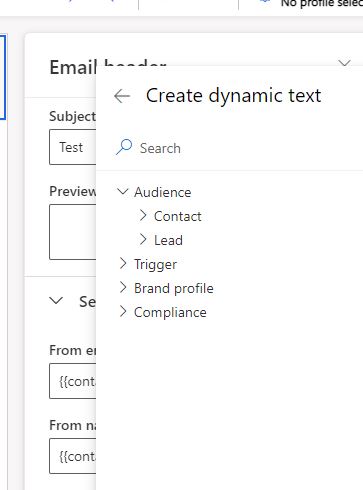
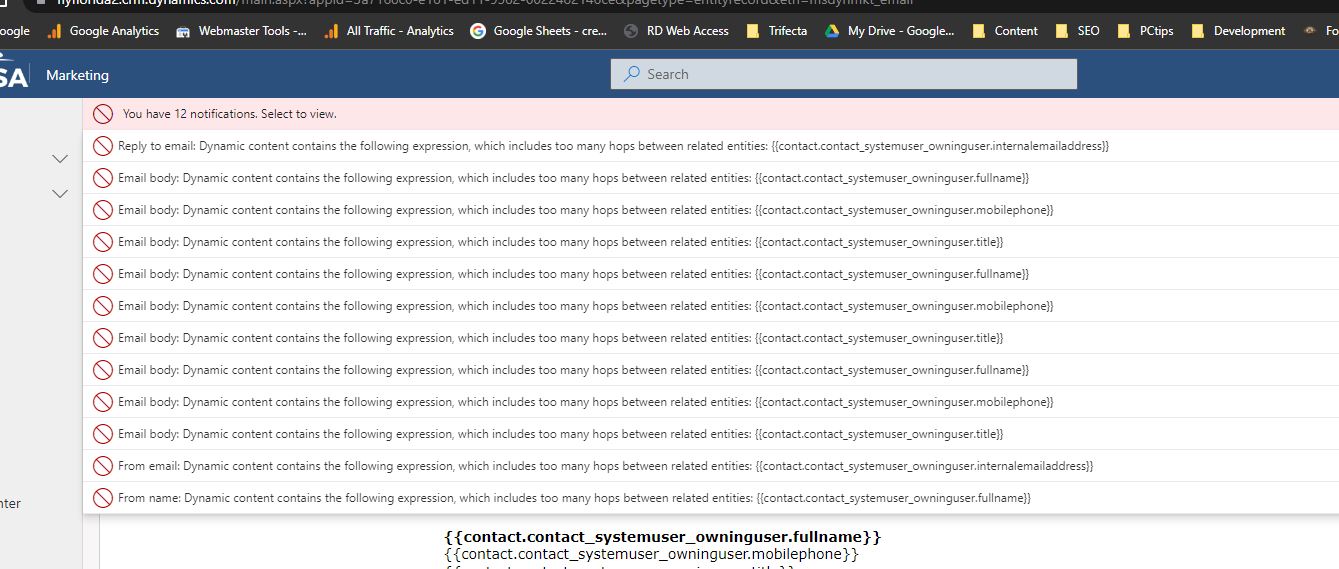
Here's my issue. My dynamic fields for email work in Outbound Marketing but they do no work in Realtime Marketing. The contact to system owner is only 2 hops. It appears the realtime section doesn't see all the relationships to the other tables. Any idea how to fix this?

The same issue persists in the customer journey section when doing If/else statements with attributes.
RM_2D00_issue_2D00_1.JPG

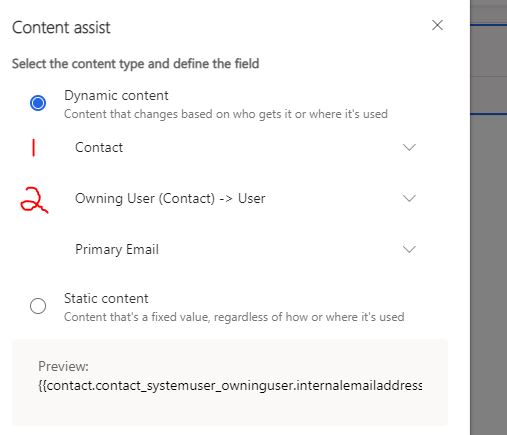
There is no option in the realtime marketing email section to dig down to related entities like there is in the email section for outbound marketing. The options are only limited by picking from a single table. 

Realtime Email - Can not get to related entities Outbound Email - Can get to related entities - Two Hops
RM_2D00_issue_2D00_2.JPG RM_2D00_issue_2D00_3.JPG

  • Haig Liu Profile Picture
    Microsoft Employee on at

    Hi FlyingChris,

    While you can “New dynamic text” and view its entity relationship by clicking "More Info," that doesn't mean it's available.

    pastedimage1668593579762v1.png

    pastedimage1668593621577v2.png

    Unlike outbound marketing, real-time marketing's dynamic text can only store the last entity's field, which must be related to the contact or lead, so that’s why custom dynamic text does not work.

    I guess this is because the Personalization data source be based on Audience. This is a feature that is not currently available in real-time marketing

  • FlyingChris Profile Picture
    35 on at

    So if I wanted to use the contact records owner's email I would create a custom field in the contact record to use setting up the From email address for emails in realtime marketing? Sounds like all fields I would need to use need to be added to the contacts table.

Under review

Thank you for your reply! To ensure a great experience for everyone, your content is awaiting approval by our Community Managers. Please check back later.

Helpful resources

Quick Links

Season of Sharing Community Challenge Winners!

Congratulations to our community stars!

Women in Power Builds Momentum

Expanding mentorship, skilling, and AI innovation

Congratulations to the August Top 10 Community Leaders

These are the community rock stars!

Leaderboard > Customer experience | Sales, Customer Insights, CRM

#1
Syed Aqib Raza Profile Picture

Syed Aqib Raza 95

#2
Daniyal Khaleel Profile Picture

Daniyal Khaleel 83 Most Valuable Professional

#3
11manish Profile Picture

11manish 65 Super User 2026 Season 2

Last 30 days Overall leaderboard

Product updates

Dynamics 365 release plans