web
You’re offline. This is a read only version of the page.
close
Skip to main content

Announcements

No record found.

News and Announcements icon
Community site session details

Community site session details

Session Id :
Microsoft Dynamics AX (Archived)

Warehouse management : determining a location based on directive code

(0) ShareShare
ReportReport
Posted on by

I am trying to setup following, 

1. At the time of receiving users input a disposition code for OK or DAMAGED

2. In case of DAMAGED inventory should be placed on DAMAGED LOCATION (Staging)

3. In case of OK inventory should be placed on OK LOCATION (Staging)

4. DAMAGED inventory is later taken to RETURN LOCATION

5. OK inventory is later taken to BULK Location (Main Location)

My setups are,

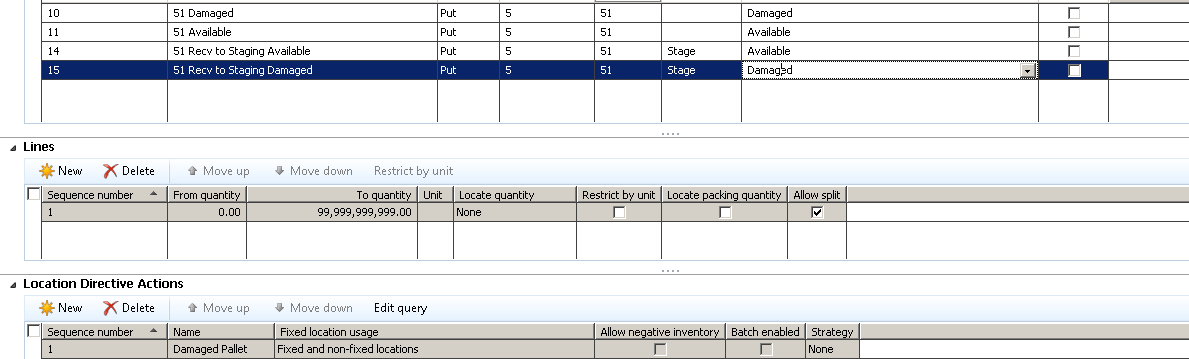
Work Template Setup

Work-Template-Setup.png

Location Directives Setup

Location_5F00_Directive.png

Query is properly setup for each action

  1. Stage Damaged | Damaged
  2. Stage Available | Available
  3. Blank Damaged | Return
  4. Blank Available | Bulk

Based on above system does not get the locations for 

  1. Stage Damaged | Damaged
  2. Stage Available | Available

But able to fetch locations for 

  1. Blank Damaged | Return
  2. Blank Available | Bulk

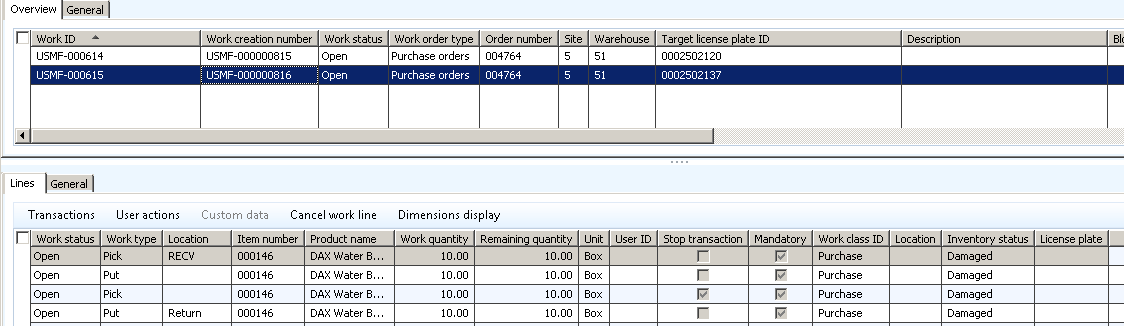
Below the screenshot for Work
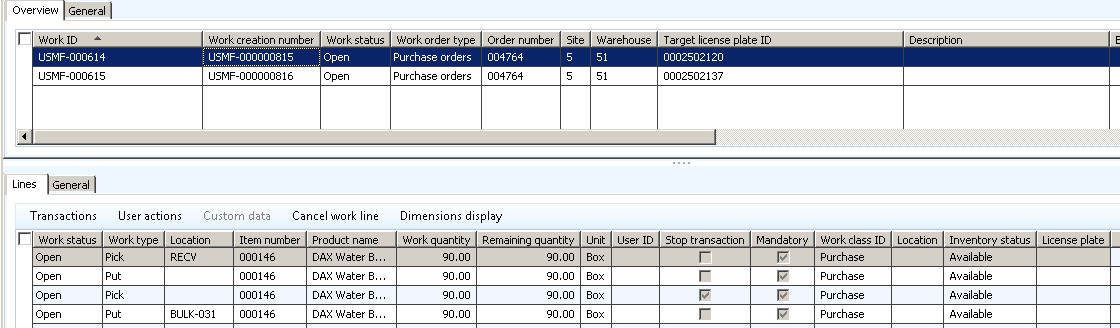
Bulk.png

Damaged.png

As soon as I remove disposition code from location directive for staging - I start getting the location but unfortunately it can only be the one location. 

*This post is locked for comments

I have the same question (0)
  • Community Member Profile Picture
    on at

    Hi Mustafa,

    did you check work creation history log, if activated.

  • Guy Terry Profile Picture
    28,981 Moderator on at

    Hi,

    Does it work if you put the location directives for the Staging Put's above the location directives which have no Directive code?

Under review

Thank you for your reply! To ensure a great experience for everyone, your content is awaiting approval by our Community Managers. Please check back later.

Helpful resources

Quick Links

Introducing the 2026 Season 1 community Super Users

Congratulations to our 2026 Super Stars!

Meet the Microsoft Dynamics 365 Contact Center Champions

We are thrilled to have these Champions in our Community!

Congratulations to the April Top 10 Community Leaders

These are the community rock stars!

Leaderboard > 🔒一 Microsoft Dynamics AX (Archived)

#1
CP04-islander Profile Picture

CP04-islander 24

#2
Michel ROY Profile Picture

Michel ROY 14

#3
Jagadabi Profile Picture

Jagadabi 6

Last 30 days Overall leaderboard

Featured topics

Product updates

Dynamics 365 release plans