web
You’re offline. This is a read only version of the page.
close
Skip to main content

Announcements

No record found.

News and Announcements icon
Community site session details

Community site session details

Session Id :
Microsoft Dynamics AX (Archived)

Retail reports

(0) ShareShare
ReportReport
Posted on by 124

when I try to open many reports in Retail such as (  RetailGMROIIByCategory - RetailBottom10Products - RetailSalesByTerminal )

I faced this error " No connection could be made because the target machine actively refused it 127.0.0.1:2383 " and when I check the class of each them I found
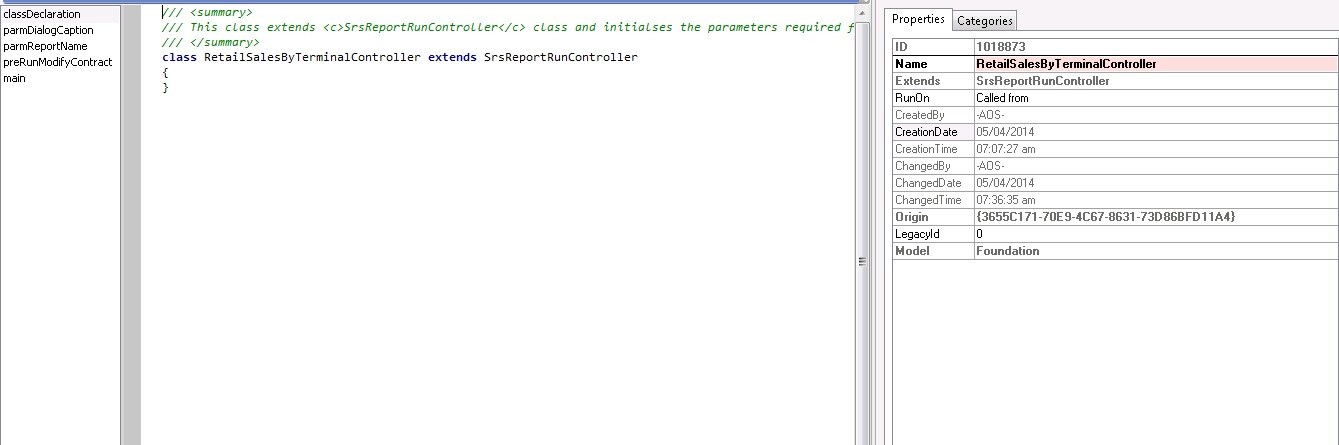
8015.Untitled.jpg

I thins the files are not complete , so how can I solve that ?

*This post is locked for comments

I have the same question (0)
  • Suggested answer
    udaY-ch Profile Picture
    5,175 on at

    Hi,

    Try following the link,

    https://stoneridgesoftware.com/dynamics-ax-reporting-error-no-connection-could-be-made/

    Best,

    Uday.

  • Adulrahman Tony Profile Picture
    124 on at

    Unfortunately, It's not helpful . Thank you

    anyone can suggest  anything else ?

  • udaY-ch Profile Picture
    5,175 on at

    Hi

    Have you tried running different reports ?

    Did database restored ?

    Any properties changed in SSRS configuration manager ?

    Do you have any erorr's in last CIL generation?

    Best,

    Uday.

  • Adulrahman Tony Profile Picture
    124 on at

    other reports are working fine just few reports in Retail have this error ,

    no I compiled it and no errors , but I feel there is something incomplete in classes of these reports as it shown in above picture , it's just feelings I don't know .

  • udaY-ch Profile Picture
    5,175 on at

    Hi,

    Make sure the business proxy accounts are set properly in the ssrs configuration manager which is similar to AX system.

    Above class is fine and seems nothing to worry about the code and there is something with the SSRS phase.

    Can you súre the FULL CIL and AOT compilation is error free and all the reports are deployed properly.

    Best,

    Uday.

  • Adulrahman Tony Profile Picture
    124 on at

    I'm sure that all reports are deployed success and compilation has not any error it's seems everything is okay. But still have this error .

Under review

Thank you for your reply! To ensure a great experience for everyone, your content is awaiting approval by our Community Managers. Please check back later.

Helpful resources

Quick Links

Introducing the 2026 Season 1 community Super Users

Congratulations to our 2026 Super Stars!

Meet the Microsoft Dynamics 365 Contact Center Champions

We are thrilled to have these Champions in our Community!

Congratulations to the March Top 10 Community Leaders

These are the community rock stars!

Leaderboard > 🔒一 Microsoft Dynamics AX (Archived)

#1
CP04-islander Profile Picture

CP04-islander 16

#2
GiacomoRovai Profile Picture

GiacomoRovai 4

#3
Douglas Noel Profile Picture

Douglas Noel 2

Last 30 days Overall leaderboard

Featured topics

Product updates

Dynamics 365 release plans
