web
You’re offline. This is a read only version of the page.
close
Skip to main content

Announcements

No record found.

News and Announcements icon
Community site session details

Community site session details

Session Id :
Customer experience | Sales, Customer Insights,...
Answered

Fields not mapping correctly

(1) ShareShare
ReportReport
Posted on by 416

I have created a case time tracker where the user can add multiple records containing the time spent on the case and what each individual time was spent on (on that same case). This contains a number of records. A rollup field called Time spent on case time tracking has been created to sum the total time spent on this case time tracking subgrid on the Case entity. 

With regards to the entitlement, there was the issue that we wouldn't have the actual time spent in real time unless we resolve the case. As a workaround, I want to get the Total Terms subtracted by the Time spent on case time tracking field. I created a 1:N relationship on the Case entity between the Case entity and the Entitlement entity. I created a rollup field called Time spent on case time tracking entitlements and mapped it to the Time spent on case time tracking field (of the case entity). However, it is not being mapped. 

I also created a calculated field on the Entitlement entity called Actual time remaining which subtracts the Total Terms - Time spent on case time tracking however, since the value from the Time spent on case time tracking on the case entity is not mapped correctly, the result is also blank. 

Any suggestions?

I have the same question (0)
  • Verified answer
    Joao Pratas Profile Picture
    Microsoft Employee on at

    Hi Fran,

    Please see below a summary of your implementation, with some adjustments that need to be done in order to address your requests:

    On Case entity:

    > Labor is being tracked in a custom entity - Labor.

    > Relationship created between Case and Labor entity.

    > Total case labor tracked in a rollup field: "Time spent on case time tracking". This will not be used, as this is not possible.

       -> This field needs to be a simple duration field. When labor entity is created, this field will be updated on the parent case. You can name it "Case Labor". (in my example is "TestDuration").

       > Suggestion: Create a simple duration field. Create a sync workflow on labor entity, to run on labor record creation. The workflow will update the associated case: increments the pre-existing value on Total Case Labor with the new labor created.

    Workflow created:

    pastedimage1609938850104v2.png

    Update details:

    pastedimage1609938865612v3.png

    On Entitlement entity

    > Case labor from entitlements is stored in entitlement entity on "Time spent on case time tracking entitlements" - rollup field mapped to "Time spent on case time tracking" from case entity.

     -> This implementation is not possible, as you can't base a rollup field in another rollup field. Based on this article, "A rollup over the rollup field is not supported.".

       -> You will need to map this rollup field to a simple Duration field . In this case, "Case Labor" field (in my example is "TestDuration").

    pastedimage1609938949686v4.png

    > Remaining hours calculated in a calculated field = total terms - "Time spent on case time tracking entitlements".

       -> You will need to calculate this with the following expression: (total terms * 60) - "Time spent on case time tracking entitlements".

    pastedimage1609938959851v5.png

    You can see below the output of the implementation:

    Create an Entitlement:
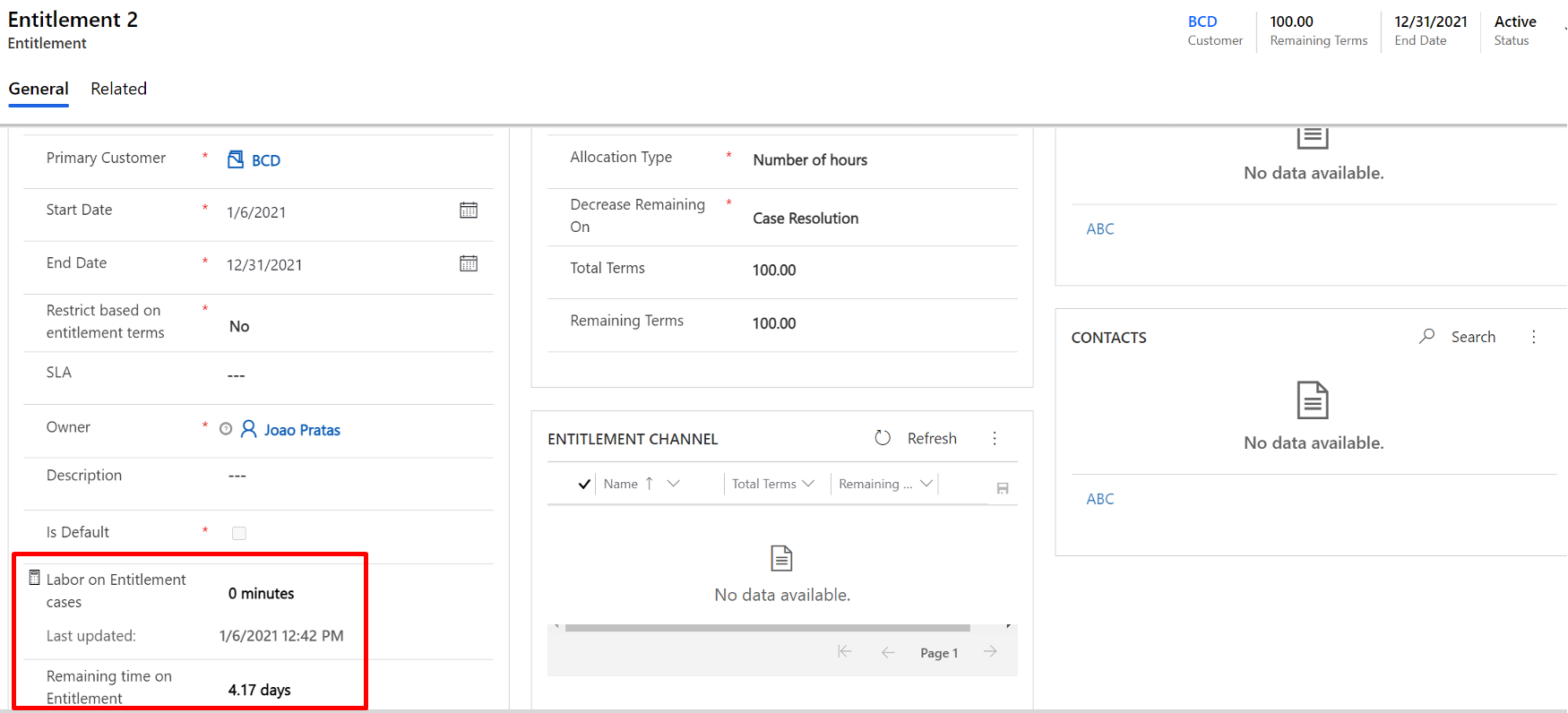
    pastedimage1609938980275v6.png

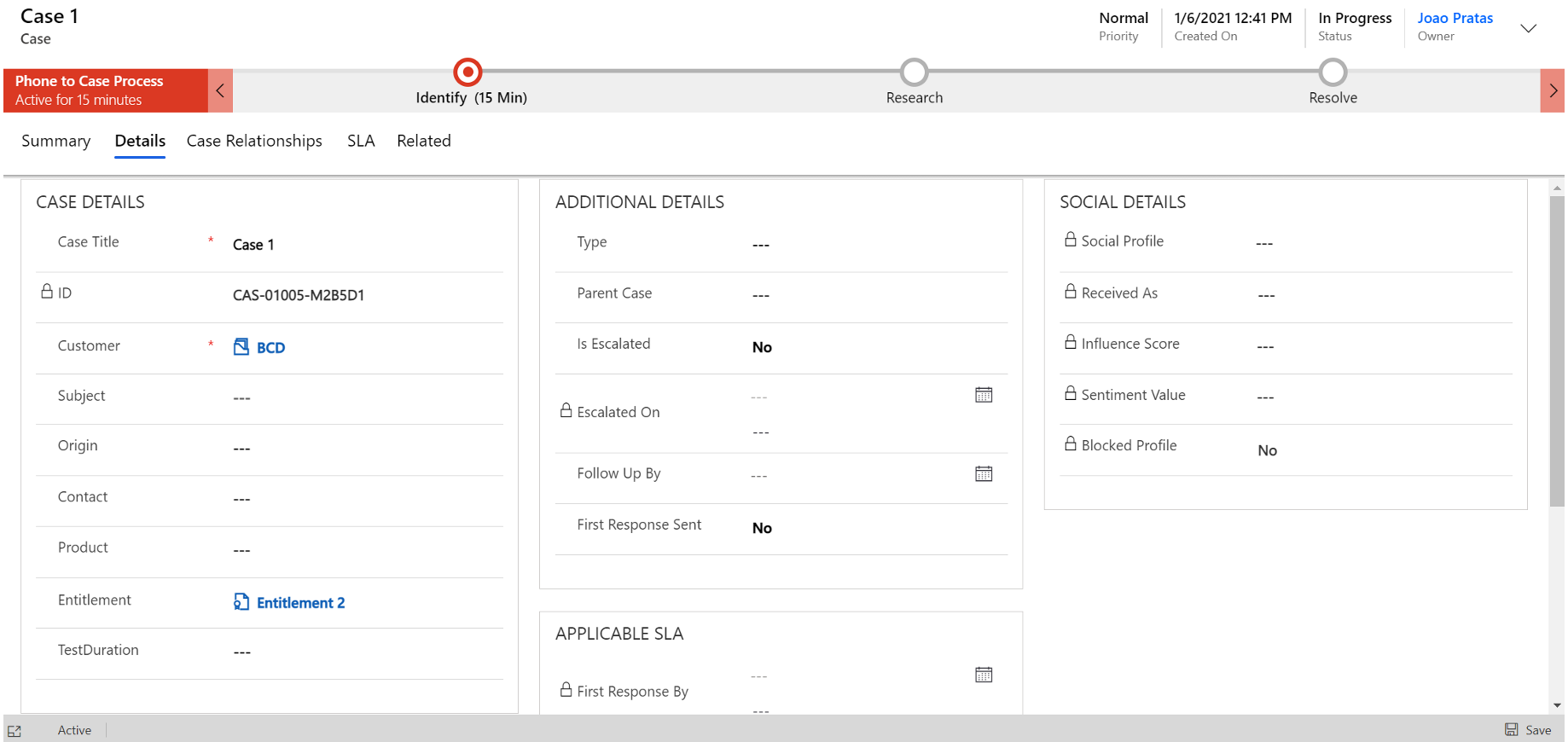
    Create a case:

    pastedimage1609939028781v8.png

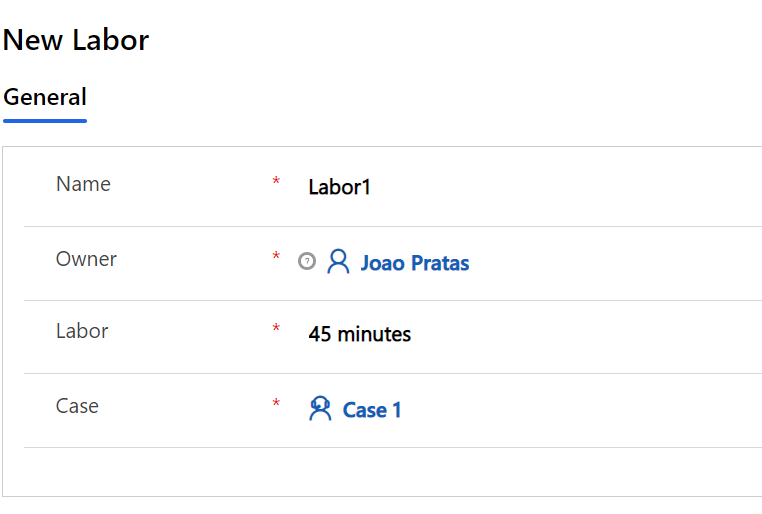
    Add labor on the case:

    pastedimage1609939037314v9.png

    Also added another labor of 4 hours.


    Please note that duration field is immediately updated:
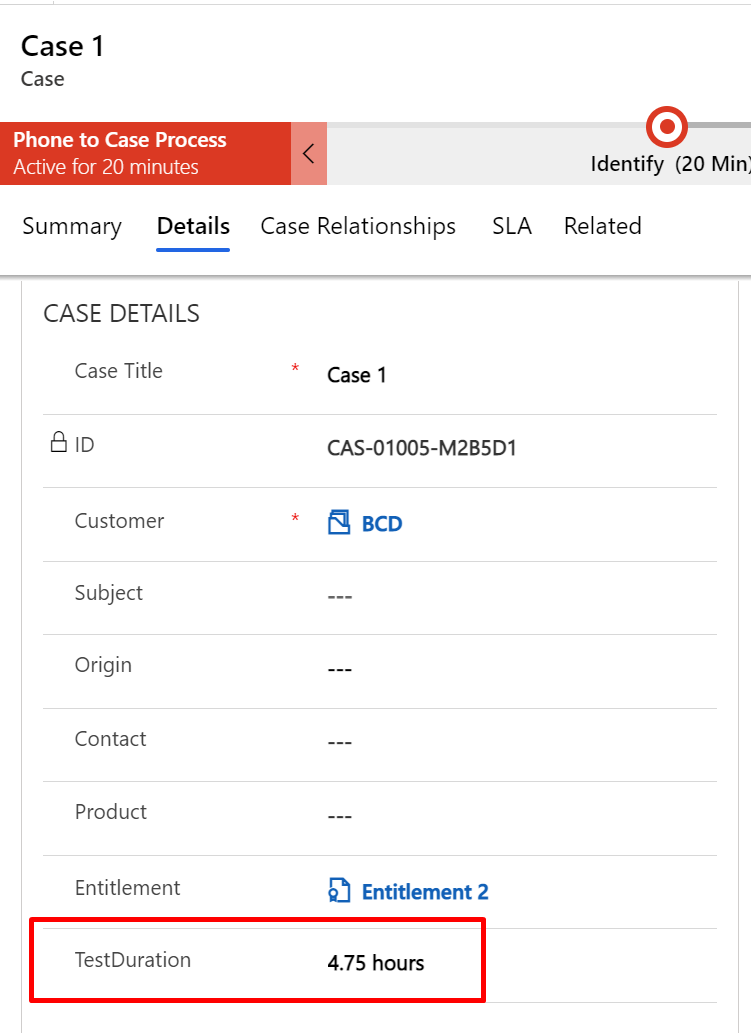
    pastedimage1609939051372v10.png

    Labor on entitlement is updated as well:

    pastedimage1609939058680v11.png

    Hope this information helps.

    Let me know if you need further assistance. If this answers your needs, kindly mark this as an answer to the post.

    Thank you!

    Kind Regards,

    João Pratas

  • fran2105 Profile Picture
    416 on at

    Thank you for your suggestion João. It helped and I'm almost there.

    The only trouble I am having is with the workflow. Your "Labor" custom entity is my "Case Time Tracker" custom entity. When I create the workflow and select the "Update record" step, the case entity is not showing. There is a 1:N relationship between the Case and the Case time tracker (your Labor custom entity)

    These are the steps from my end:

    Step 1: Create the workflow on the Case time tracker custom entity (your Labor entity)

    pastedimage1610006192774v1.png

    Step 2: Select the update record step

    pastedimage1610006280314v2.png

    Do you have any suggestions please?

    Thank you,

    Fran

Under review

Thank you for your reply! To ensure a great experience for everyone, your content is awaiting approval by our Community Managers. Please check back later.

Helpful resources

Quick Links

Introducing the 2026 Season 1 community Super Users

Congratulations to our 2026 Super Stars!

Meet the Microsoft Dynamics 365 Contact Center Champions

We are thrilled to have these Champions in our Community!

Congratulations to the March Top 10 Community Leaders

These are the community rock stars!

Leaderboard > Customer experience | Sales, Customer Insights, CRM

#1
ManoVerse Profile Picture

ManoVerse 184 Super User 2026 Season 1

#2
11manish Profile Picture

11manish 125

#3
CU11031447-0 Profile Picture

CU11031447-0 100

Last 30 days Overall leaderboard

Product updates

Dynamics 365 release plans