web
You’re offline. This is a read only version of the page.
close
Skip to main content

Announcements

News and Announcements icon
Community site session details

Community site session details

Session Id :
Microsoft Dynamics 365 | Integration, Dataverse...
Suggested Answer

when i add an entity to app in designer, publish and After PLAY >>getting error which is having 3rd party dll for quote

(0) ShareShare
ReportReport
Posted on by 15

When a Quote entitiy is added to the app designer giving error.

the quote entity using third party dll as informan.crm.dll and QCT.CRM.Quote.dll both merged and used for plugins.

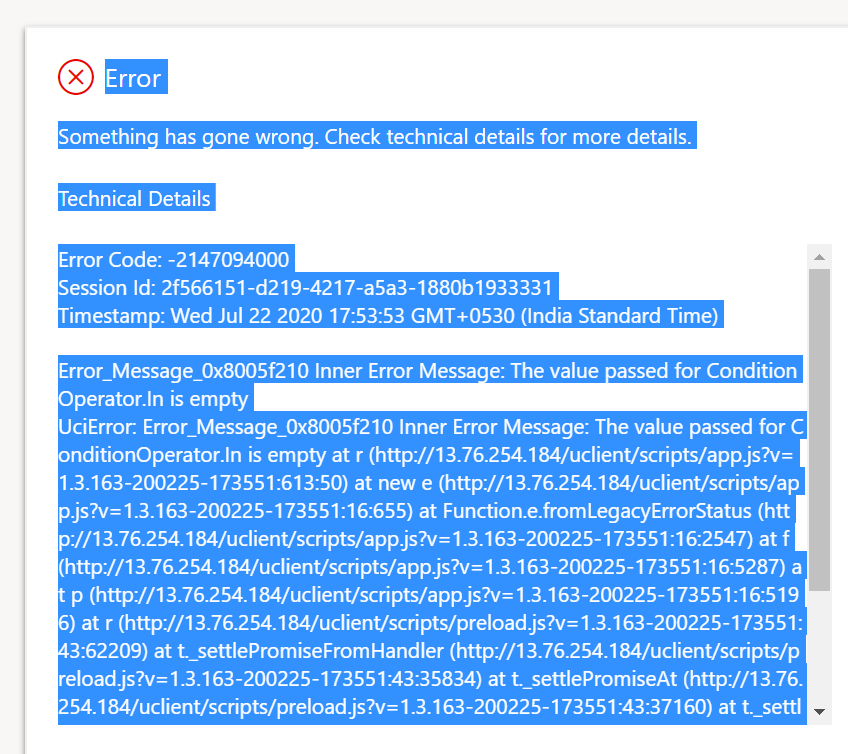
ERROR:
Error
Something has gone wrong. Check technical details for more details.
Technical Details
Error Code: -2147094000
Session Id: 2f566151-d219-4217-a5a3-1880b1933331
Timestamp: Wed Jul 22 2020 17:53:53 GMT+0530 (India Standard Time)
Error_Message_0x8005f210 Inner Error Message: The value passed for ConditionOperator.In is empty
UciError: Error_Message_0x8005f210 Inner Error Message: The value passed for ConditionOperator.In is empty at r (13.76.254.184/.../app.js at new e (13.76.254.184/.../app.js at Function.e.fromLegacyErrorStatus (13.76.254.184/.../app.js at f (13.76.254.184/.../app.js at p (13.76.254.184/.../app.js at r (13.76.254.184/.../preload.js at t._settlePromiseFromHandler (13.76.254.184/.../preload.js at t._settlePromiseAt (13.76.254.184/.../preload.js at t._settlePromises (13.76.254.184/.../preload.js at n._drainQueue (13.76.254.184/.../preload.js at n._drainQueues (13.76.254.184/.../preload.js at MutationObserver.drainQueues (13.76.254.184/.../preload.js
pastedimage1595422675266v1.png

I have the same question (0)
  • Suggested answer
    Henry J. Profile Picture
    5,237 on at

    Hi Praveen,

    When exactly are you receiving an error message? Do you have details of the error message?
    I don't see how this could be related to plugins.

    Please consider opening a support request to help you troubleshoot this: https://admin.powerplatform.microsoft.com/support

    Henry

  • Praveen sunkara Capgemini Profile Picture
    15 on at

    Edited and added as you asked the error and screenshot in PowerApps error. if this is not relevant to UCI Please suggest so that will raise in Power Apps forum.

  • Suggested answer
    Henry J. Profile Picture
    5,237 on at

    Thank you.

    I see "http://13.76.254.184/" in your log, are you on-premise or online?
    If on-premise, the Unified Interface version is very limited in V9.0 so this might be not supported scenario.

    If online, instead of posting to a different forum, I strongly suggest that you reach out to support for help on this.
    https://admin.powerplatform.microsoft.com/support

    Henry

  • Praveen sunkara Capgemini Profile Picture
    15 on at

    Yes Onpremise.

  • Suggested answer
    Filipe Relvas Profile Picture
    Microsoft Employee on at

    Hi Praveen,

    As this might require a deeper investigation and specific details, I would suggest raising a Support Case with Microsoft.

    It is possible as Henry mentioned that this could be a limitation for the current version of On-Prem v9.x / UCI.

    You can raise a case through here: https://admin.powerplatform.microsoft.com/support

Under review

Thank you for your reply! To ensure a great experience for everyone, your content is awaiting approval by our Community Managers. Please check back later.

Helpful resources

Quick Links

Season of Sharing Community Challenge Winners!

Congratulations to our community stars!

Women in Power Builds Momentum

Expanding mentorship, skilling, and AI innovation

Congratulations to the June Top 10 Community Leaders

These are the community rock stars!

Leaderboard > Microsoft Dynamics 365 | Integration, Dataverse, and general topics

#1
11manish Profile Picture

11manish 109

#2
André Arnaud de Calavon Profile Picture

André Arnaud de Cal... 63 Super User 2026 Season 1

#3
Subra Profile Picture

Subra 42

Last 30 days Overall leaderboard

Product updates

Dynamics 365 release plans
