web
You’re offline. This is a read only version of the page.
close
Skip to main content

Announcements

No record found.

News and Announcements icon
Community site session details

Community site session details

Session Id :
Microsoft Dynamics AX (Archived)

How to Provide or restrict access to the hyperlinks(Form Ref Links) that are available in forms in Ax 2012

(0) ShareShare
ReportReport
Posted on by 35

Hi Everyone,

We are facing trouble on providing access to the Hyperlinks over the forms . We have a requirement to provide the access to the hyperlink over the sales order form ... which will open the BOM Table Form . Even after providing all the form references for that BOM table form we are unable to achieve this.
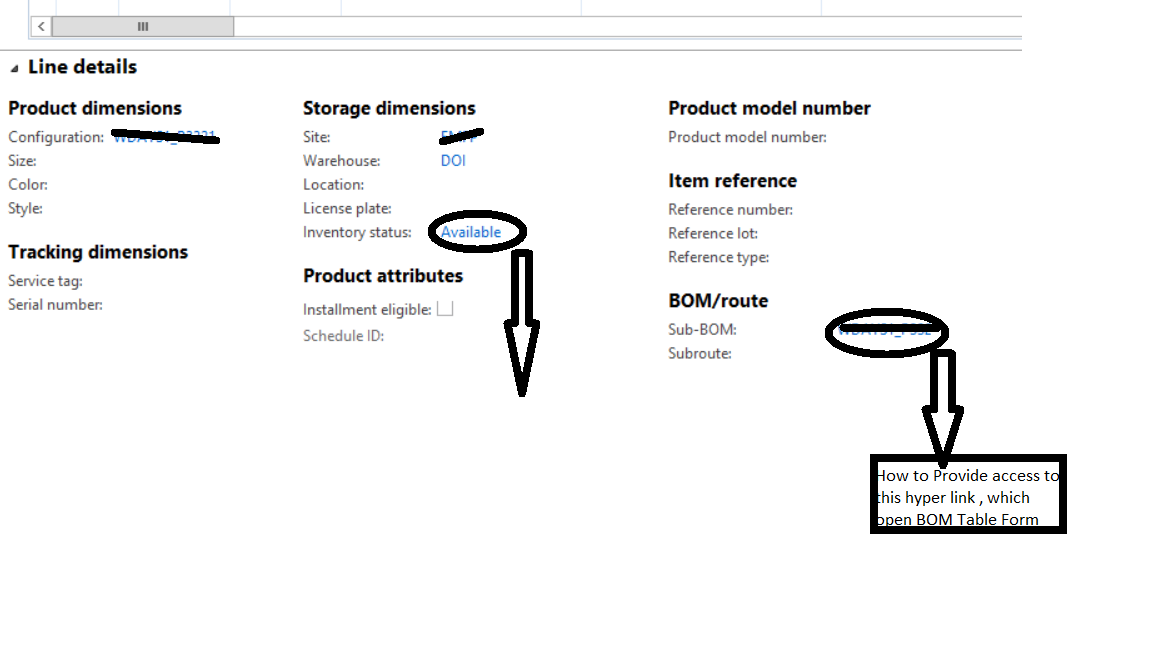
321471.Untitled.png

Please help us in this Case.

*This post is locked for comments

I have the same question (0)
  • Mea_ Profile Picture
    60,286 on at

    Hi phanivarma ,

    So what is the issue? On your screenshot I can see hyperlink ...

  • phanivarma Profile Picture
    35 on at

    Hi,

    The hyperlink is not enabled for a user, just checking how to provide access specifically for that hyperlink.

  • Mea_ Profile Picture
    60,286 on at

    So you as an admin can see it and some users cannot see value\cannot see hyperlink\cannot click on hyperlink\get error when they click on it?

  • phanivarma Profile Picture
    35 on at

    Yes

  • phanivarma Profile Picture
    35 on at

    They are not getting any error while clicking the hyperlink but link is not enabled , it is just shown as normal Text.

  • Suggested answer
    Mea_ Profile Picture
    60,286 on at

    So you have to have access to underlying table to see the link.  Give access to the BOMTable form. It could be done though BomTableView (View BOMs) privilege.

  • phanivarma Profile Picture
    35 on at

    Thats already done still unable to access.

Under review

Thank you for your reply! To ensure a great experience for everyone, your content is awaiting approval by our Community Managers. Please check back later.

Helpful resources

Quick Links

Introducing the 2026 Season 1 community Super Users

Congratulations to our 2026 Super Stars!

Meet the Microsoft Dynamics 365 Contact Center Champions

We are thrilled to have these Champions in our Community!

Congratulations to the March Top 10 Community Leaders

These are the community rock stars!

Leaderboard > 🔒一 Microsoft Dynamics AX (Archived)

#1
CP04-islander Profile Picture

CP04-islander 26

#2
imran ul haq Profile Picture

imran ul haq 8

#3
André Arnaud de Calavon Profile Picture

André Arnaud de Cal... 4 Super User 2026 Season 1

Last 30 days Overall leaderboard

Featured topics

Product updates

Dynamics 365 release plans
