web
You’re offline. This is a read only version of the page.
close
Skip to main content

Announcements

No record found.

News and Announcements icon
Community site session details

Community site session details

Session Id :
Microsoft Dynamics AX (Archived)

Error in the Installation and Configuration of Async Client Service

(0) ShareShare
ReportReport
Posted on by

Hi everyone i trying to install AsynClient Services and a have a error in the installation when make the testing with the AsyncServer.
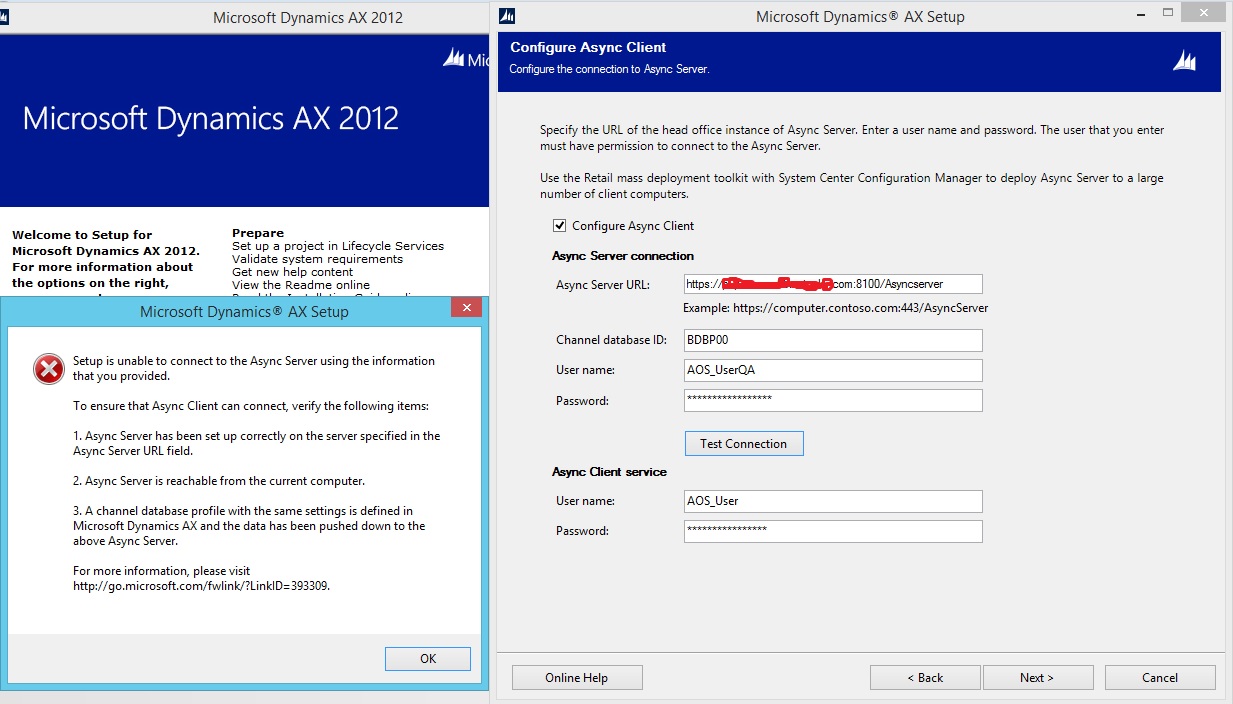
error-asyncclient.jpg

At this point Verify that the firewall was not blocking communication. Perform a metadata synchronization because the Aos_userqa is a new user, this is for me to accept the user when installing the AsyncClient.

Then when I verify in the IIS the port that takes the URL of the AsyncServer and I try to edit it, this error appears. I press OK and I try to modify something else and the error reappears. As you can see in the image I was able to select the IP but as I said, the error message reappears.
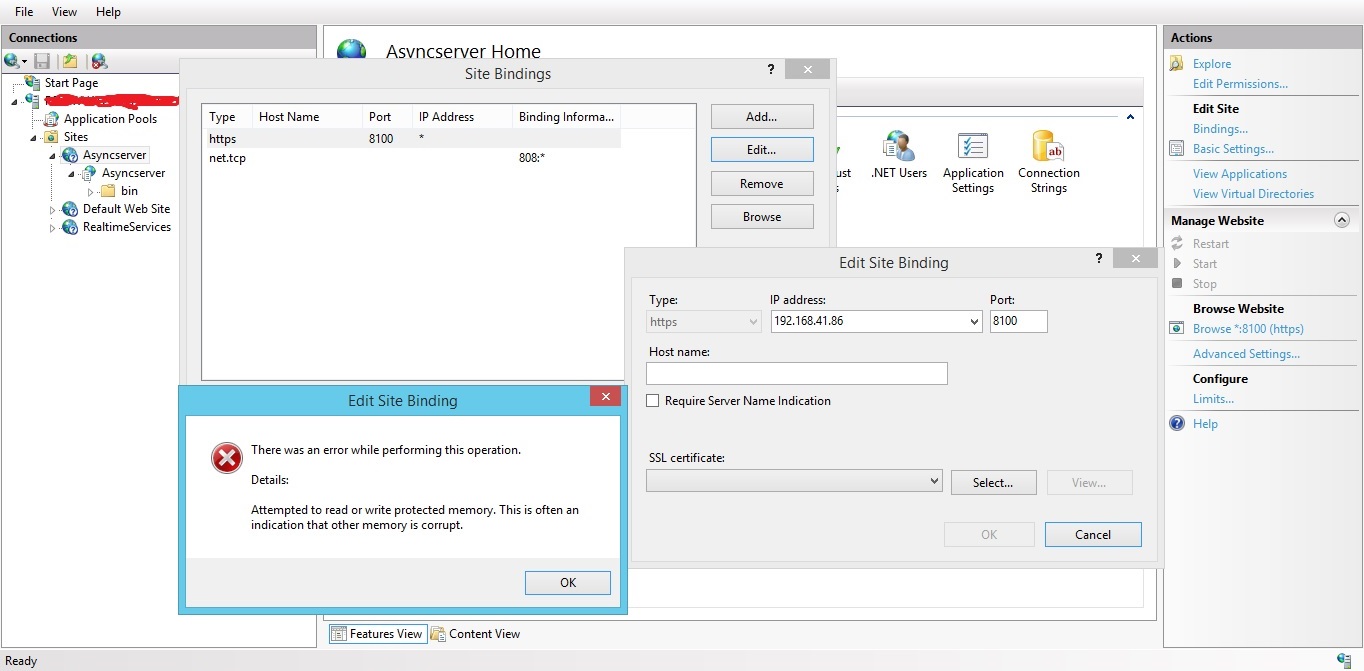
Error-iss.jpg

I think the error in the installation of the AsyncClient is due to this error in the IIS but I have no idea why this error or how to fix it.

Maybe, This will have something to do with the certification?

Please someone who can help me would be very grateful.

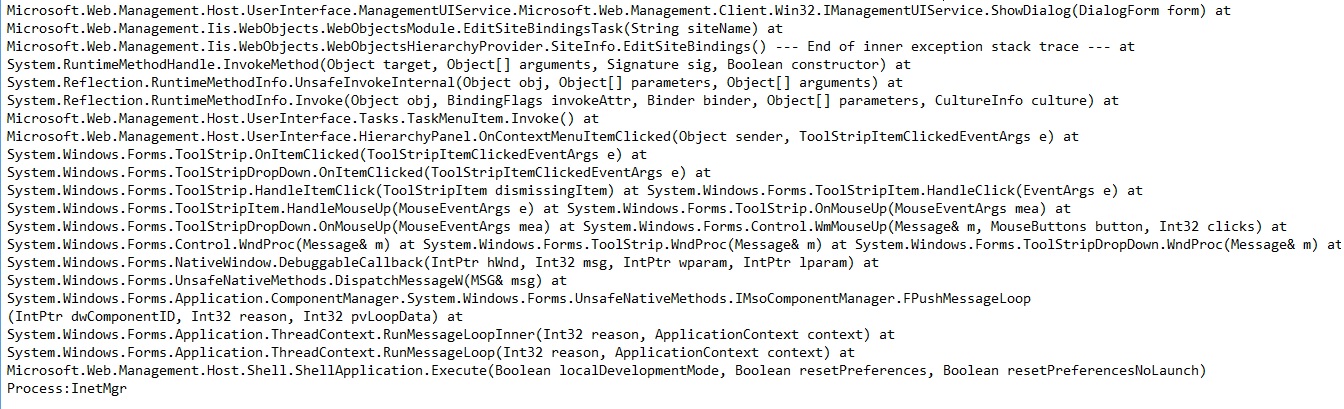
Event Viewer of the second error:
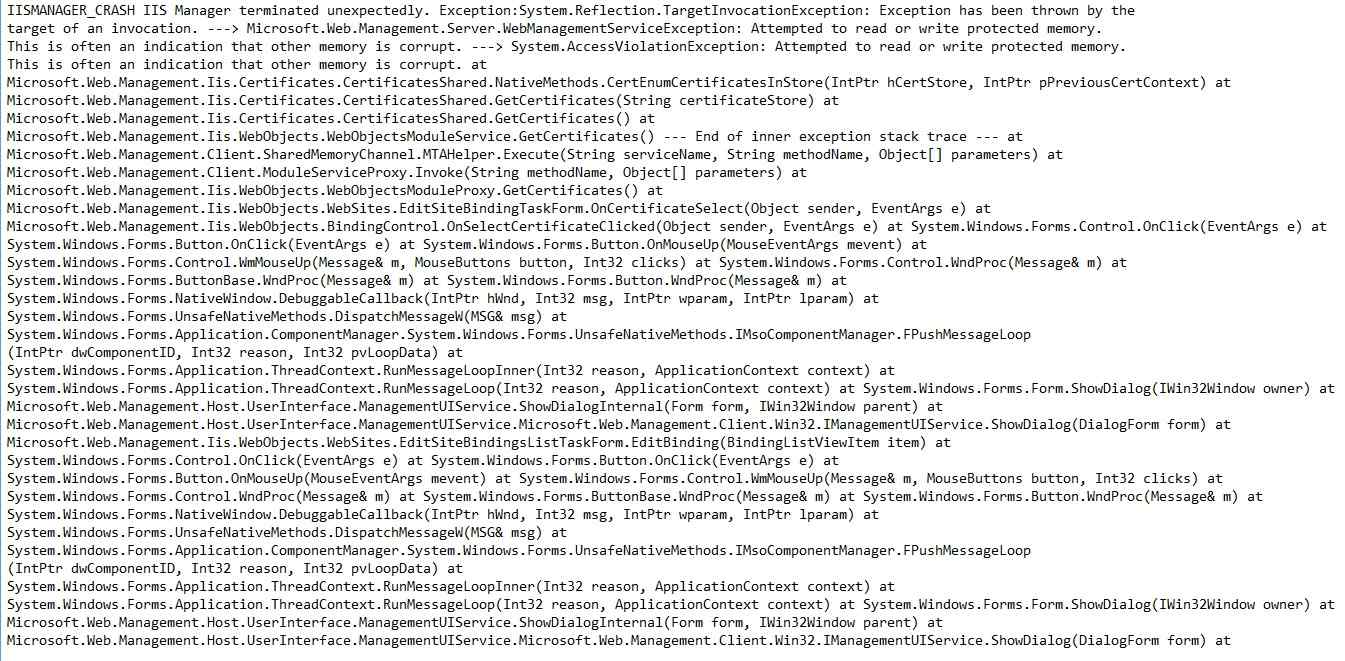
EV1.jpg

EV2.jpg

*This post is locked for comments

I have the same question (0)
  • Community Member Profile Picture
    on at

    Thanks, the problem was in the SSL certificate this had expired so there was no connection with the AsyncServer.

    Thanks, again Sukrut.

    Regards.

  • Community Member Profile Picture
    on at

    Hi Sukrut

    Of course, I realized that in the IIS there was no certificate related to the Async Server and also the existing certificates had been experienced. To solve, create a new auto-signed certificate and link it with my Async Server, after which I could establish a connection at the time of installation.

    Sukrut this is my first time installing Async Client and I would like to ask you a question, after installing Async Client to verify if the service is running I executed Job 9999.

    Yesterday I executed them and their status is still in "Initiating" I have understood that to know that the service is in good working the status of the Job should be "Applied". Any advice or suggestion that could be happening would be very helpful.

    First of all, Thanks.

    Regards.

Under review

Thank you for your reply! To ensure a great experience for everyone, your content is awaiting approval by our Community Managers. Please check back later.

Helpful resources

Quick Links

Introducing the 2026 Season 1 community Super Users

Congratulations to our 2026 Super Stars!

Meet the Microsoft Dynamics 365 Contact Center Champions

We are thrilled to have these Champions in our Community!

Congratulations to the March Top 10 Community Leaders

These are the community rock stars!

Leaderboard > 🔒一 Microsoft Dynamics AX (Archived)

#1
Basit Profile Picture

Basit 1

#1
GL-01081504-0 Profile Picture

GL-01081504-0 1

#1
Roya Profile Picture

Roya 1

Last 30 days Overall leaderboard

Featured topics

Product updates

Dynamics 365 release plans