web
You’re offline. This is a read only version of the page.
close
Skip to main content

Notifications

Announcements

No record found.

Community site session details

Community site session details

Session Id :
Microsoft Dynamics CRM (Archived)

how to set values to option set dynamically?

(0) ShareShare
ReportReport
Posted on by 195

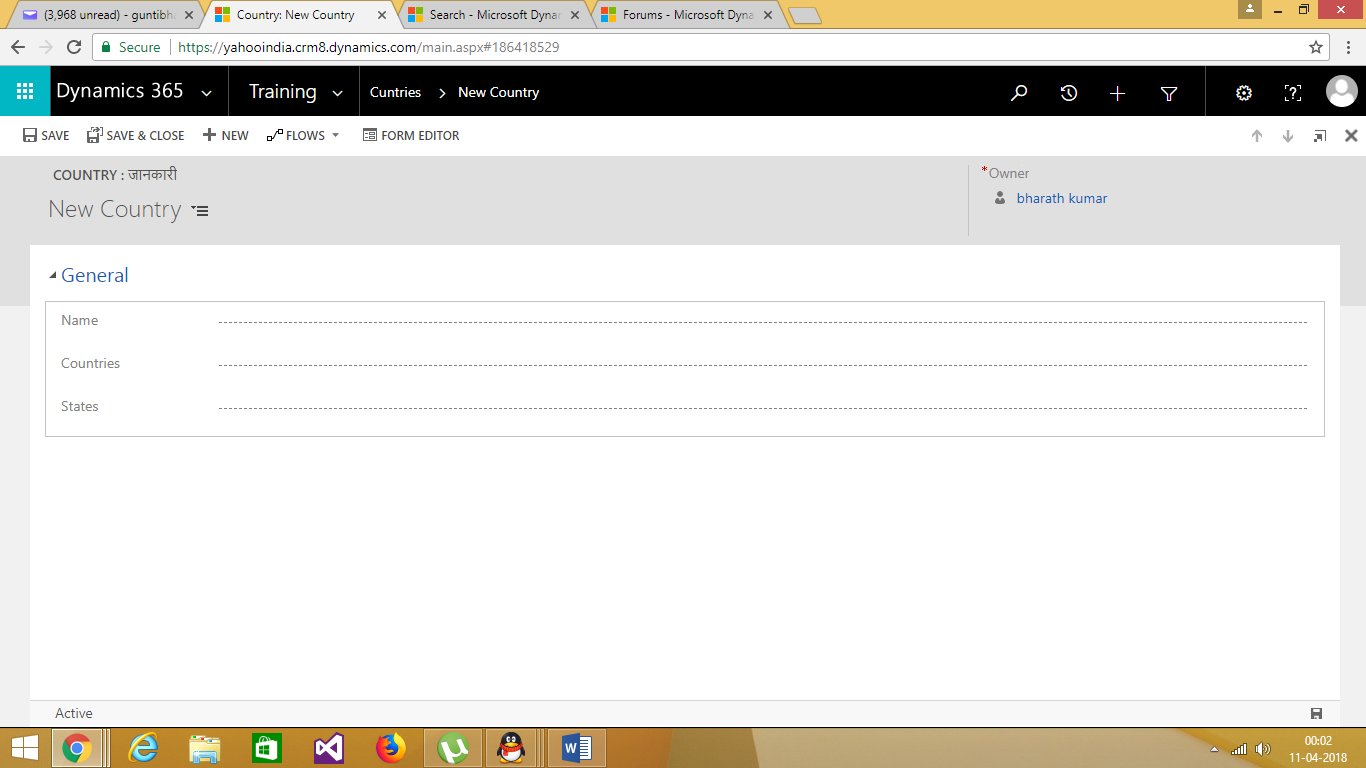
Hi friends this is my form.I want to achieve this "when I select particular country(optionset),I want to display states(optionset) which belongs to the selected country".I am calling countries api.I am getting list of countries as response in alert.I want to set country values to the country field(option set).I tried but it was not working.
8255.optionset.png

here is my code

==================

function countries()
{
var BATTUTA_KEY="00000000000000000000000000000000"

$.getJSON("battuta.medunes.net/.../all"+BATTUTA_KEY+"&callback=?").success(function(countries){
console.log(countries);
for (var i in countries)
{
//alert(countries[i].name);
var con=countries[i].name;
alert(con);
}

});
}

I hope I will find solution from you people.Thank you.

*This post is locked for comments

I have the same question (0)
  • Ummacrm Profile Picture
    270 on at

    Break down  your problem into many smaller problems / steps to achieve your requirements.  Something along the lines of:

    1. Get country that is selected from optionset

    2. Query API for All states in that country

    3. Handle results returned

    4. Add results into drop down

    5. Error checking

    Here is a start:

    msdn.microsoft.com/.../gg328474.aspx

  • Verified answer
    gdas Profile Picture
    50,091 Moderator on at

    Hi ,

    Is there any specific reason you make city and country as option set field?

    You can achieve this kind functionality completely OOB way. It will take maximum 15-30 mins without any code.

    Please have a look below reference and the video -

    www.youtube.com/watch

    https://www.powerobjects.com/2016/03/15/how-to-use-dependent-lookups-for-dynamics-crm-201320152016/

    Hope this helps.

  • bharrath Profile Picture
    195 on at

    Thank you.

  • Verified answer
    gdas Profile Picture
    50,091 Moderator on at

    Hi bharrath,

    You can use below code to add or remove options from optionset based on the value.

            function OptionSetAddRemove() {
                var optionSet = Xrm.Page.ui.controls.get("new_myoptionset");
                var optionSetValues = optionSet.getAttribute().getOptions();
                optionSet.clearOptions();
                optionSetValues.forEach(function (element) {
                    if (element.value == "831260009")
                        optionSet.addOption(element);
                    if (element.value == "831260008")
                        optionSet.removeOption(element);
    
                });
            }


  • Verified answer
    Mahendar Pal Profile Picture
    45,095 on at

    Hello,

    You can use option set generator for this crmoptionsets.azurewebsites.net

  • bharrath Profile Picture
    195 on at

    Hi Goutam Das, thanks for your vaulable suggestion.No specific reason.I added options to the optionset dynamically but unable to select country.when I try to select its not selecting.Do you have any idea why it is not selecting?

    2605.optionset2.png

    My code

    ========================================

    function countries()
    {
    var BATTUTA_KEY="00000000000000000000000000000000"

    $.getJSON("battuta.medunes.net/.../all"+BATTUTA_KEY+"&callback=?").success(function(countries){
    console.log(countries);
    for (var i in countries)
    {
    //alert(countries[i].name);
    //var con=countries[i].name;
    //alert(con);
    var option = new Option();
    option.text = countries[i].name;
    option.value = i;
    Xrm.Page.getControl("trip_countries").addOption(option);

    }
    });
    }

  • bharrath Profile Picture
    195 on at

    Hello Mahender,Now I am able to set values to the option set but I am unable to select the country.

    Please go through  the code.

    ====================

    function countries()

    {

    var BATTUTA_KEY="00000000000000000000000000000000"

    $.getJSON("[View:https://battuta.medunes.net/api/country/all/?key=:750:50]"+BATTUTA_KEY+"&callback=?").success(function(countries){

      console.log(countries);

    for (var i in countries)

    {

    //alert(countries[i].name);

    //var con=countries[i].name;

    //alert(con);

    var option = new Option();

    option.text = countries[i].name;

    option.value = i;

    Xrm.Page.getControl("trip_countries").addOption(option);

    }

      });

    }2783.optionset2.png

  • Verified answer
    RaviKashyap Profile Picture
    55,410 Moderator on at

    Hi Bharat,

    I am not sure why you are trying to populate the list from the API. Even if you are able to set option values from API and select it, I don't think you can save these values in CRM as these country values doesn't exists in CRM.

    As mentioned above, you need to create the optionset with these value within CRM so that when user selects some values, it is saved in CRM.

    Hope this helps.

  • Verified answer
    Arpit Shrivastava Profile Picture
    7,518 User Group Leader on at

    Hi Bharrath,

    You should never go for Option Set Type fields in order to achive such type of requirements.

    Solution should be - Filtered Lookup

    Create Two Lookup fields for Country and State and use CRM OOB Lookup Filtering.

    This approach is totally configurable from future perceptive and you can avoid additional customization.

    You should always try to avoid additional customization as much as possible especially, is something is possible through OOB configurations.


    If found useful, please mark the answer as verified.


    Cheers
    Arpit
    https://arpitmscrmhunt.blogspot.com


  • Verified answer
    Mahendar Pal Profile Picture
    45,095 on at

    Agree with Arpit, optionset sutiable if the options are less then 10, but if you have more then 10 options it is best option to go lookup, and further you can utilize out of the box lookup filtering,make sure to setup relationship correctly.

Under review

Thank you for your reply! To ensure a great experience for everyone, your content is awaiting approval by our Community Managers. Please check back later.

Helpful resources

Quick Links

Responsible AI policies

As AI tools become more common, we’re introducing a Responsible AI Use…

Neeraj Kumar – Community Spotlight

We are honored to recognize Neeraj Kumar as our Community Spotlight honoree for…

Leaderboard > 🔒一 Microsoft Dynamics CRM (Archived)

#1
SA-08121319-0 Profile Picture

SA-08121319-0 4

#1
Calum MacFarlane Profile Picture

Calum MacFarlane 4

#3
Alex Fun Wei Jie Profile Picture

Alex Fun Wei Jie 2

Last 30 days Overall leaderboard

Featured topics

Product updates

Dynamics 365 release plans



