web
You’re offline. This is a read only version of the page.
close
Skip to main content

Announcements

No record found.

News and Announcements icon
Community site session details

Community site session details

Session Id :
Finance | Project Operations, Human Resources, ...
Suggested Answer

Error while opening Data entity template using excel add-in

(0) ShareShare
ReportReport
Posted on by 152

Hi All,

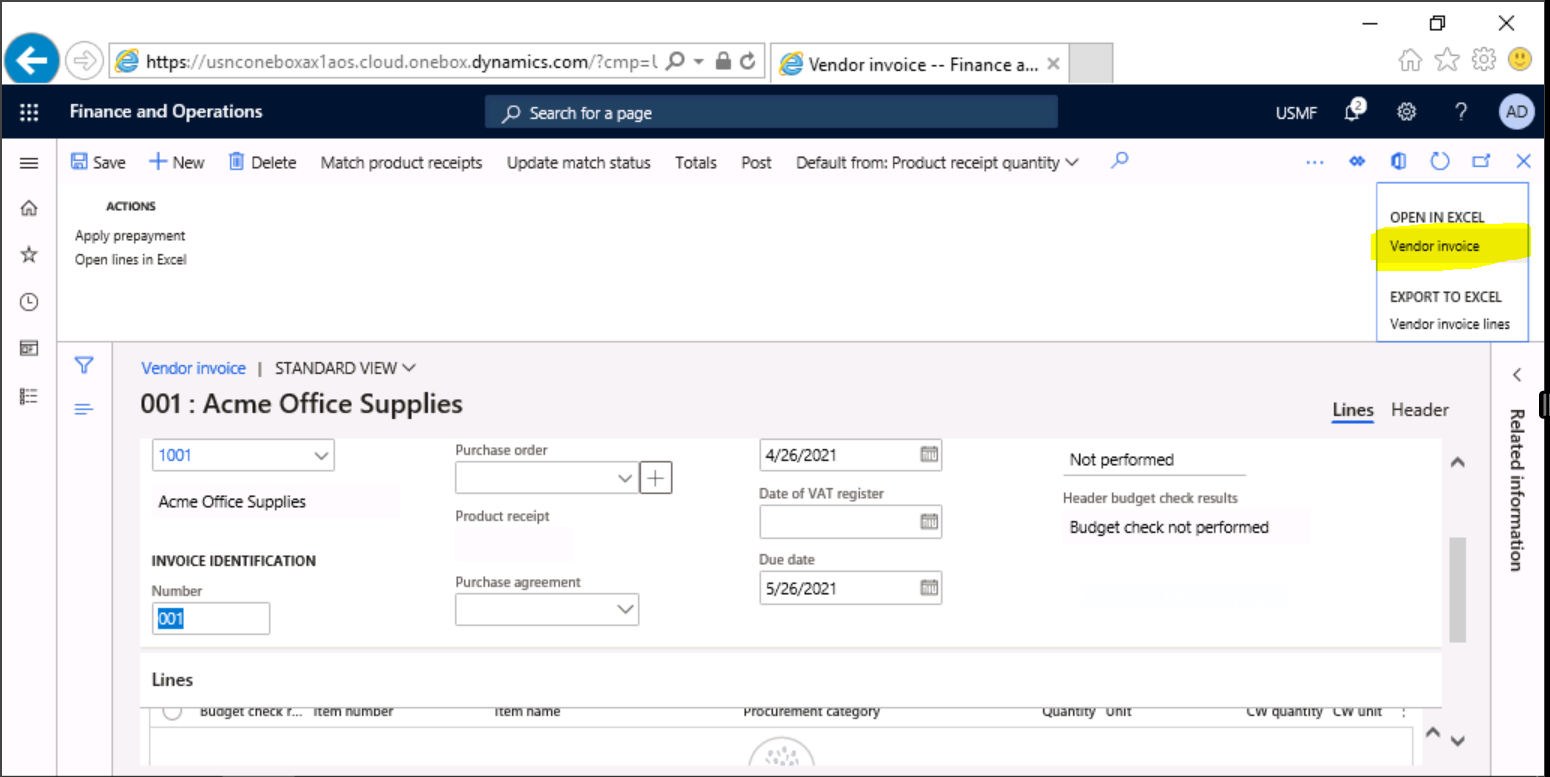
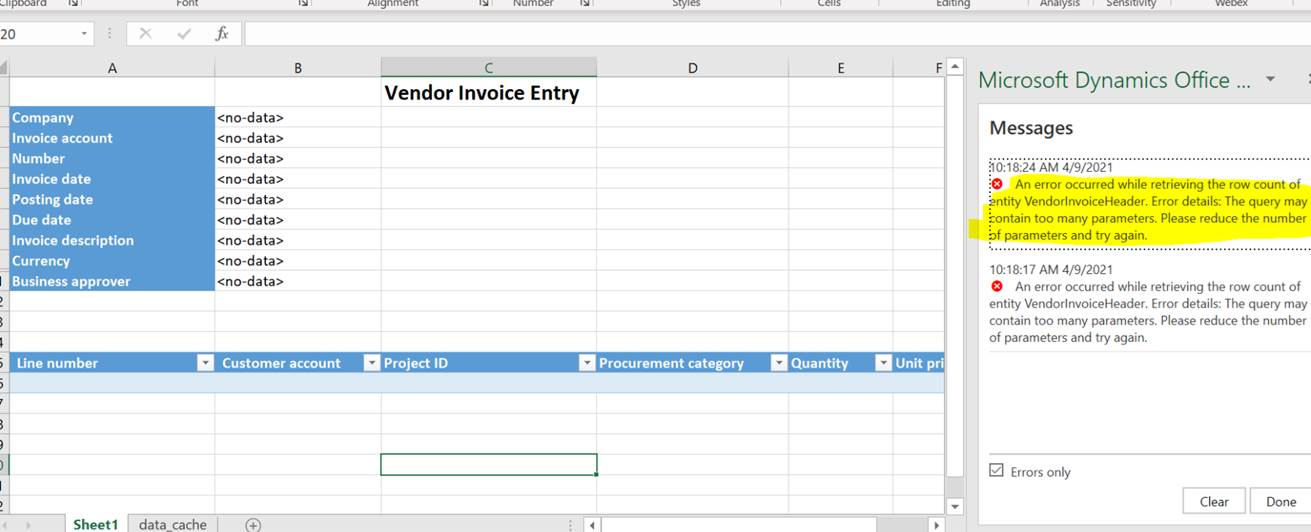
When some users are trying to open the data entity template through excel add-in, they are getting the following error:
pastedimage1619441807135v1.png

7230.entity.png

An Error occurred while retrieving the row count of entity VendorInvoiceHeader. 

Error Details: The query may contain too many parameters. Please reduce the number of parameters and try again.

Could anyone help on this issue.

Thanks,

Nithin.

I have the same question (0)
  • Suggested answer
    Ramit Paul Profile Picture
    22,805 Most Valuable Professional on at

    Hi,

    What exactly you are trying? Are you adding too many fields from design?

  • nithinkumar_007 Profile Picture
    152 on at

    Hi Ramit,

    When using system administrator it is working fine. But for some user user without the system admin it is showing the error.

    Thanks

    Nithin

  • Vinod Kumar Reddy Profile Picture
    285 on at

    Hi guys,

    Anyone have solution to this issue. even we are facing same issue.

  • Suggested answer
    Ramit Paul Profile Picture
    22,805 Most Valuable Professional on at

    Hi Vinod,

    Have you checked if the user has office integration power user assigned under system user?

    it seems an access issue.

  • Clive Richard Profile Picture
    Microsoft Employee on at
    Hello All, 
     
    This might be an old thread however there are still instances where the issue occurs while using the excel add-in so wanted to share the observations found by one of the client-side users who was kind to share the details.
     
    you will need to start with investigating if the metadata of the entity has lot of fields and navigation property which might be a reason for the SQL query having too many parameters.
     
    If the above is not the case, as the end user (who helped in resolving the issue) solved the issue by reimporting a specific user again into D365FO which resolved the issue, this is worth trying if all the users who are not system admin has the same issue. 
     
    Please note: Above summary is based on my observations and my own opinion, DOES NOT make an official statement from my organization or Microsoft. 


Under review

Thank you for your reply! To ensure a great experience for everyone, your content is awaiting approval by our Community Managers. Please check back later.

Helpful resources

Quick Links

Introducing the 2026 Season 1 community Super Users

Congratulations to our 2026 Super Stars!

Meet the Microsoft Dynamics 365 Contact Center Champions

We are thrilled to have these Champions in our Community!

Congratulations to the April Top 10 Community Leaders

These are the community rock stars!

Leaderboard > Finance | Project Operations, Human Resources, AX, GP, SL

#1
Giorgio Bonacorsi Profile Picture

Giorgio Bonacorsi 608

#2
André Arnaud de Calavon Profile Picture

André Arnaud de Cal... 591 Super User 2026 Season 1

#3
CP04-islander Profile Picture

CP04-islander 430

Last 30 days Overall leaderboard

Product updates

Dynamics 365 release plans
