web
You’re offline. This is a read only version of the page.
close
Skip to main content

Announcements

No record found.

News and Announcements icon
Community site session details

Community site session details

Session Id :
Microsoft Dynamics AX (Archived)

Excessive Long G/L Trial Balance Run-times

(0) ShareShare
ReportReport
Posted on by 333

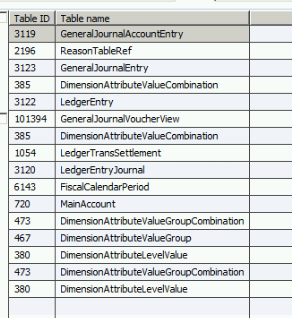
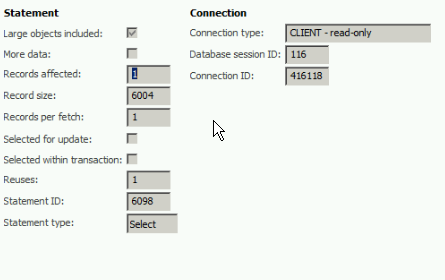
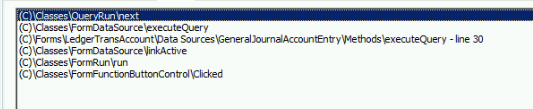
We are having issues running trial balances.  They are taking over 45 minutes to run and i need to figure out what is causing this, not sure if its a SQL or AX issue. Any guidance would be appreciated, i have tried to Compile/Generate CIL and restart AOS services with no luck.  Here are some screenshots of the SQL trace. 
SQL-1.png

SQL-2.png

SQL-3.png

*This post is locked for comments

I have the same question (0)
  • Suggested answer
    Ludwig Reinhard Profile Picture
    Microsoft Employee on at

    Hi,

    For what period do you run this report? Is it just a single month or the whole year?

    Has the standard report been modified?

    What financial dimension set did you select? Have you already tried rebuilding the financial dimension set?

    Best regards,

    Ludwig

  • Suggested answer
    nmaenpaa Profile Picture
    101,172 Moderator on at

    Is it equally slow if you run it a second time right after the first run? If it's faster on the second time, maybe enabling Rebuild balances batch jobs could speed it up.

    If those dimension set balances are not up to date, the system has to update them when the report is printed.

    kaya-consulting.com/rebuild-balances-in-ax-2012-do-you-have-a-minute-or-more

  • ScorpioDax Profile Picture
    333 on at

    Hi Ludwig,

    Running this for a our last period 4/22/19-5/28/19, single month.

    The standard report has not been modified.  

    The Financial Dimension set has been set to "Main Account Set"

    Have not tried rebuilding the financial dimension set, how would i do that?

  • ScorpioDax Profile Picture
    333 on at

    Hi Nikolaos,

    I ran the rebuild balances and refreshed the trial balance page and it now shows the balances and tried to run the report again with no luck.  The report is still taking a while to generate the details.

  • Verified answer
    ScorpioDax Profile Picture
    333 on at

    Just wanted to give you guys an update.  I was able to resolve the issue by going into SQL and running update statistics on the tables that were associated with the query for the Trial balance.

  • Ludwig Reinhard Profile Picture
    Microsoft Employee on at

    Hello ScorpioDax,

    Great to hear that you have fixed your issue.

    Just wondering how long it takes you to run the report now in seconds/minutes.

    Best regards,

    Ludwig

Under review

Thank you for your reply! To ensure a great experience for everyone, your content is awaiting approval by our Community Managers. Please check back later.

Helpful resources

Quick Links

Introducing the 2026 Season 1 community Super Users

Congratulations to our 2026 Super Stars!

Meet the Microsoft Dynamics 365 Contact Center Champions

We are thrilled to have these Champions in our Community!

Congratulations to the April Top 10 Community Leaders

These are the community rock stars!

Leaderboard > 🔒一 Microsoft Dynamics AX (Archived)

#1
CP04-islander Profile Picture

CP04-islander 39

#2
Michel ROY Profile Picture

Michel ROY 14

#3
imran ul haq Profile Picture

imran ul haq 8

Last 30 days Overall leaderboard

Featured topics

Product updates

Dynamics 365 release plans