web
You’re offline. This is a read only version of the page.
close
Skip to main content

Announcements

No record found.

News and Announcements icon
Community site session details

Community site session details

Session Id :
Finance | Project Operations, Human Resources, ...
Suggested Answer

Restricing access in project categories setup

(0) ShareShare
ReportReport
Posted on by 322

pastedimage1682602161836v1.png

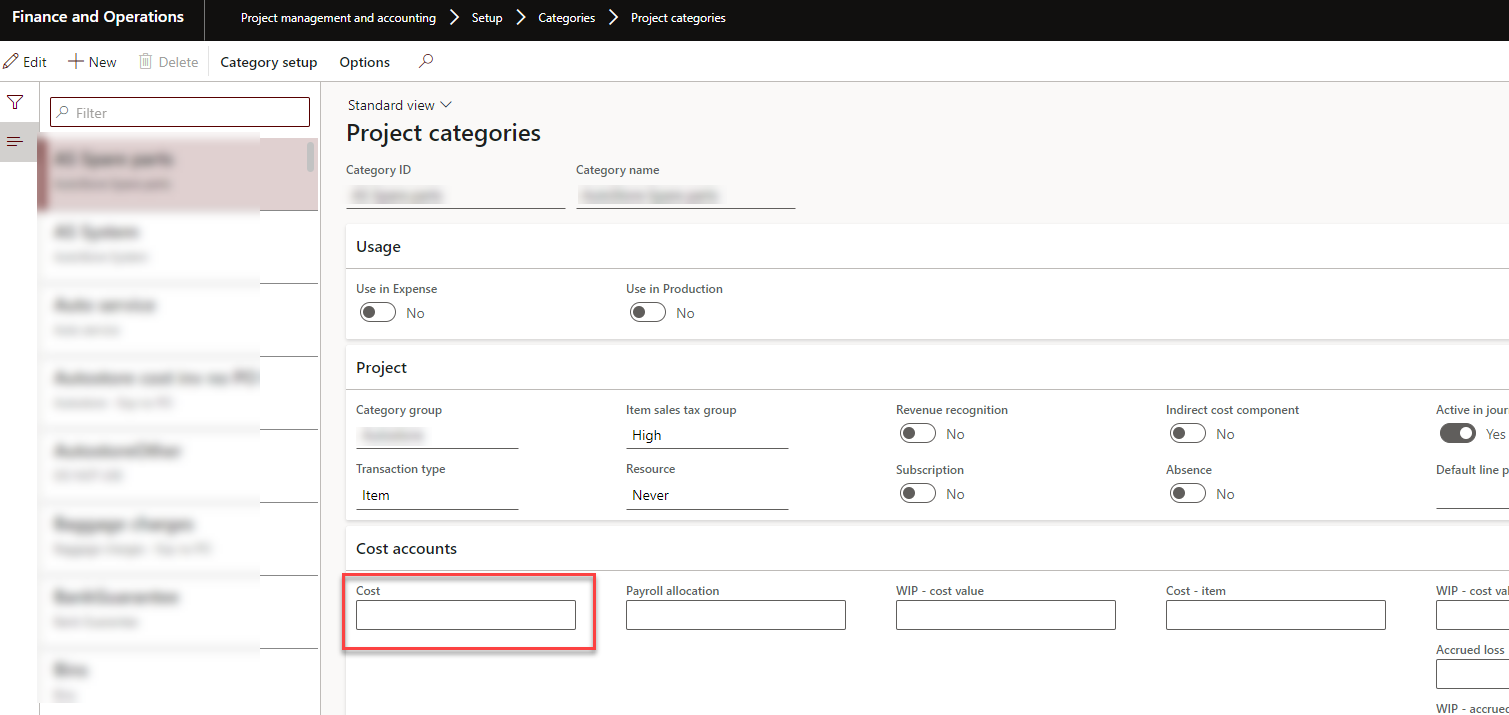
I want to give a security role access to edit the "Cost" field in the project categories setup.
pastedimage1682602317343v2.png

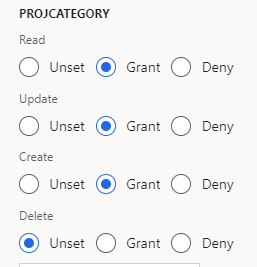
I have added the display menu item ProjCategory to the role, which provides access.

However, if I don't grant access to "Create", it is not possible to edit the "Cost" field. The problem with that is enabling "Create" also gives the role access to create new categories, which I don't want.

How can I give a role access to edit the "Cost" field, and read-access for everything else?

I have the same question (0)
  • Suggested answer
    GirishS Profile Picture
    27,833 Moderator on at

    Hi Gaute,

    Have you tried only giving update access to that form?

    Thanks,

    Girish S.

  • Gaute K Profile Picture
    322 on at

    Yes, if you mean the ProjCategory display menu item. As I wrote, I must grant access to "Create", or else the user won't be able to change the "Cost" field.

    If you mean any other form, which one specifically?

  • GirishS Profile Picture
    27,833 Moderator on at

    If you give only update access to the ProjCategory menu item, then I think you will be able to edit the Cost field.

    Remove the Create access and give only update access.

    Thanks,

    Girish S.

  • Gaute K Profile Picture
    322 on at

    No, when I only grant access to "Read" and "Update", I am not able to edit the field. The field is a drop-down menu.

    How can I solve this?

  • Suggested answer
    André Arnaud de Calavon Profile Picture
    303,247 Super User 2026 Season 1 on at

    Hi Gaute,

    Not sure if you already solved this challenge in the mean time. You can set the access to this Project categories to update. In addition, you would need to add datasource permissions for the table ProjPosting where the details for the main accounts will be stored. These would then need Read, Update and Insert permissions.

    Go to the privilege containing the display menu item for the project categories. Select the menu item and then in the References column, click ProjCategory. Then select Data sources. Click on Add reference. Now you can select one or more data sources starting with ProjPosting. There is one for each posting type. When you marked them, enable Read, Update, and Insert. Then click on OK.

Under review

Thank you for your reply! To ensure a great experience for everyone, your content is awaiting approval by our Community Managers. Please check back later.

Helpful resources

Quick Links

Introducing the 2026 Season 1 community Super Users

Congratulations to our 2026 Super Stars!

Congratulations to our 2025 Community Spotlights

Thanks to all of our 2025 Community Spotlight stars!

Leaderboard > Finance | Project Operations, Human Resources, AX, GP, SL

#1
André Arnaud de Calavon Profile Picture

André Arnaud de Cal... 545 Super User 2026 Season 1

#2
Giorgio Bonacorsi Profile Picture

Giorgio Bonacorsi 408

#3
Adis Profile Picture

Adis 267 Super User 2026 Season 1

Last 30 days Overall leaderboard

Product updates

Dynamics 365 release plans
