web
You’re offline. This is a read only version of the page.
close
Skip to main content

Announcements

No record found.

News and Announcements icon
Community site session details

Community site session details

Session Id :
Microsoft Dynamics AX (Archived)

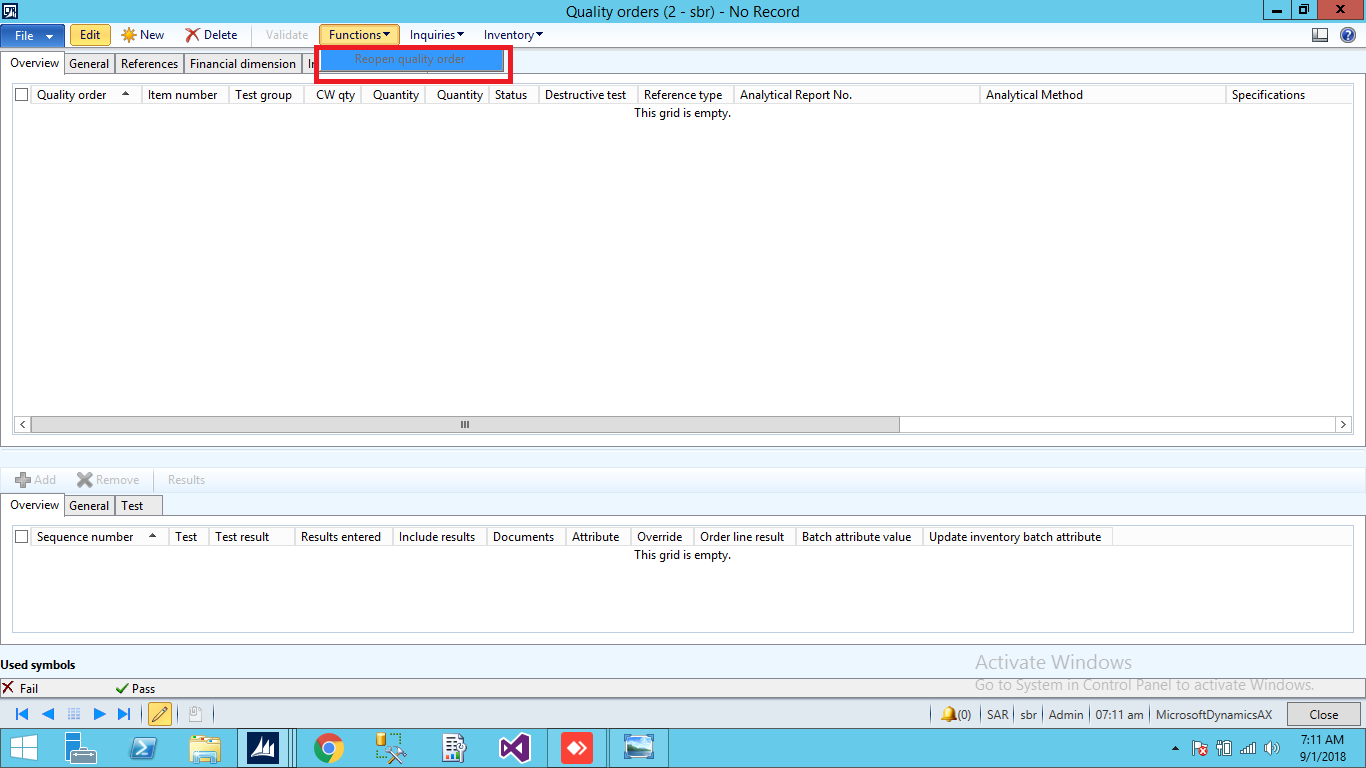
Reopen Quality Order

(0) ShareShare
ReportReport
Posted on by 3,124

Reopen-Quality-Order.png

Dear Experts,

I want to enable Reopen button on Quality Order form in (inventory module) in Function menu button. After Validate Quality order is being closed. For example if some one by mistake enter wrong information or data and validate , so how to reopen that quality order?? the reopen button is disable there is any way to make enable reopen button.Or i should make an EDIT  command button.

Thanks and Regards, 

Shabir Ahmad

*This post is locked for comments

I have the same question (0)
  • NataliiaS Profile Picture
    on at

    Hi Shabir Ahmad,

    That is standard functionality, Reopen quality order button always enabled unless the quality order test is marked as Destructive (field on the general tab of the quality order form). In order to Reopen quality order you should select quality order record that is already validated (in status Pass or Fail).  On the screenshot you provided you have not selected a quality order record therefore the button is disabled.

  • Shabir Ahmad Profile Picture
    3,124 on at

    QO-error.png

    Dear NataliiaS ,

    Now watch Quality Order is selected, what about this and status is open please watch the image.

  • NataliiaS Profile Picture
    on at

    First of all you have selected Open quality order, you should select line in either Pass or Fail status, as only those can be reopened.

    Another thing I noticed is that all your quality orders marked as Destructive which means that you cannot reopen it after it is validated since system issues our inventory from the stock.

    What is the business process you currently have? Are the samples destroyed when you perform quality tests? You could change the setup and make the tests as non destructive - this will give you ability to reopen quality order, and in case if you want to issue samples from inventory you could use either adjustment or movement journal to do it.

  • Shabir Ahmad Profile Picture
    3,124 on at

    Quality-Order-Reopen.png

    Dear NataliiaS,

       Sorry for late reply, now please watch status field is (Pass) but we are not able to reopen, what will b solution of it , If i make a command button of (EDIT) will it work?? for those records which a has been entered mistakenly. Or i should make a simple button with click event please, suggest?? Waiting for your valuable response .

         The next thing is we are using destroyed sampling process.Further, from where i should make non-destructive Quality order so that we will be able to solve this issue ??

    Thanks and Regards,

    Shabir Ahmad

  • Verified answer
    NataliiaS Profile Picture
    on at

    Hi Shabir Ahmad,

    You have selected record with Destructive test and as per my previous reply - you cannot reopen destructive test. Have you considered approach i suggested you before? i.e. make all tests as non destructive as issue samples via inventory journal.

    2068.Quality-Order-Reopen.png

Under review

Thank you for your reply! To ensure a great experience for everyone, your content is awaiting approval by our Community Managers. Please check back later.

Helpful resources

Quick Links

Introducing the 2026 Season 1 community Super Users

Congratulations to our 2026 Super Stars!

Meet the Microsoft Dynamics 365 Contact Center Champions

We are thrilled to have these Champions in our Community!

Congratulations to the March Top 10 Community Leaders

These are the community rock stars!

Leaderboard > 🔒一 Microsoft Dynamics AX (Archived)

#1
CP04-islander Profile Picture

CP04-islander 16

#2
GiacomoRovai Profile Picture

GiacomoRovai 4

#3
Douglas Noel Profile Picture

Douglas Noel 2

Last 30 days Overall leaderboard

Featured topics

Product updates

Dynamics 365 release plans
