web
You’re offline. This is a read only version of the page.
close
Skip to main content

Notifications

Announcements

No record found.

Community site session details

Community site session details

Session Id :
Microsoft Dynamics 365 | Integration, Dataverse...
Answered

Attach File Icon is missing from the Email Entity

(1) ShareShare
ReportReport
Posted on by

Hi All,

I am looking for an advise regarding the missing of 'Attach file' Option from the Email. I am pretty sure this option was available before, but from today morning I can't seem to find the Attach file option in the Email entity.

Screenshot from the Non-Prod environment:

pastedimage1632223792897v2.png

 Current Screenshot from my Prod environment. I checked using Ribbon workbench as well and 'Attach File' Icon is enabled.

pastedimage1632223871603v3.png

Has anyone come across this issue before. Is it possible to advise on the resolution please.

Thanks & Regards

Gowtham

I have the same question (0)
  • Verified answer
    Shaina Profile Picture
    on at

    Hi Gowtham, 

    There is a recent known issue with the 'Attach File' button and 'Insert Signature' button being hidden/missing from the email form.

    However, in order to specifically review the issue that you're facing and confirm, I'd suggest to open a Service Request with Microsoft Support. 

    Below are the workarounds that you could implement for the issues: 

    1. 'Attach File' button-

    'New Attachment' button in ribbon in Attachment Grid is working. You could use this ribbon if you're looking for 'Attach File'.
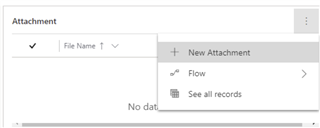
    pastedimage1632228633669v1.png

    2. 'Insert Signature' button- You could set one of the signatures as default and then whenever you open a new email, the signature set as default will show up in the email body by default.

    -Open the Personalization Settings from here:

    pastedimage1632228633670v2.png

    -Select 'Email Signature' and open the signature you'd want to keep as default:

    pastedimage1632229233752v2.png

    - Set the most common signature as default and copy & paste other signatures from Word, Outlook, etc., if required for the time being. 
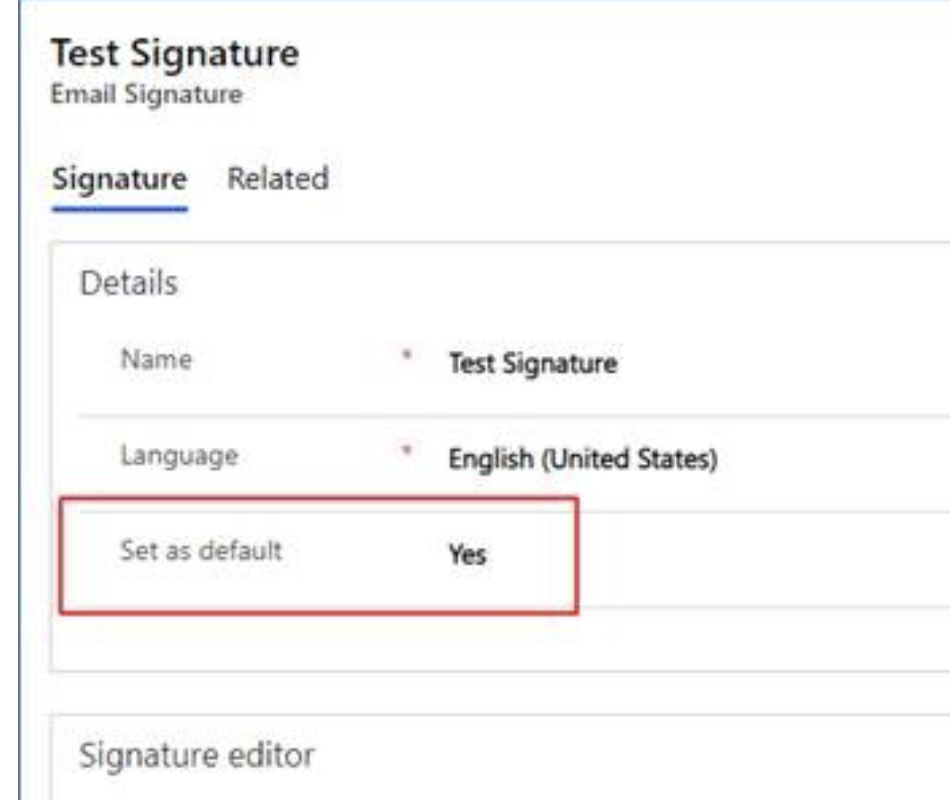
    pastedimage1632229214175v1.png

  • Gowtham89 Profile Picture
    on at

    Hi Shaina,

    Thanks for the response. The issue is resolved now. Its indeed an issue within Microsoft, they were able to resolve the issue by running updates from the backend for all the environments.

    Thanks for the suggestion.

    Kind regards,

    Gowtham

Under review

Thank you for your reply! To ensure a great experience for everyone, your content is awaiting approval by our Community Managers. Please check back later.

Helpful resources

Quick Links

Responsible AI policies

As AI tools become more common, we’re introducing a Responsible AI Use…

Neeraj Kumar – Community Spotlight

We are honored to recognize Neeraj Kumar as our Community Spotlight honoree for…

Leaderboard > Microsoft Dynamics 365 | Integration, Dataverse, and general topics

#1
Siv Sagar Profile Picture

Siv Sagar 93 Super User 2025 Season 2

#2
#ManoVerse Profile Picture

#ManoVerse 80

#3
Martin Dráb Profile Picture

Martin Dráb 64 Most Valuable Professional

Last 30 days Overall leaderboard

Product updates

Dynamics 365 release plans
