web
You’re offline. This is a read only version of the page.
close
Skip to main content

Announcements

No record found.

News and Announcements icon
Community site session details

Community site session details

Session Id :
Small and medium business | Business Central, N...
Suggested Answer

After selecting multiple sales order how to show them in request page of report

(0) ShareShare
ReportReport
Posted on by 45

After selection multiple sales order from sales order, i want to see that selected order number get display in request page filter of report and then data get displayed for those order numbers, for that what should i do?

I have the same question (0)
  • Tammy Torgerson Profile Picture
    Microsoft Employee on at

    Hello Pooja,

    We currently do not have dedicated Dev support via the Dynamics 365 Business Central forums, but I wanted to provide you some additional resources to assist. If you need assistance with debugging or coding I would recommend discussing this on one of our communities:

    https://www.yammer.com/dynamicsnavdev#/home

    I will open this up to the community in case they have something to add.

  • Suggested answer
    Dallefeld Profile Picture
    225 User Group Leader on at

    This will definitely take customization. It's also a great idea that you can suggest to Microsoft.

  • Suggested answer
    YUN ZHU Profile Picture
    98,472 Super User 2026 Season 1 on at

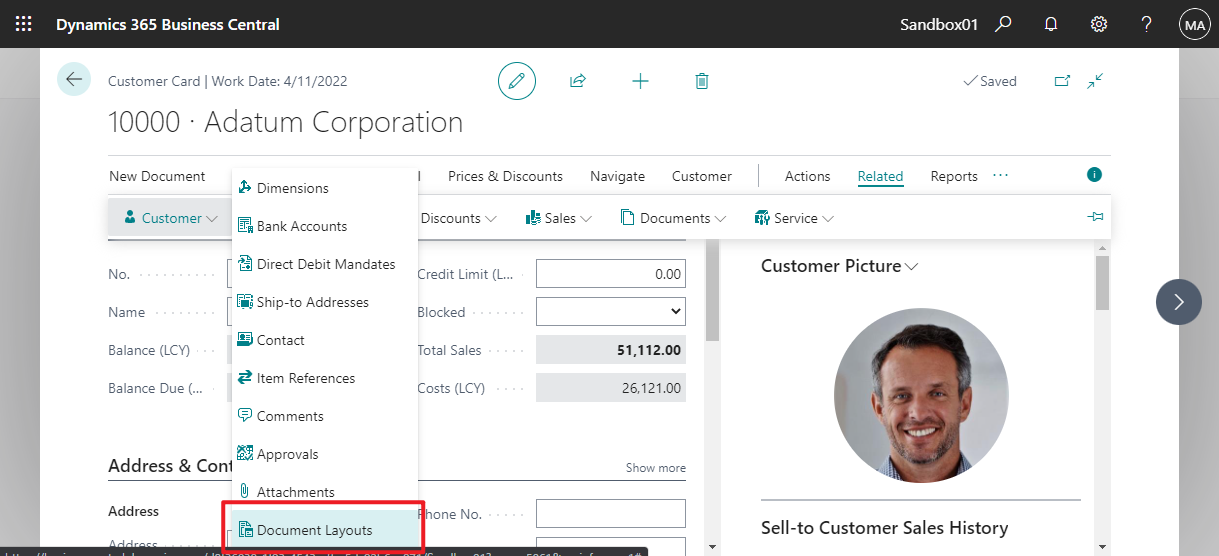
    Hi, I think there is a reason for Microsoft not to do this, because for customers, different Reports can be set.
    pastedimage1645748397580v1.png

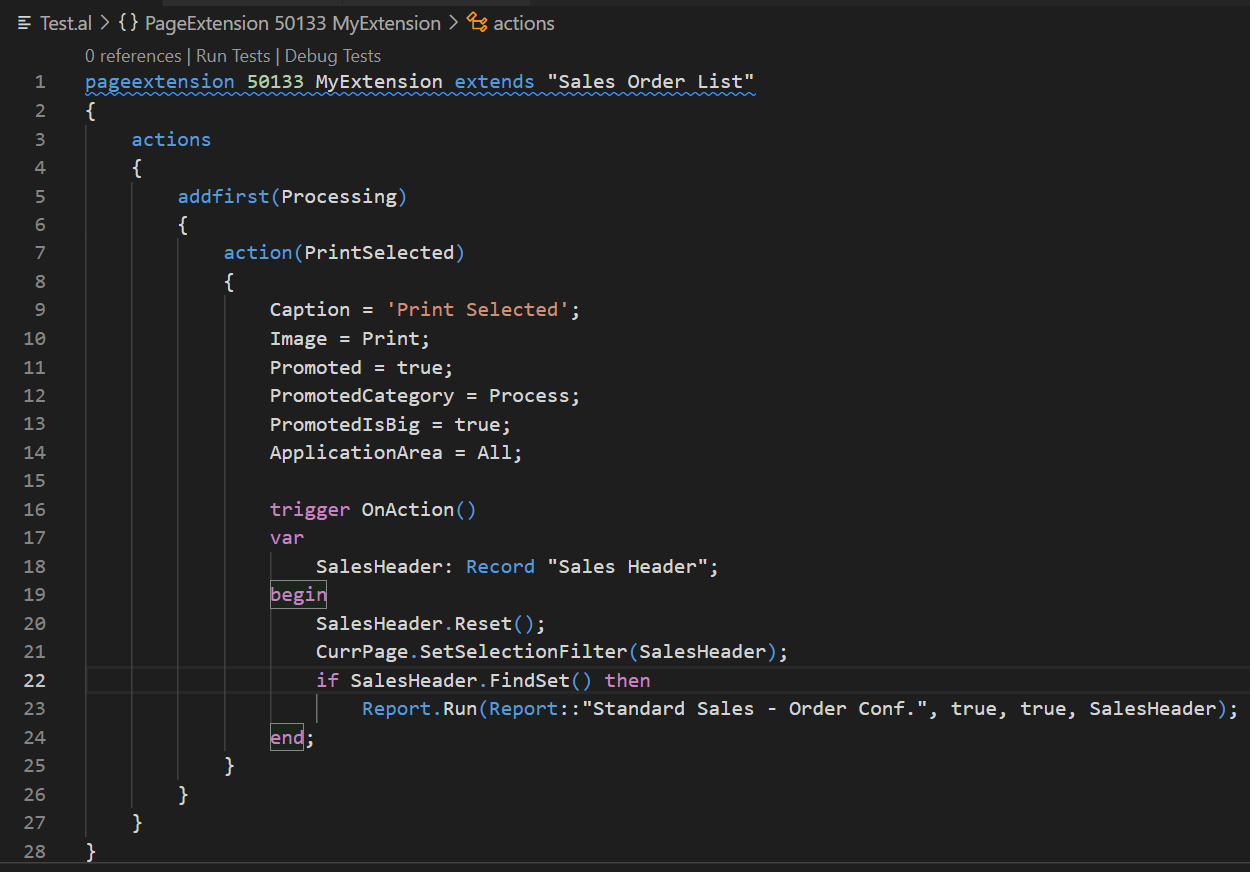
    But this can be done with a simple customization.

    For example:
    pastedimage1645749134208v2.png

    Test Video:

    [View:/cfs-file/__key/communityserver-discussions-components-files/758/Test0225.mp4:845:634

    Source Code:

    pageextension 50133 MyExtension extends "Sales Order List"
    {
        actions
        {
            addfirst(Processing)
            {
                action(PrintSelected)
                {
                    Caption = 'Print Selected';
                    Image = Print;
                    Promoted = true;
                    PromotedCategory = Process;
                    PromotedIsBig = true;
                    ApplicationArea = All;
    
                    trigger OnAction()
                    var
                        SalesHeader: Record "Sales Header";
                    begin
                        SalesHeader.Reset();
                        CurrPage.SetSelectionFilter(SalesHeader);
                        if SalesHeader.FindSet() then
                            Report.Run(Report::"Standard Sales - Order Conf.", true, true, SalesHeader);
                    end;
                }
            }
        }
    }

    Hope this will help.

    Thanks.

    ZHU

Under review

Thank you for your reply! To ensure a great experience for everyone, your content is awaiting approval by our Community Managers. Please check back later.

Helpful resources

Quick Links

Introducing the 2026 Season 1 community Super Users

Congratulations to our 2026 Super Stars!

Congratulations to our 2025 Community Spotlights

Thanks to all of our 2025 Community Spotlight stars!

Leaderboard > Small and medium business | Business Central, NAV, RMS

#1
OussamaSabbouh Profile Picture

OussamaSabbouh 1,850 Super User 2026 Season 1

#2
YUN ZHU Profile Picture

YUN ZHU 1,084 Super User 2026 Season 1

#3
Dhiren Nagar Profile Picture

Dhiren Nagar 959 Super User 2026 Season 1

Last 30 days Overall leaderboard

Featured topics

Product updates

Dynamics 365 release plans
