web
You’re offline. This is a read only version of the page.
close
Skip to main content

Notifications

Announcements

No record found.

Community site session details

Community site session details

Session Id :
Customer experience | Sales, Customer Insights,...
Answered

How to export/import a security role to another environment

(0) ShareShare
ReportReport
Posted on by 10

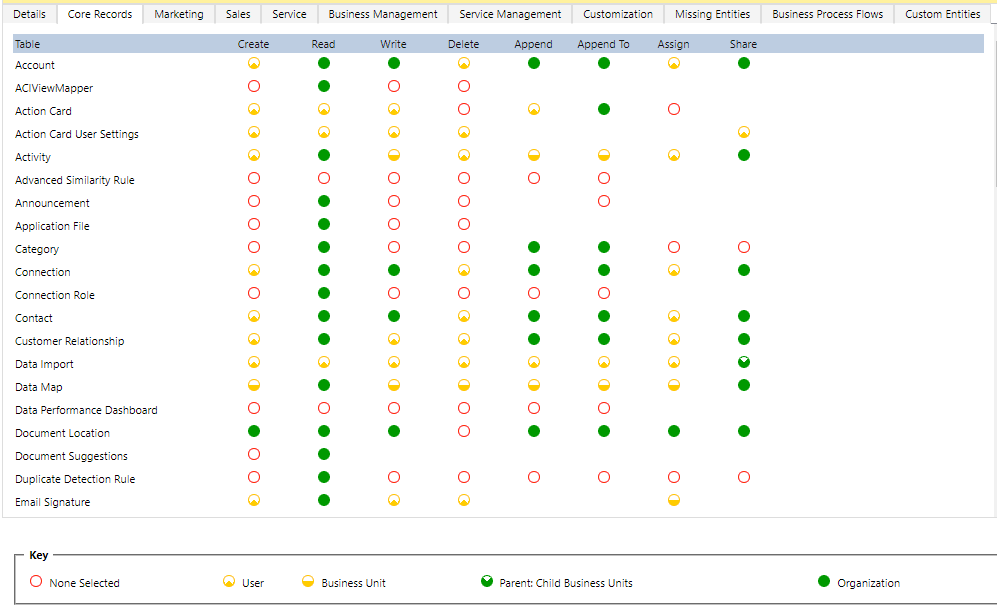
i am trying to move some of security roles to another environment.

but it is too much hassle for me to set a param one by one (like an attachment )

is there any easier way like import/export csv?

i coud find the solution about D365 Human Resources but not for Sales

Sorry for not good my English.

Thank you.
pastedimage1640595701501v1.png

I have the same question (0)
  • Suggested answer
    Nya Profile Picture
    29,060 on at

    Hi,

    Please refer to the following thread.

    (+) Updating security roles using a solution. - Microsoft Dynamics CRM Forum Community Forum

  • Verified answer
    Ram Prakash Duraisamy Profile Picture
    2,287 on at

    Hi Noriyuki

    Hope you are doing good.

     Please follow below steps to export and import

    1. Navigate to your organization

    2. Click Gear icon at the top select advance settings

    3. Navigate to solution and create a solution

    4. Once solution created click Security Roles then add your security roles

    5. Once done publish all Customization and click export and export as manged or Unmanaged based on your needs


    That's it :-)

    Please mark as answer if it is helpful

  • Suggested answer
    Bipin D365 Profile Picture
    28,983 Moderator on at

    Hi,

    Take help from your developer to add your security role which you are modifying in a solution. once security role is added, export the solution and import it into your target enviornment.

    You don't have to manually update each privileges.

    Please mark my answer verified if this is helpful!

    Regards,

    Bipin Kumar

    Follow my Blog: xrmdynamicscrm.wordpress.com/

  • Suggested answer
    Hicham GRC Profile Picture
    200 on at

    Hi,

    If you want to deploy the security roles related to the root business unit, it's simple.

    You create an unmanaged solution , then you add the roles you want to deploy in your target environment, and finally export the solution and import it in the other environment.

    In xrmtoolbox, you can use the tool "Export Security Role" but only for the extract.

    Hope this will help.

    KR,

    Hicham

  • Noriyuki Profile Picture
    10 on at

    Sorry for the late answer

    Thank you for your kindness

Under review

Thank you for your reply! To ensure a great experience for everyone, your content is awaiting approval by our Community Managers. Please check back later.

Helpful resources

Quick Links

Responsible AI policies

As AI tools become more common, we’re introducing a Responsible AI Use…

Neeraj Kumar – Community Spotlight

We are honored to recognize Neeraj Kumar as our Community Spotlight honoree for…

Leaderboard > Customer experience | Sales, Customer Insights, CRM

#1
Tom_Gioielli Profile Picture

Tom_Gioielli 170 Super User 2025 Season 2

#2
#ManoVerse Profile Picture

#ManoVerse 70

#3
Jimmy Passeti Profile Picture

Jimmy Passeti 50 Most Valuable Professional

Last 30 days Overall leaderboard

Product updates

Dynamics 365 release plans
