web
You’re offline. This is a read only version of the page.
close
Skip to main content

Notifications

Announcements

Community site session details

Community site session details

Session Id :
Customer experience | Sales, Customer Insights,...
Suggested Answer

Unable to post/schedule social post

(0) ShareShare
ReportReport
Posted on by 107

Hi everyone,

My boss created and sent social posts (LinkedIn) on D365 marketing some days (5days ago).

The marketing team tried to create a post today and send it out to social media and they got an error.
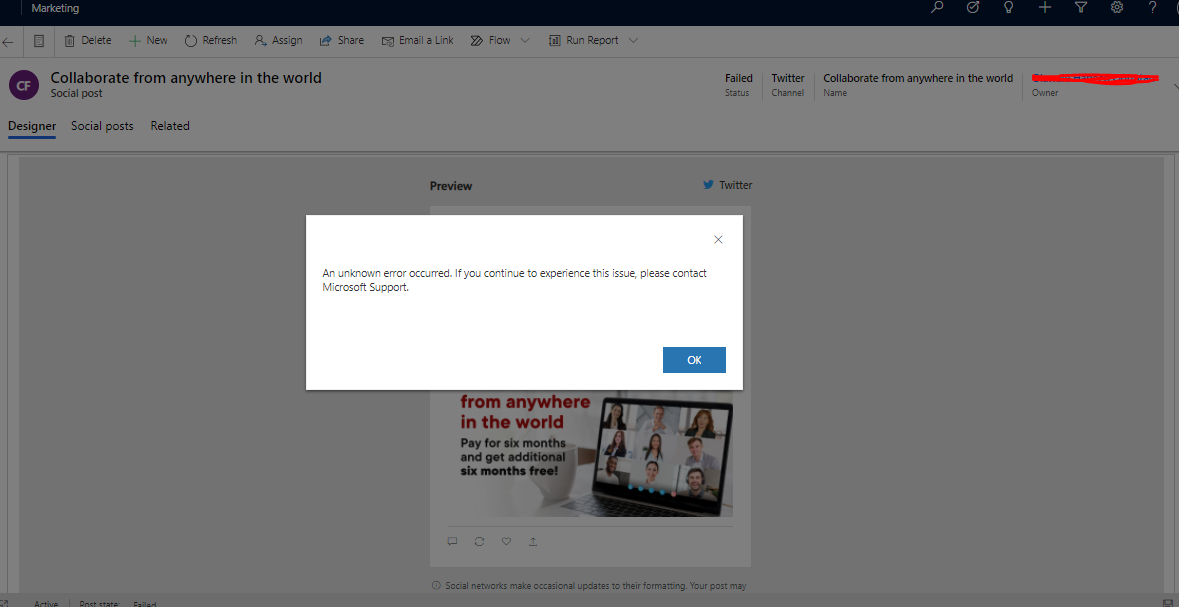
pastedimage1606759598246v1.png

Initially, I thought it was a permission issue, I ended assigning the marketing guy a Sys admin role but the issue still persists.

I have personally tried to post it and I got the same error.

Any help is much appreciated.

I have the same question (0)
  • Suggested answer
    Jide Bantale Profile Picture
    107 on at

    Thanks clofly,

    The first issue still persists.

    I will need to submit a ticket.

    Thanks.

  • Suggested answer
    cloflyMao Profile Picture
    25,210 on at

    Hi Jide,

    It is very glad that your social post functionality works again.

    However, the msdyncrm_GetReactions request is also supposed to run successfully without throwing error.

    Please continue to wait for some time to check if this error would also be fixed automatically, and check if the error would cause to other issues.

    If it still exists, raise a ticket to ask support team to handle the internal issue.

    Regards,

    Clofly

  • Jide Bantale Profile Picture
    107 on at

    Hi Clofly,

    Thanks for your response.

    We noticed suddenly that we are able to post our social media content this morning. I think there was an internal issue with D365 marketing yesterday.

    But I also noticed this error on a live post(Twitter) anytime I open it. I have followed your instruction

    pastedimage1606819573325v1.png

    I followed your instructions and found that: msdyncrm_GetReactions is the cause of the error.

    Error message: "Exception 'NullReferenceException' occured: Object reference not set to an instance of an object."

    pastedimage1606819826948v2.png

  • cloflyMao Profile Picture
    25,210 on at

    Hi Jide,

    1. Create a social post and fill its fields, then open browser console > Network > XHR, clear existing requests;

    Next, click "Post now" and check whether there is error request, the reason of the error might be found in it.

    1425.JPG

    2. Did you and marketing person use same Twitter account? Try switching to another account or creating a new social configuration for re-authentication.

    3. Go to Power Platform admin center and open marketing application to check whether there is update package available.

    4. If all steps above don't work, raise a support ticket for further assistance.

    Regards,

    Clofly

Under review

Thank you for your reply! To ensure a great experience for everyone, your content is awaiting approval by our Community Managers. Please check back later.

Helpful resources

News and Announcements

Season of Giving Solutions is Here!

Quick Links

Responsible AI policies

As AI tools become more common, we’re introducing a Responsible AI Use…

Neeraj Kumar – Community Spotlight

We are honored to recognize Neeraj Kumar as our Community Spotlight honoree for…

Leaderboard > Customer experience | Sales, Customer Insights, CRM

#1
Pallavi Phade Profile Picture

Pallavi Phade 101

#2
Tom_Gioielli Profile Picture

Tom_Gioielli 69 Super User 2025 Season 2

#3
TAHER Mehdi Profile Picture

TAHER Mehdi 58

Last 30 days Overall leaderboard

Product updates

Dynamics 365 release plans
