web
You’re offline. This is a read only version of the page.
close
Skip to main content

Announcements

No record found.

News and Announcements icon
Community site session details

Community site session details

Session Id :
Finance | Project Operations, Human Resources, ...
Suggested Answer

Expense category cannot be imported from Credit card transactions - D365FO - Expense management

(0) ShareShare
ReportReport
Posted on by 978

Hello,

I tried to import the Credit card transaction but have issue as below:

- Already enter Expense category on import file

pastedimage1629340953607v1.png

- Imported successfully but the Expense category doesn't appear, i have to edit and select manually.

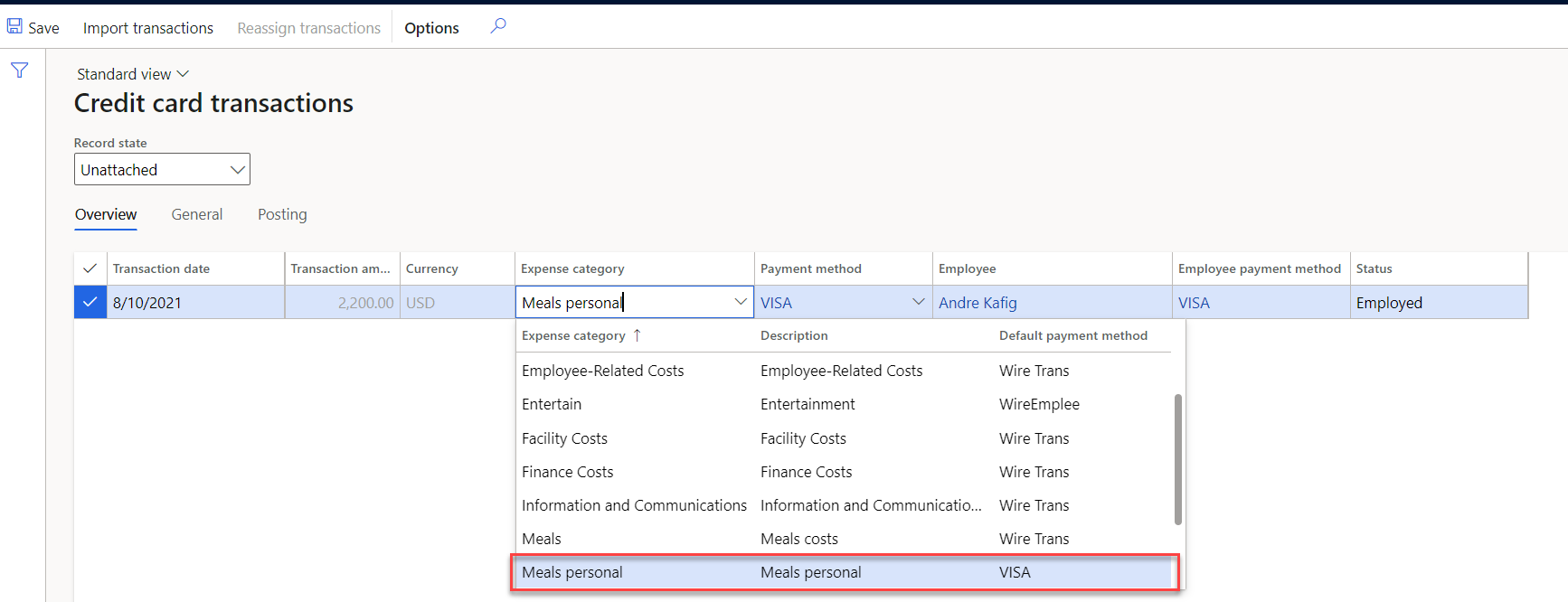
pastedimage1629341004926v2.png

pastedimage1629341012324v3.png

Please could anyone help to explain? Is there any setting missing?

Thank in advance,

Best regards,

Thu

I have the same question (0)
  • Suggested answer
    RYANSE Profile Picture
    Microsoft Employee on at

    Hello Thu,

    Thank you for using Microsoft Dynamics Communities!  I believe that the complexity of this question may require a lot of additional research.  Please log a support request for this issue.

  • ThuNgo Profile Picture
    978 on at

    Hello,

    I think the result is quite odd:

    - Data management: Not display fully Category ID: Full ID Selling Costs, but the result for DM is no Error and import successfully.

    pastedimage1629943963909v1.png

    - Credit card transaction: Not showing Category ID

    pastedimage1629943987255v2.png

    - Expense page: Show another Category ID

    pastedimage1629944100959v3.png

    If some one encounter the same issue, please help me advice,

    Thank and best regards,

    Thu,

  • ThuNgo Profile Picture
    978 on at

    Hi all,

    I think i found the problem:

    community.dynamics.com/.../651397

    So have to setup the mapping for Credit card category codes

    pastedimage1630288000872v1.png

    Thanks and best regards,

    Thu

Under review

Thank you for your reply! To ensure a great experience for everyone, your content is awaiting approval by our Community Managers. Please check back later.

Helpful resources

Quick Links

Introducing the 2026 Season 1 community Super Users

Congratulations to our 2026 Super Stars!

Congratulations to our 2025 Community Spotlights

Thanks to all of our 2025 Community Spotlight stars!

Leaderboard > Finance | Project Operations, Human Resources, AX, GP, SL

#1
André Arnaud de Calavon Profile Picture

André Arnaud de Cal... 590 Super User 2026 Season 1

#2
Giorgio Bonacorsi Profile Picture

Giorgio Bonacorsi 349

#3
Diego Mancassola Profile Picture

Diego Mancassola 263

Last 30 days Overall leaderboard

Product updates

Dynamics 365 release plans
