web
You’re offline. This is a read only version of the page.
close
Skip to main content

Notifications

Announcements

No record found.

Community site session details

Community site session details

Session Id :
Microsoft Dynamics AX (Archived)

No Location found during work creation

(0) ShareShare
ReportReport
Posted on by

Hi everyone,

i'm configuring our test system and today we executed a wave with real data.

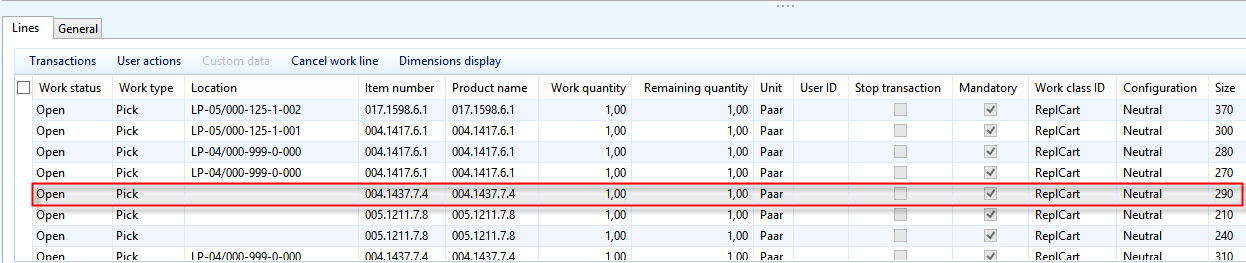
After inspecting the generated work i noticed that the WHS didn't select a pick location for every item. Some worklines have a locations and a lot doesn't. The items are globally reserved physical by transfer orders but not reserved on the location by the generated work.

There is on-hand inventory for these items and the locations, location directives and templates seem to be fine (the same config works on the Dev-Machine).

I don't have screenshots right now but i can deliver some tomorrow.

Maybe some of you know some reasons why the items could be reserved during "Release to warehouse" but not during work creation? I first suspect the location directives but they seem fine.

Work lines:
5277.pic2.png

On-Hand:

pic3.png

Location:

pic4.png

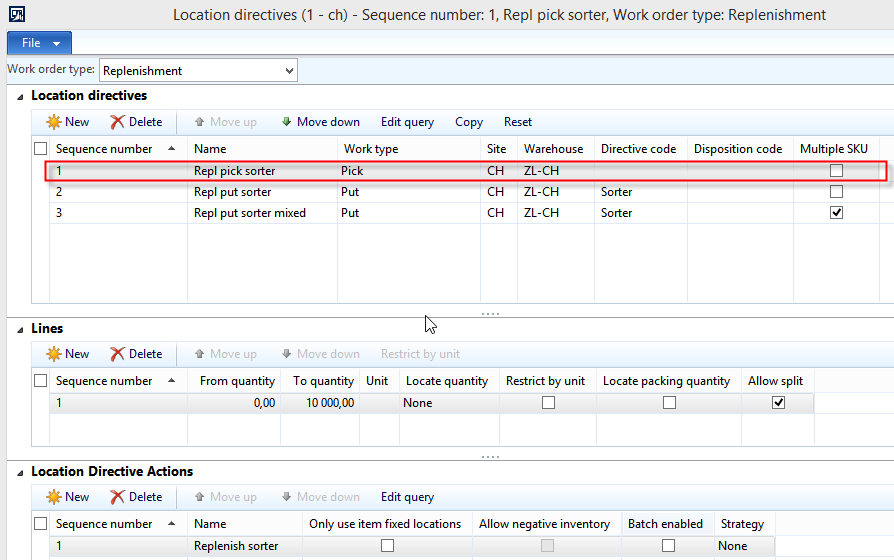
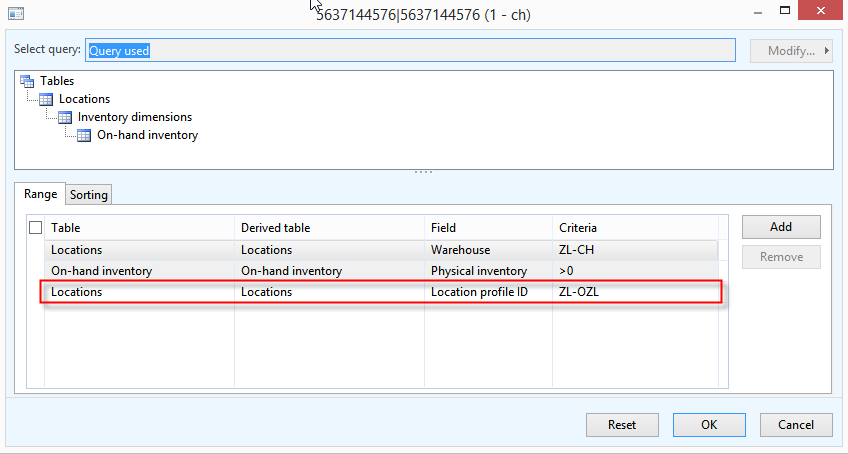
Location directive + Action-Query:

pic5.png

Greetings

Nils

*This post is locked for comments

I have the same question (0)
  • Suggested answer
    Ivan (Vanya) Kashperuk Profile Picture
    on at

    Well, you might find some more information in the Work creation history log.

    Based on the screenshots, my only guess is that maybe these products are batch-tracked?

    In which case you need an extra location directive action, which would have the "Batch enabled" flag set.

  • Community Member Profile Picture
    on at

    Unfortunatelly the Produkts are configured all the same. We don't use batch tracking.

    I will try to debug one of this products.

  • Community Member Profile Picture
    on at

    Hi,

    when i try to create a transfer order by hand i get this message.

    Do you have any suggestions?

    Edit:

    The inventory status was missing in the transfer line but this was not the cause

  • Verified answer
    Community Member Profile Picture
    on at

    Hi,

    i suspect our on-hand inventory respectively the WHSInventReserve is broken.

    After debugging it appeared that the configuration is ok, all locations where found. It fails when the system searches for available inventory. Now i try to fix the inventory and than i will try to wave a transfer order again.

  • Suggested answer
    Fredrik Sætre Profile Picture
    12,644 on at

    I see that you are using replenishment in the location directives, but isn't Transfer orders regarded as a shipment?

    You should try setting up a shipment location directive similar to the replenishment and see if that helps you.

  • Community Member Profile Picture
    on at

    Hi Fredrik,

    we have a special case here. The Transfer order directives are configured and assume the right pick location (the replenishment put location). The replenishment pick location was not set in some cases. We will make another test the next hour and see what happen. I'm sure this was because of broken inventory (WHSInventReserve) because the right locations where found but no on-hand. But there was on-hand inventory due to InventSum records. Recalculating InventSum didn't work out.

  • Karina Normann Jakobsen Profile Picture
    on at

    I assume you have checked the configuration of the on-hand is neutrale. It is not shown, when you show the on-hand overview.

  • Community Member Profile Picture
    on at

    Hi Karina,

    yes all items where created as "Neutral".

    We "wiped" the system and re-imported all inventory. After a small test it seems alright now. All locations where set correctly. It was just a small test with only a few items but i'm optimistic. I hope i can test a bigger wave today. I will let you know if it worked out.

  • Community Member Profile Picture
    on at

    Hi guys,

    it seems to be good now. As i see it now all workline have locations.

    Something went wrong with the inventory before.

    Thanks for your support though!

    Greetings

    Nils

  • Julia Julia Profile Picture
    1,480 on at

    Hi Nils Kuttkat,

    "Something went wrong with the inventory before." Can you explain the wrong with the inventory before, and how did you resolve the problem?

    Kind regards.

Under review

Thank you for your reply! To ensure a great experience for everyone, your content is awaiting approval by our Community Managers. Please check back later.

Helpful resources

Quick Links

Responsible AI policies

As AI tools become more common, we’re introducing a Responsible AI Use…

Neeraj Kumar – Community Spotlight

We are honored to recognize Neeraj Kumar as our Community Spotlight honoree for…

Leaderboard > 🔒一 Microsoft Dynamics AX (Archived)

#1
Martin Dráb Profile Picture

Martin Dráb 4 Most Valuable Professional

#1
Priya_K Profile Picture

Priya_K 4

#3
MyDynamicsNAV Profile Picture

MyDynamicsNAV 2

Last 30 days Overall leaderboard

Featured topics

Product updates

Dynamics 365 release plans