web
You’re offline. This is a read only version of the page.
close
Skip to main content

Announcements

No record found.

News and Announcements icon
Community site session details

Community site session details

Session Id :
Customer experience | Sales, Customer Insights,...
Suggested Answer

Export of all Contacts with Notes

(0) ShareShare
ReportReport
Posted on by

Hello,

Im a CRM newbie. Help please :-)

My version is as below;
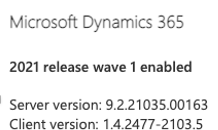
pastedimage1619052924899v2.png

We are looking to extract contacts and associated notes.


We need all available contact fields including email, phone and address details, as well as any notes, dates and category’s of notes please.

Eg a CSV format along these lines would be perfect.


Name                    Mobile                                  Email                                                     Notes                                                    Date                      Note Category                                … and other fields

Joe Bloggs           0434321675                       Jobb45@gmail.com                         Joe is his first name                         12/4/2020                Personal Details Notes

                                                                                                                                Joe is an Electrician                          3/1/2021                Employment Type Notes


We would be looking at comma separated unless “,”’s are found in the data, in which case quote encapsulated Comma separated.

Any helps appreciated 

I have the same question (0)
  • Suggested answer
    Kenneth Ariel Chaves Herrera Profile Picture
    Microsoft Employee on at

    Hi SunnyAs I hope you are great.

    Have you tried creating an advanced find in the entity called Contacts and then adding a column that has information related with note (there should exist a relationship between them)? Once you have that, you just must save then view and run the query.

    Here more info:

    Create, edit, or save an Advanced Find search (Dynamics 365 Customer Engagement (on-premises)) | Microsoft Docs

    (+) Advanced find to compare 2 entities - Microsoft Dynamics CRM Forum Community Forum

    If this answers your question, please check it as verified.

  • Inogic Profile Picture
    762 on at
    Hi,
    If you're looking for an efficient way to export data or documents from Dynamics 365 CRM, Click2Export by Inogic might be the ideal solution.
    This 1-Click productivity app is designed specifically for Dynamics 365 CRM users, allowing you to effortlessly export reports in various formats such as PDF, Word, Excel, TIFF, and CSV. Also, you can export the notes, data, reports in CSV format by using a custom template. Also, make sure the report setup specifies that if a comma (",") is used, the data will be comma-separated. Otherwise, it will remain in a normal format.
    With its user-friendly interface and single-click functionality, Click2Export simplifies the exporting process, saving you time and boosting productivity.
    key features of Click2Export by Inogic:
    1. Export in Multiple Formats
      Export Dynamics 365 CRM reports in various formats such as PDF, Word, Excel, TIFF, and CSV to suit your business needs.
    2. Bulk Export: Export multiple reports in bulk, improving efficiency for large-scale reporting requirements.
    3. Export and Auto-Attach
      Attach exported reports to emails, notes, or directly to entities within Dynamics 365 CRM.
    4. Email to Non-CRM Users:
      Send reports to non-CRM users via email, enabling seamless communication with recipients using platforms like Gmail, Yahoo, and more. 
    5. Password Encryption: Secure exported files with password protection, available for PDF templates, ensuring confidentiality and controlled access
    6. One-Click Functionality:
      Save time with a single-click export process, eliminating repetitive manual steps.
    7. Customizable Templates
      Define and use templates to customize the layout and format of exported reports.
    8. Schedule Exports
      Automate the exporting process by scheduling reports to be exported and delivered at specific intervals.
    9. Set Destination Actions
      Exported reports can be auto-saved to local drives, sent as email attachments, or uploaded to cloud storage platforms like SharePoint or Azure Blob.
    10. User-Friendly Interface
      Simple, intuitive UI for seamless integration into your day-to-day CRM tasks.
    Click2Export is a time-saving solution that enhances productivity and simplifies reporting in Dynamics 365 CRM.
    If you need more detailed information on how to utilize Click2Export, you can download the app from the Inogic website or Microsoft AppSource and take advantage of a 15-day free trial. For more details or assistance, feel free to contact us at crm@inogic.com.

    Thanks!
    Sam
    Website: www.inogic.com

Under review

Thank you for your reply! To ensure a great experience for everyone, your content is awaiting approval by our Community Managers. Please check back later.

Helpful resources

Quick Links

Introducing the 2026 Season 1 community Super Users

Congratulations to our 2026 Super Stars!

Meet the Microsoft Dynamics 365 Contact Center Champions

We are thrilled to have these Champions in our Community!

Congratulations to the April Top 10 Community Leaders

These are the community rock stars!

Leaderboard > Customer experience | Sales, Customer Insights, CRM

#1
ManoVerse Profile Picture

ManoVerse 107 Super User 2026 Season 1

#2
11manish Profile Picture

11manish 92

#3
Muhammad Shahzad Shafique Profile Picture

Muhammad Shahzad Sh... 69 Most Valuable Professional

Last 30 days Overall leaderboard

Product updates

Dynamics 365 release plans
