web
You’re offline. This is a read only version of the page.
close
Skip to main content

Announcements

Community site session details

Community site session details

Session Id :
Customer experience | Sales, Customer Insights,...
Suggested Answer

Get rid of all the diffrent event portal languages

(0) ShareShare
ReportReport
Posted on by 534

Hi All

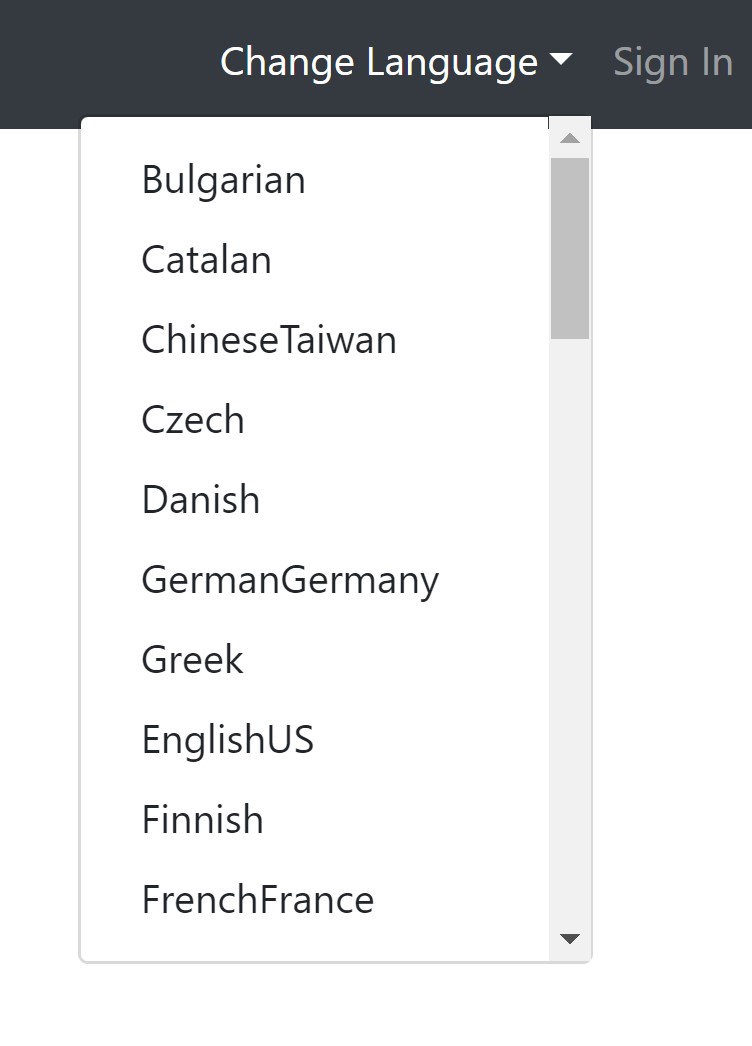
We want to have only 3 languages in our event portal, OOB the marketing app is installed with a lot of languages

D365 Sales has 2 languages installed 

We tried to uninstall the languages within the portal

1. Go to the menu item: portal languages -> deleted the portal languages we do not need 

2. Deleted all translated pages

Restart portal 

Nothing has been changed
languages-eventportal.jpg

Then

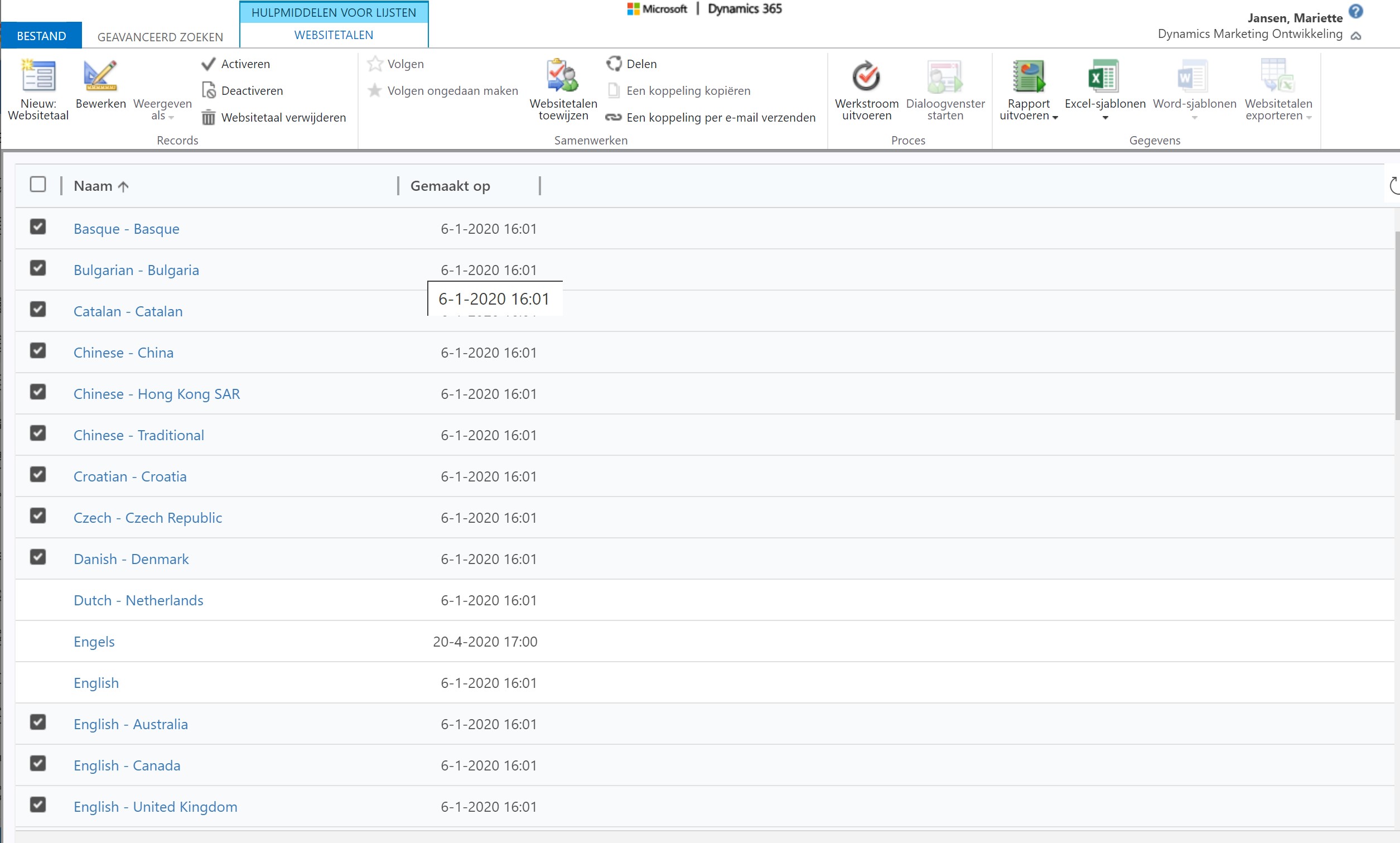
3. Did advanced search for web languages found all the languages again

4. Deleted the languages via the advanced search view

message showed all the portal content for these languages will be deleted

clik OK

Still the drop down menu is showing the languages 
website-talen-verwijderen.jpg

Searched in portal for webside links or anything but could not find it

There must be a simple solution for this 

Tried everything bit the drop down menu is still displaying all the languages

I have the same question (0)
  • cloflyMao Profile Picture
    25,210 on at

    Hi Mariette,

    Can you still change portal language if you have deleted language files?

    I have only trial version marketing application thus I couldn't test it for you.

    Try to search whether there is content snippet  in Header section which could be used to display language list.

    Regards,

    Clofly

  • Suggested answer
    nikoleta Profile Picture
    457 on at

    Hi,

    The dropdown with languages on the event portal navigation is filled from the labels.service.ts in the Angular website.

    The languages that are not used can be commented out there and will not show in the list. Then those can be removed from the PowerShell deployment file not to be transmitted during deployment.

    Will that work for you?

    Best,

  • Jetj25 Profile Picture
    534 on at

    That is way to difficult we do not use powershell

    Why is the portal so difficult to customize It must be simple OOB functionality to remove a language change a color etc.

  • FrancescaV Profile Picture
    55 on at

    Hi, I have the same problem, did someone find a way to solve this? I tryied also from PowerApps in portal customization (as I do for other portals) but I wasn't able to modify anything.

  • Muteeb Javed Profile Picture
    25 on at

    Did someone find the answer??

Under review

Thank you for your reply! To ensure a great experience for everyone, your content is awaiting approval by our Community Managers. Please check back later.

Helpful resources

Quick Links

Introducing the 2026 Season 1 community Super Users

Congratulations to our 2026 Super Stars!

Congratulations to our 2025 Community Spotlights

Thanks to all of our 2025 Community Spotlight stars!

Leaderboard > Customer experience | Sales, Customer Insights, CRM

#1
Tom_Gioielli Profile Picture

Tom_Gioielli 50 Super User 2026 Season 1

#2
Eugen Podkorytov Profile Picture

Eugen Podkorytov 49

#3
Fiona_Tiernan Profile Picture

Fiona_Tiernan 22 Moderator

Last 30 days Overall leaderboard

Product updates

Dynamics 365 release plans
