Hi Durgesh,
In addition to the JS solution recommended by Andrew, we can also implement it through the business rule.
Below is a demo, the background is that I have 5 fields and a option set field "Requirement Level" which has options "Required" and "Recommended", when I select option set field to "Required", the 5 fields need to be business required.
Here are steps.
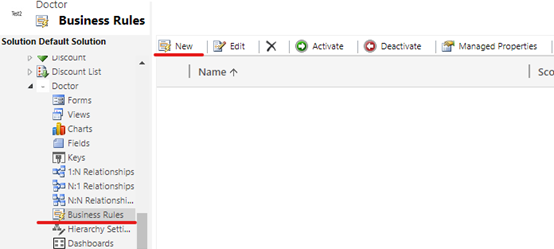
1. new a business rule in the entity.
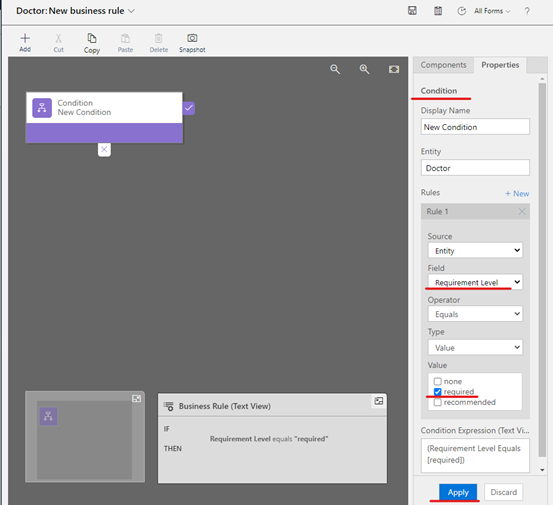
2. set condition (the value of Requirement Level field is Required).
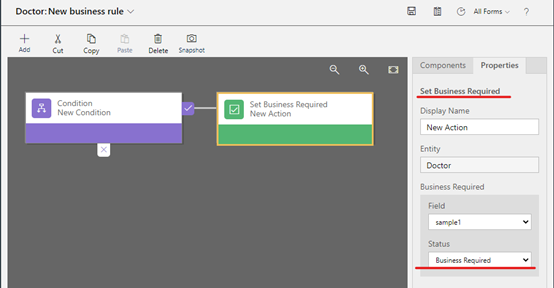
3. set actions.
(1) when the condition is satisfied, set Status to Business Required.
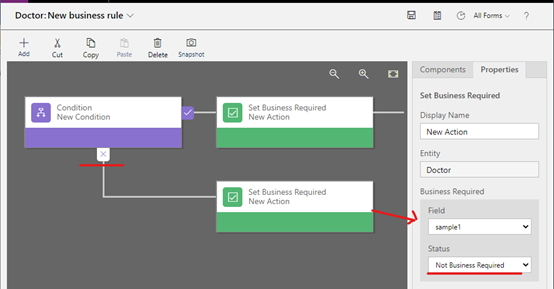
(2) when the condition is not satisfied, set Status to Not Business Required.
4. Repeat step3 four times.
5. Clcik Save and Active button.

Here are test results.
1) When new a record, the 5 fields are like this.
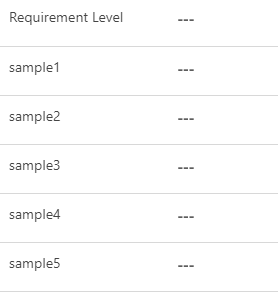
2) When change the field "Requirement Level", the 5 fields are like this.

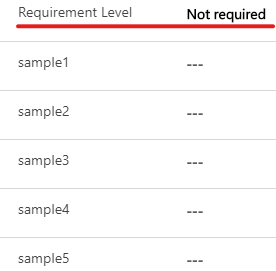
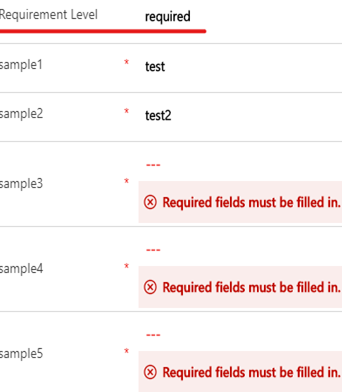
3) When save the form, the 5 fields are like this.
If "Requirement Level" field is filled with required. You cannot save this record and it will provide notifications to you if you do not fill these fields.
Best Regards,
Leah


