web
You’re offline. This is a read only version of the page.
close
Skip to main content

Announcements

No record found.

News and Announcements icon
Community site session details

Community site session details

Session Id :
Small and medium business | Business Central, N...
Suggested Answer

How can I set multiple approvers with Power Automate flow?

(1) ShareShare
ReportReport
Posted on by 7

Greetings All,


I want to use Power Automate to manage an approval workflow, but something that I'm seeing is that into the "Assign to" field I only have the option to set a mail.
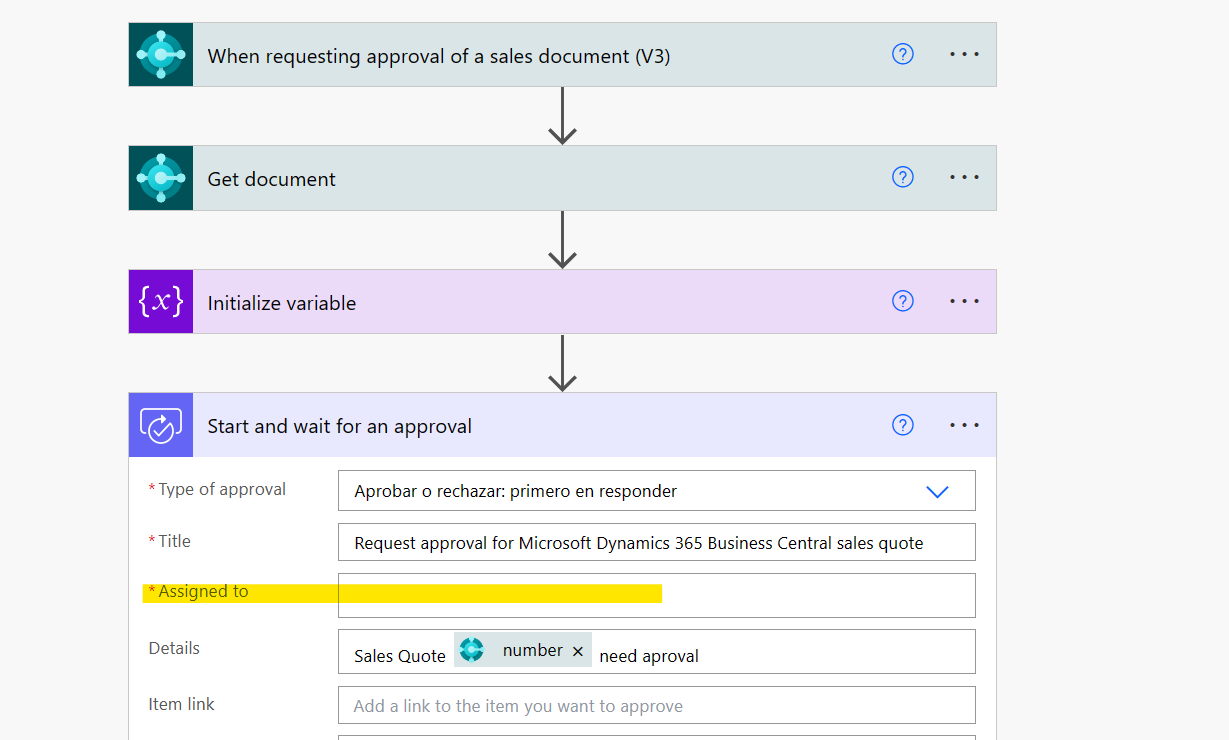
pastedimage1682655228548v1.png

My doubt here is how can I implement a logic with multipple approvers acording per the requester, like the user approval setup that BC has?

This in order that the flow know who is the approver according with the requester. 
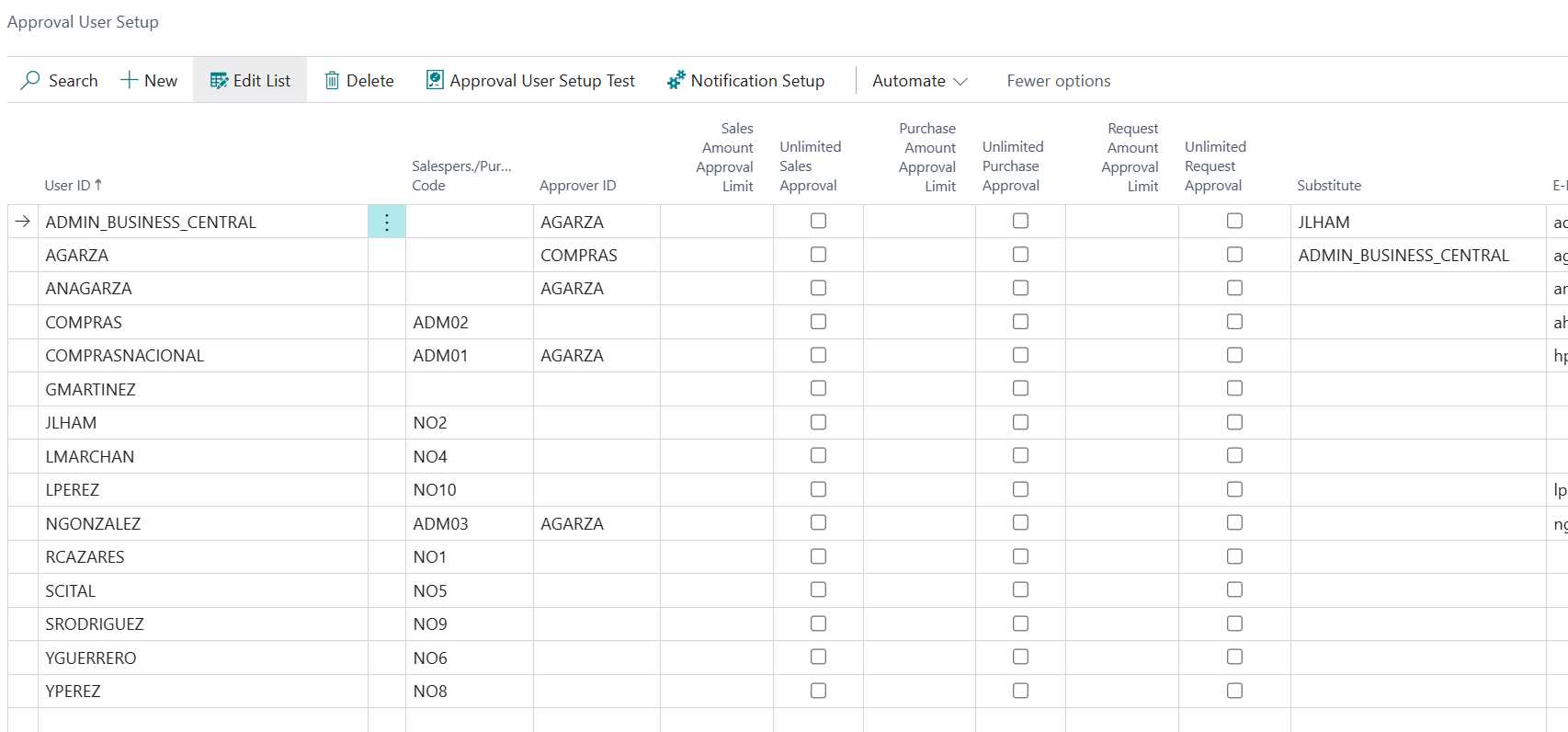
pastedimage1682655261241v2.png

  • MT-13090547-0 Profile Picture
    17 on at

    Hi David,

    The "Request approval for Business Central purchase quote (first response)" template in Power Automate does support multiple approvers based on the requestor's user accounts. However, it doesn't currently recognize approval limits, so a workaround is needed. I'm still waiting for someone to implement that or my knowledge in this area to improve.

    I hope this update is helpful!

    Thanks,

  • Suggested answer
    Khushbu Rajvi. Profile Picture
    23,144 Super User 2026 Season 2 on at

Under review

Thank you for your reply! To ensure a great experience for everyone, your content is awaiting approval by our Community Managers. Please check back later.

Helpful resources

Quick Links

Season of Sharing Community Challenge Winners!

Congratulations to our community stars!

Women in Power Builds Momentum

Expanding mentorship, skilling, and AI innovation

Congratulations to the August Top 10 Community Leaders

These are the community rock stars!

Leaderboard > Small and medium business | Business Central, NAV, RMS

#1
OussamaSabbouh Profile Picture

OussamaSabbouh 720 Super User 2026 Season 2

#2
YUN ZHU Profile Picture

YUN ZHU 436 Super User 2026 Season 2

#3
AndrewThomas81 Profile Picture

AndrewThomas81 409 Super User 2026 Season 2

Last 30 days Overall leaderboard

Featured topics

Microsoft Training Manuals

Product updates

Dynamics 365 release plans
