web
You’re offline. This is a read only version of the page.
close
Skip to main content

Announcements

No record found.

News and Announcements icon
Community site session details

Community site session details

Session Id :
Service | Customer Service, Contact Center, Fie...
Answered

Unable to trigger D365 Swarm flow

(0) ShareShare
ReportReport
Posted on by 95

Setting up and testing Swarm in D365 CRM...  (testing in CDX environment)

I followed all the steps:

- Activated Microsoft Teams collaboration and chat in Collaboration (Service Management)

- Activated Show Dynamics 365 data in Teams meetings (preview) (Service Management)

- Activated and published Swarm details (forms) and published

- Created skills and mapped them to users including setting managers to check if swarm auto adds the user´s manager in the Teams invitation

- Added condition rules (works ok) to auto-populate the skills needed

- Activated the Swarm expert notification (Cloud flow) and updated their connection references

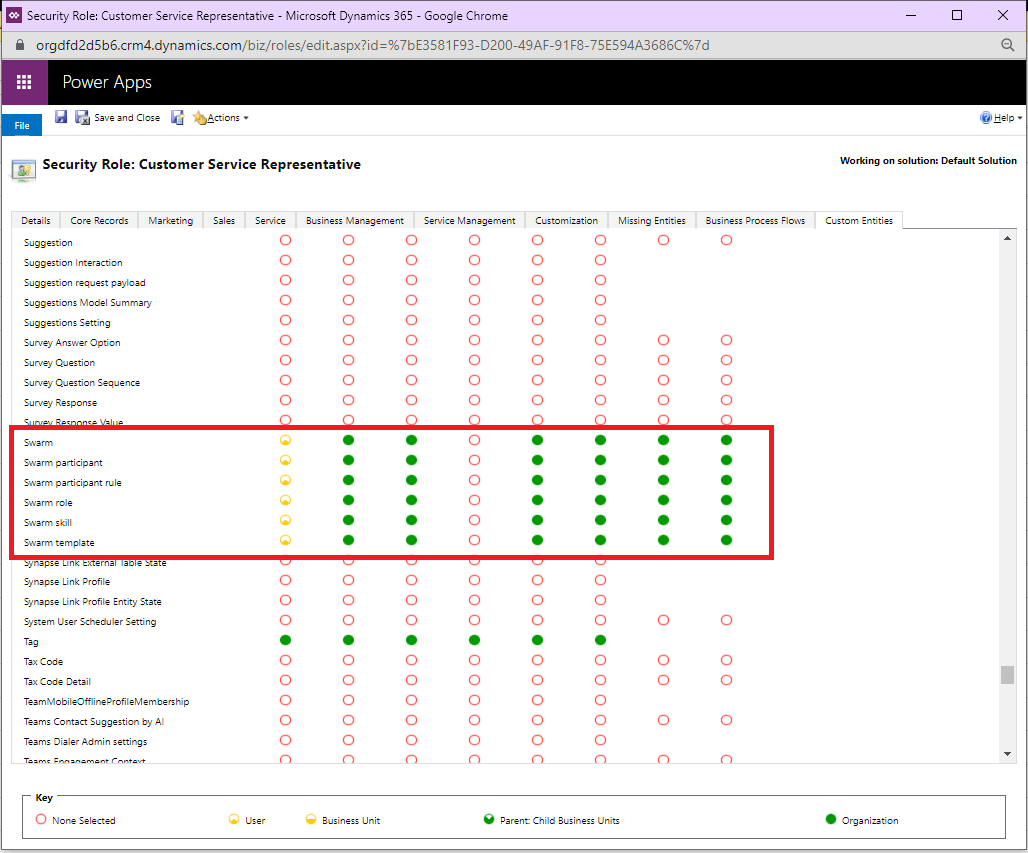
- checked all test employees security roles and made sure swarm is available

Swarn should:

- Once I create a swarm from a case, the system should create a new teams chat

- Auto invite the manager (of the person creating the swarm)

- Additional invitations sent to experts who are in bookable resources matching the required skills

My test results:

- The flow is not responding.

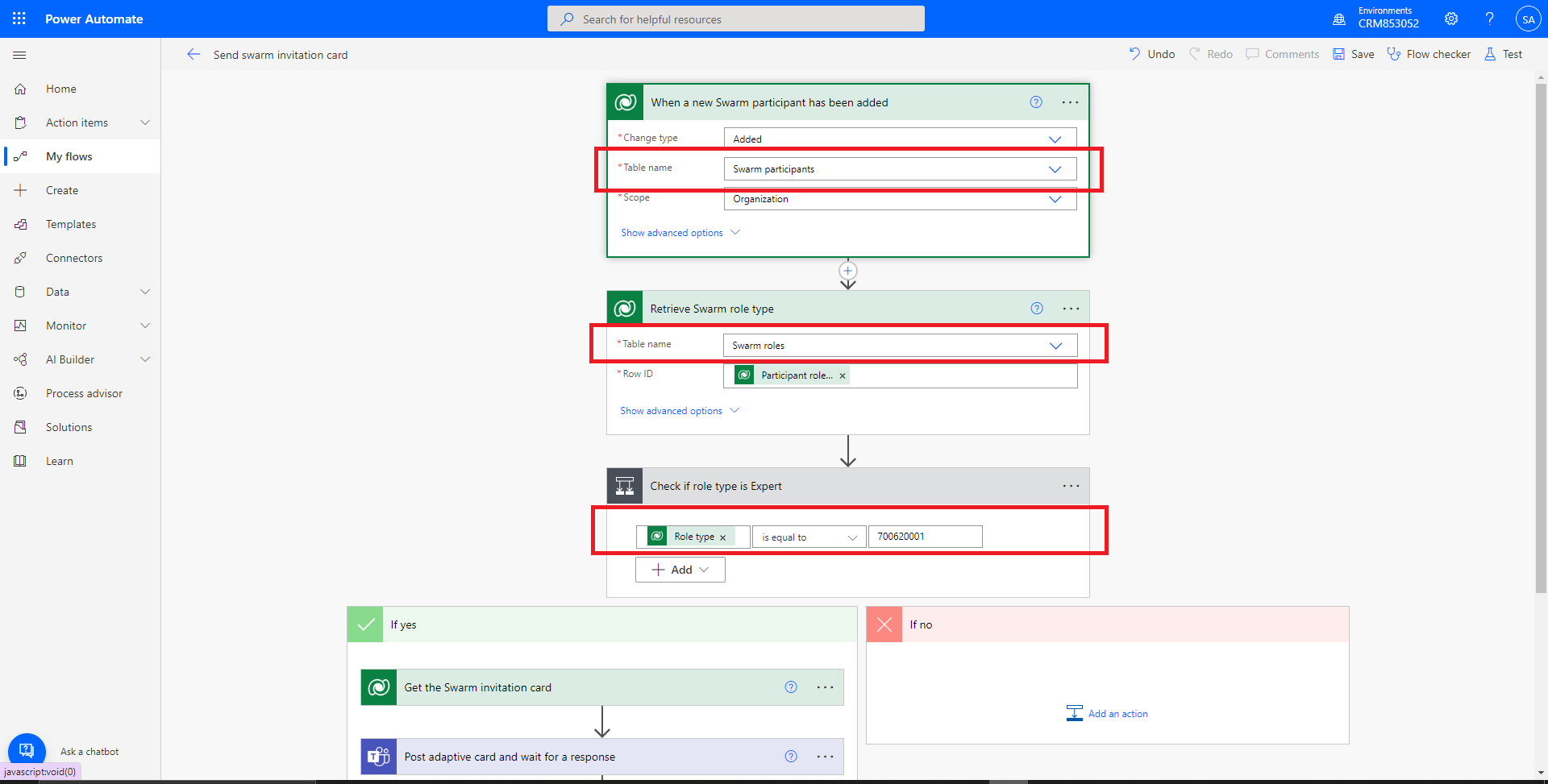
- Checking the trigger and after checking the trigger, I have ´swarm participants´ and ´swarm roles´

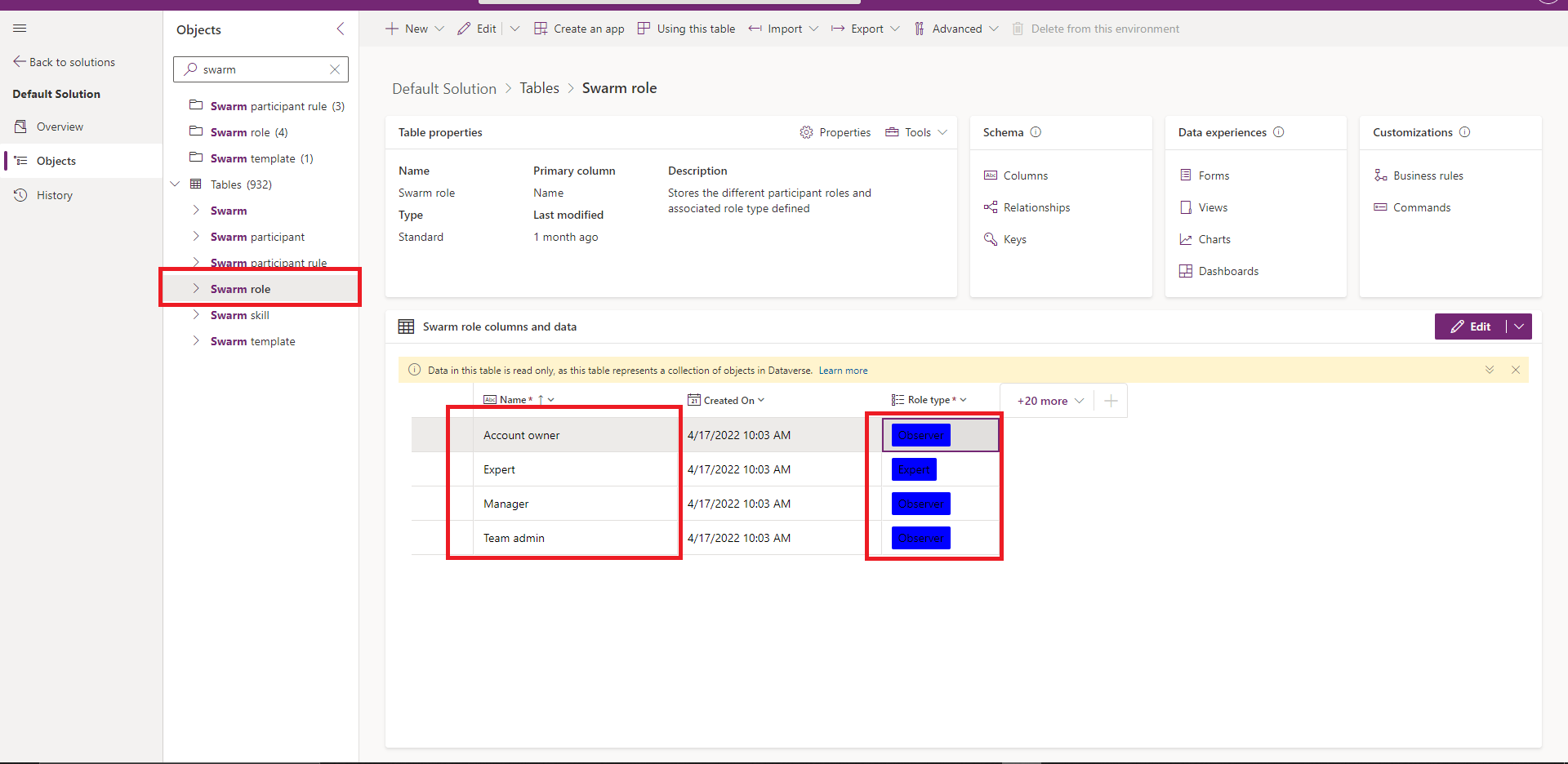
- Checked the managed solution, however, I have no idea whatsoever, where to find or set the swarm participants/roles

- I can see that the condition in the flow shows that it's based on role = Expert, however, when creating the swarm, the original trigger is not working ---- That is: If swarm participants added

- Went through the MS DOcs in details and no mention of setting any roles/experts or observers
swarm9.png

swarm-roles.png

0246.swarm-roles2.png

Thanks for the insights.

I have the same question (0)
  • Verified answer
    Bipin D365 Profile Picture
    28,983 Moderator on at

    Hi,

    To create a flow that triggers when you create, modify, or delete a row, you must have user-level permissions for create, read, write, and delete on the Callback Registration table.

    docs.microsoft.com/.../create-update-delete-trigger

  • F.Mogheth Profile Picture
    95 on at

    Thank you..

    Seems to have fixed the issue...

    Appreciate the help Bipin

Under review

Thank you for your reply! To ensure a great experience for everyone, your content is awaiting approval by our Community Managers. Please check back later.

Helpful resources

Quick Links

Introducing the 2026 Season 1 community Super Users

Congratulations to our 2026 Super Stars!

Congratulations to our 2025 Community Spotlights

Thanks to all of our 2025 Community Spotlight stars!

Leaderboard > Service | Customer Service, Contact Center, Field Service, Guides

#1
NeerajPawar Profile Picture

NeerajPawar 31

#2
Tom_Gioielli Profile Picture

Tom_Gioielli 23 Super User 2026 Season 1

#3
Encore Business Solutions Profile Picture

Encore Business Sol... 14

Last 30 days Overall leaderboard

Featured topics

Product updates

Dynamics 365 release plans