web
You’re offline. This is a read only version of the page.
close
Skip to main content

Notifications

Announcements

Community site session details

Community site session details

Session Id :
Customer experience | Sales, Customer Insights,...
Suggested Answer

Simple text emails in real time marketing

(0) ShareShare
ReportReport
Posted on by 84

Hi

I'd like to send simple text emails in real-time marketing, so I've disabled the drag-drop editor.

As described on this MS docs page https://learn.microsoft.com/en-us/dynamics365/marketing/custom-template-attributes

I
 removed the meta tag
<meta type="xrm/designer/setting" name="type" value="marketing-designer-content-editor-document">

Which correctly removes the drag drop options and shows a simplified toolbar.

However, the toolbar does not show the add image button.

pastedimage1667320708704v1.png

But in Outbound marketing the add image button shows  
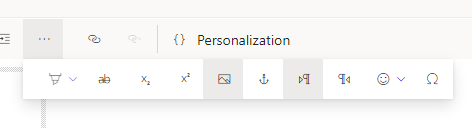

pastedimage1667320832363v2.png

1) Does anyone know why this is missing in real-time marketing and how to show it? 

2) Also, when I add an image manually in HTML, and then in the editor I right click the image and select image properties, I can't see the browse button like appears below

pastedimage1667321046447v3.png
I see the empty box + a personalisation button

Pete

I have the same question (0)
  • Suggested answer
    Haig Liu Profile Picture
    Microsoft Employee on at

    Hi petemurray,

    There are many differences in functionality between real-time email and marketing email, including the edit bar.

    Even so, we can still copy the code of the designed marketing email to the real-time email.

    Or you can put the image link in the code in HTML.

  • All My Systems Profile Picture
    84 on at

    Okay, I was expecting that the edit bar would contain an image button and that you could also search for the image source. Without that it's hard for a non-power user to create a simple email.

Under review

Thank you for your reply! To ensure a great experience for everyone, your content is awaiting approval by our Community Managers. Please check back later.

Helpful resources

Quick Links

Responsible AI policies

As AI tools become more common, we’re introducing a Responsible AI Use…

Congratulations to our 2025 Community Spotlights

Thanks to all of our 2025 Community Spotlight stars!

Leaderboard > Customer experience | Sales, Customer Insights, CRM

#1
Tom_Gioielli Profile Picture

Tom_Gioielli 57 Super User 2025 Season 2

#1
Tom_Gioielli Profile Picture

Tom_Gioielli 57 Super User 2025 Season 2

#3
Eugen Podkorytov Profile Picture

Eugen Podkorytov 26

Last 30 days Overall leaderboard

Product updates

Dynamics 365 release plans
