Announcements
No record found.
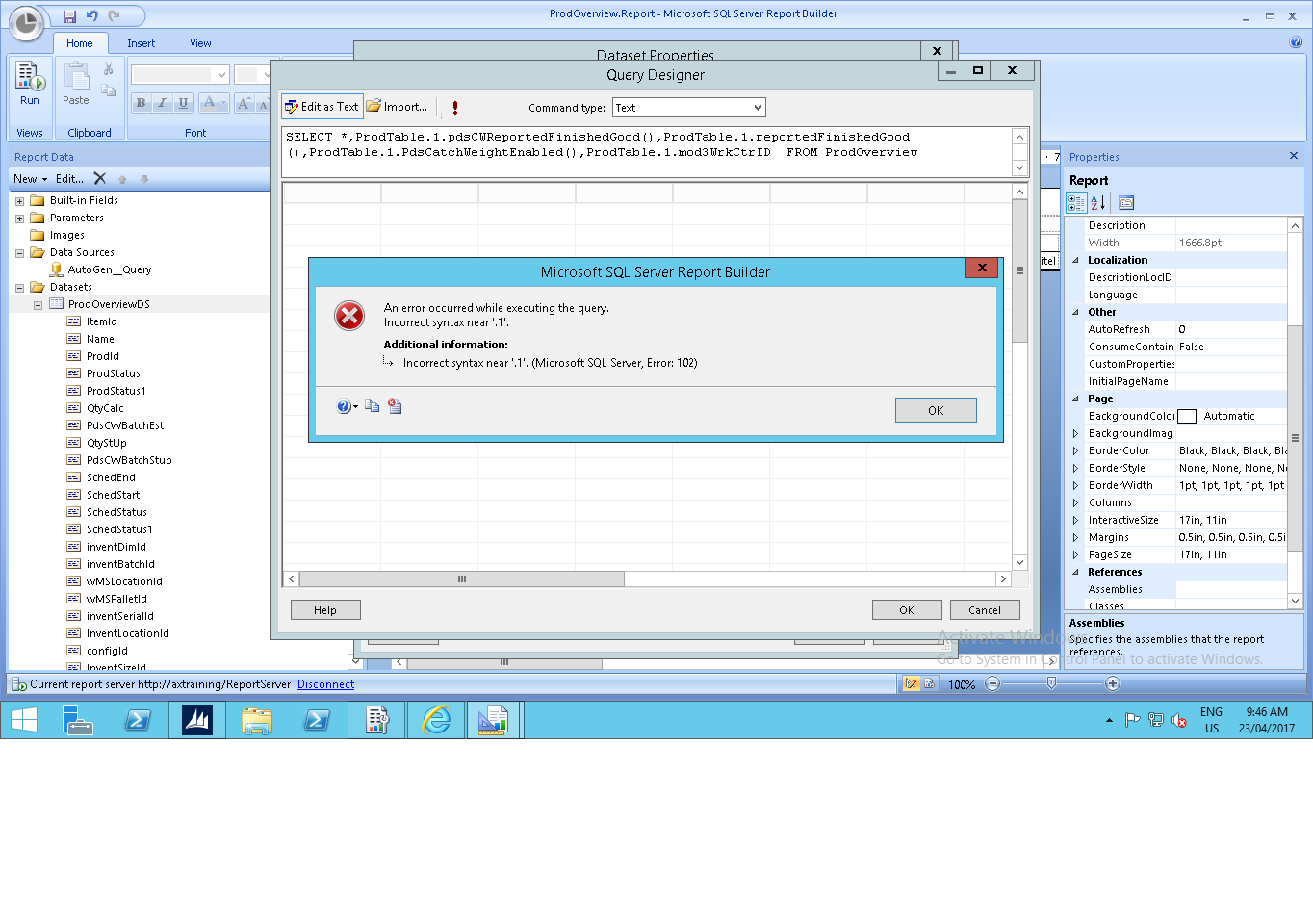
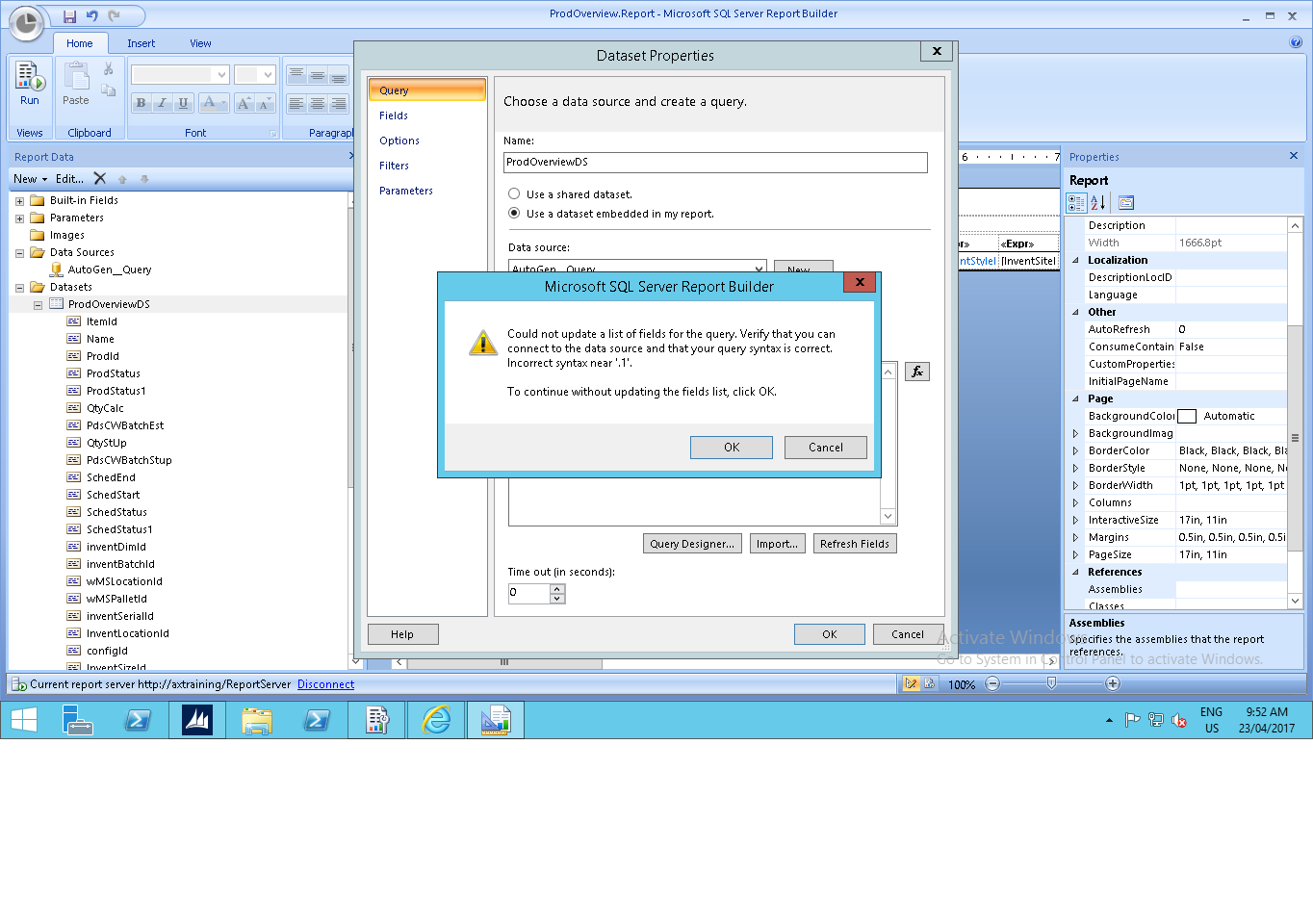
I have log in as Administrator to SQL Server Report Builder
But still I am getting the above Errors and also when I add the field I am getting this Error
Best Regards
Jamil
*This post is locked for comments
Hi,
Can you please explain your question with some more stuff! Other wise there is less chances to get suggestions for your question!
Thanks
Suresh
Hi Suresh,
I have Query Called ProdOverview and I added this field mod3WrkCtrID to the ProdTable this table exist in the Data Source of the query when I open the Report the Report also called ProdOverview By the Report Builder the new field is not appear in the Data Set so I added the field manually to the query , So I am getting the previous errors as in the screen shots even before that I have connected to the data Source And I have Run the Cashes Refresh Report Server in the AOT before running the report builder, the connect connection to the data Source as the following :
When I Open the the DataSet Properties -> Query Designer - > (!) and try to run the report even before adding the new field I am getting error in runing the report builder that also show in then previous Screen Shots
Under review
Thank you for your reply! To ensure a great experience for everyone, your content is awaiting approval by our Community Managers. Please check back later.
Congratulations to our 2026 Super Stars!
We are thrilled to have these Champions in our Community!
These are the community rock stars!
Stay up to date on forum activity by subscribing.
CP04-islander 39
Michel ROY 14
imran ul haq 8