web
You’re offline. This is a read only version of the page.
close
Skip to main content

Announcements

News and Announcements icon
Community site session details

Community site session details

Session Id :
Small and medium business | Business Central, N...
Answered

Dim 1 value auto-populated in Purchase Invoice and I dont know where this value is coming from?

(0) ShareShare
ReportReport
Posted on by 315

Hello, 

I'm creating a Purchase Invoice using: 

  • A vendor account that doesnt have a default dimension defined. 
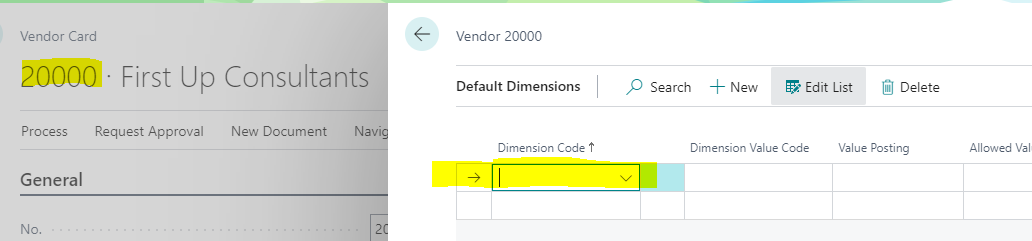
pastedimage1652969466234v1.png

  • An item that doesnt have a default dimension defined. 
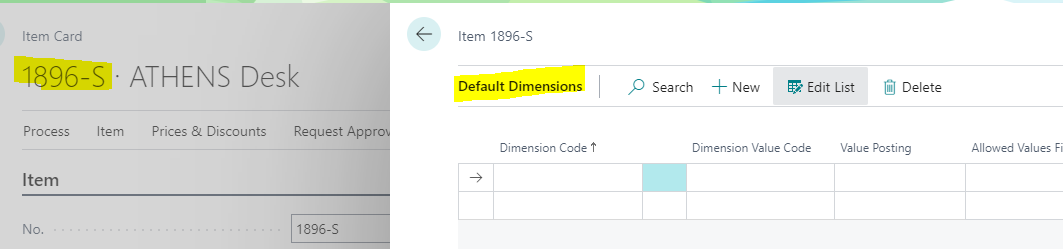
pastedimage1652969554915v2.png

However, the Invoice Line is getting a Dimension value populated and I don't know where it is coming from. 
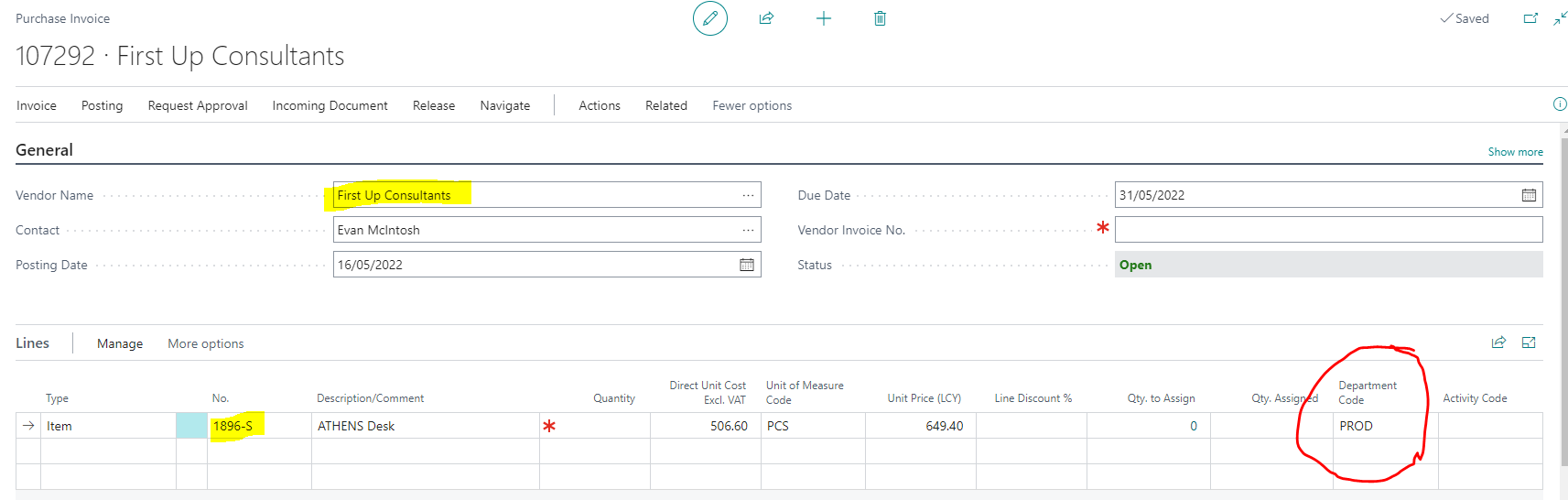
pastedimage1652969637086v3.png

Can anyone help me, please?

Thanks


Alejandra

I have the same question (0)
  • Suggested answer
    Alok.kulshreshtha Profile Picture
    934 on at

    Hi,

    Check on responsibility center and purchaser code , if any dimension is predefine.

    if you are on BC 20 then also check location

    Regards,

    Alok

    Please Verify my answer if you find my post helpful.

  • Suggested answer
    MahGah Profile Picture
    15,613 on at

    Hi

    I tried to duplicate that but had no success in BC 19.5.

    Can you please search for "Default Dimension Priorities" and see if you have any setup there? 

    Also, search for Salespeople/Purchasers and see if they have any dimension ( edit and check) or simply go to user setup and remove purchaser code for the user and test

    Also, is this happen with new Purchase Invoice or you are trying on old purchase invoice?

    In my case similar setup (vendor and item both have no dimension) resulted as below 

    pastedimage1652971189532v1.png

  • AleAlonso Profile Picture
    315 on at

    Hi MahGah,

    I found the issue, I had that value defined in the Account Type Default Dim.

    Many thanks for your help.

    Alejandra

  • AleAlonso Profile Picture
    315 on at

    Hi Alok,

    I found the issue, I had that value defined in the Account Type Default Dim.

    Many thanks for your help.

    Alejandra

Under review

Thank you for your reply! To ensure a great experience for everyone, your content is awaiting approval by our Community Managers. Please check back later.

Helpful resources

Quick Links

Season of Sharing Community Challenge Winners!

Congratulations to our community stars!

Women in Power Builds Momentum

Expanding mentorship, skilling, and AI innovation

Congratulations to the July Top 10 Community Leaders

These are the community rock stars!

Leaderboard > Small and medium business | Business Central, NAV, RMS

#1
OussamaSabbouh Profile Picture

OussamaSabbouh 566 Super User 2026 Season 2

#2
YUN ZHU Profile Picture

YUN ZHU 347 Super User 2026 Season 2

#3
Grigorios Mavrogeorgis Profile Picture

Grigorios Mavrogeorgis 327 Super User 2026 Season 2

Last 30 days Overall leaderboard

Featured topics

Microsoft Training Manuals

Product updates

Dynamics 365 release plans
