web
You’re offline. This is a read only version of the page.
close
Skip to main content

Notifications

Announcements

No record found.

Community site session details

Community site session details

Session Id :
Finance | Project Operations, Human Resources, ...
Answered

How to find the source of 'Specified cast is not valid' error properly

(0) ShareShare
ReportReport
Posted on by 314

Hi all, my name is Antony.
When I open the 'Production control -> All production order' menu on AX365, the error 'Specified cast is not valid' appears.
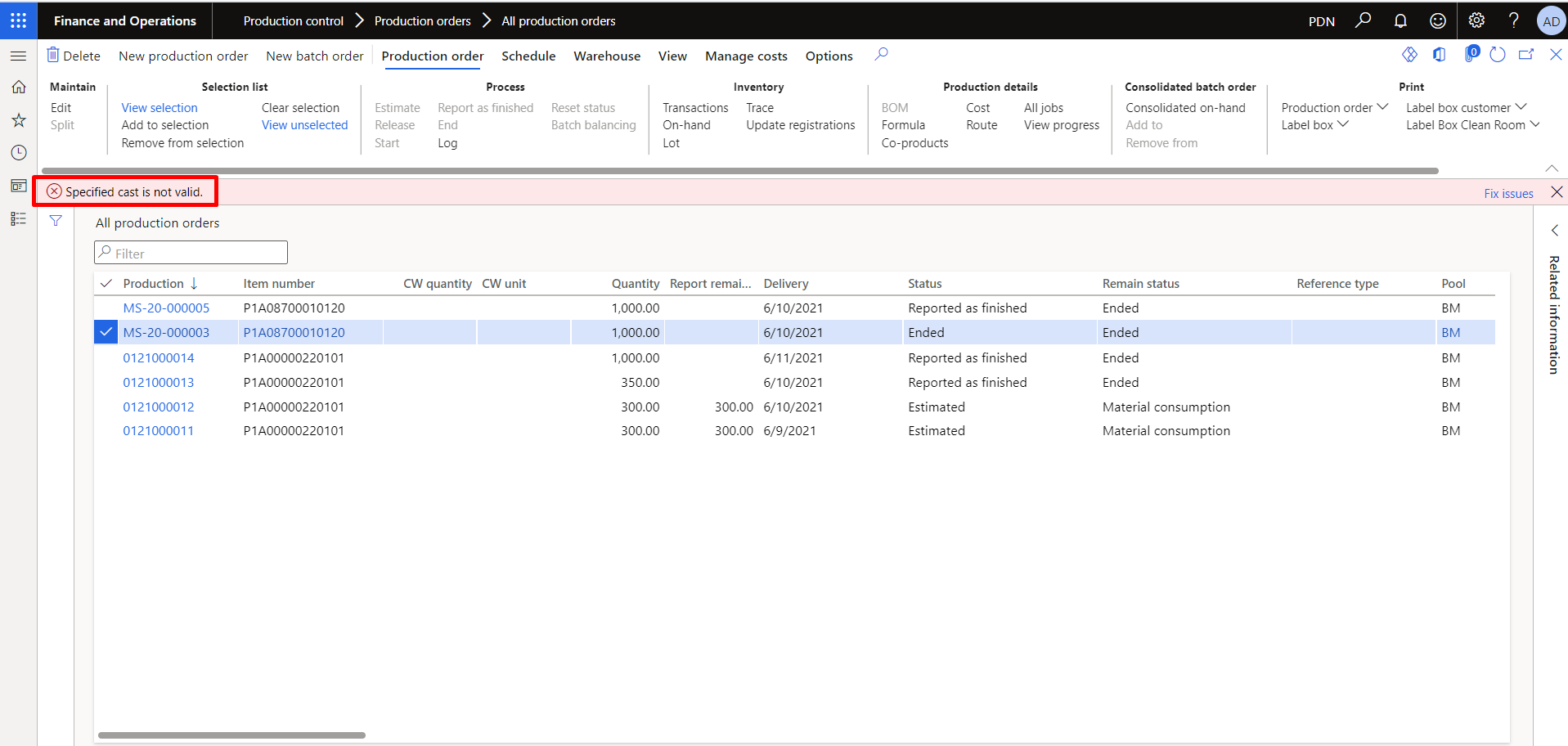
3124.pastedimage1623568506842v1.png

The error also appears when I click estimate/release/start/RAF/end production order, when the dialog form appears as shown below.
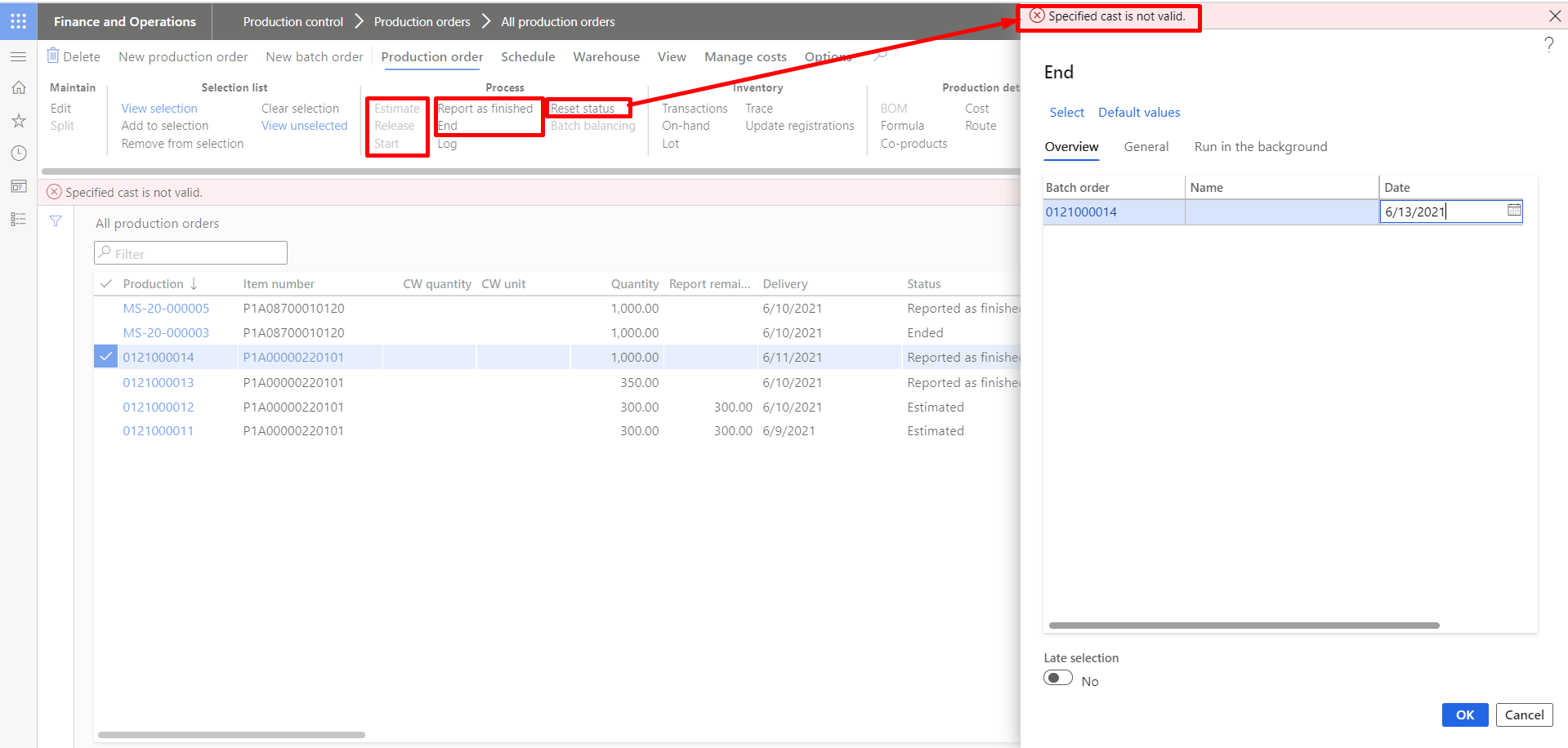
8105.pastedimage1623568571687v2.png

I tried to find the source of the error by debugging -> attach to process w3wp.exe.
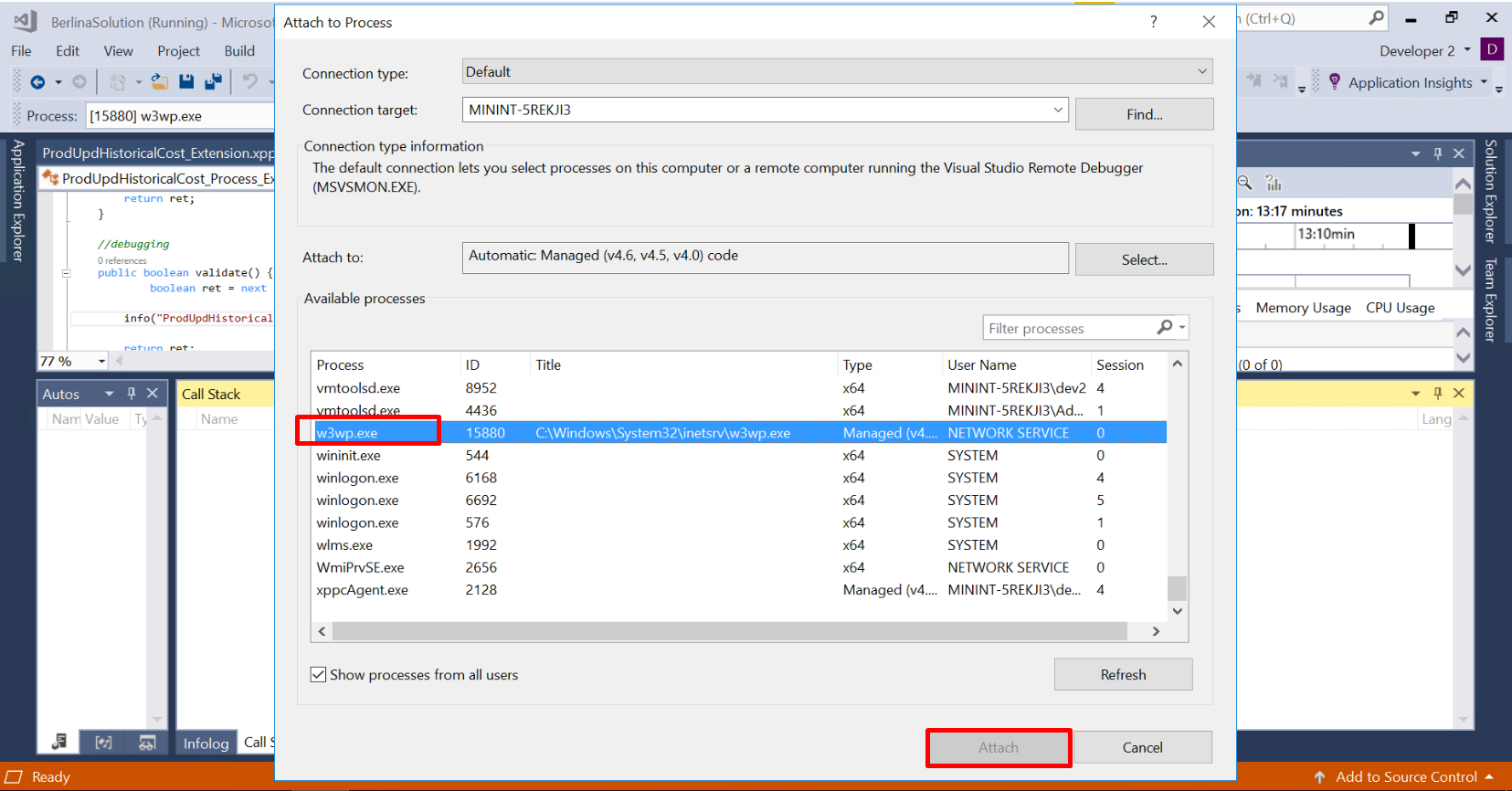
7635.pastedimage1623568737180v6.png

Then in Exception Settings -> System.InvalidCastException I checked the checkbox.
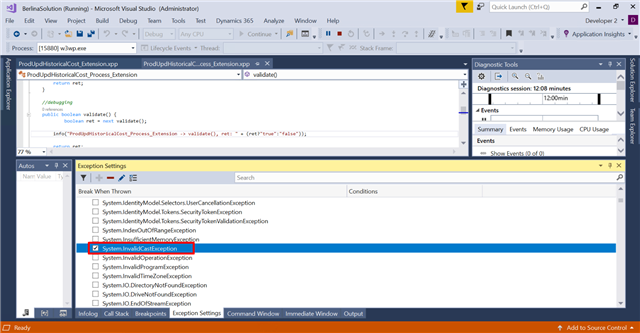
8623.pastedimage1623570443315v7.png

Then when I try to produce the error in Onebox, the error doesn't appear on the Call Stack tab.
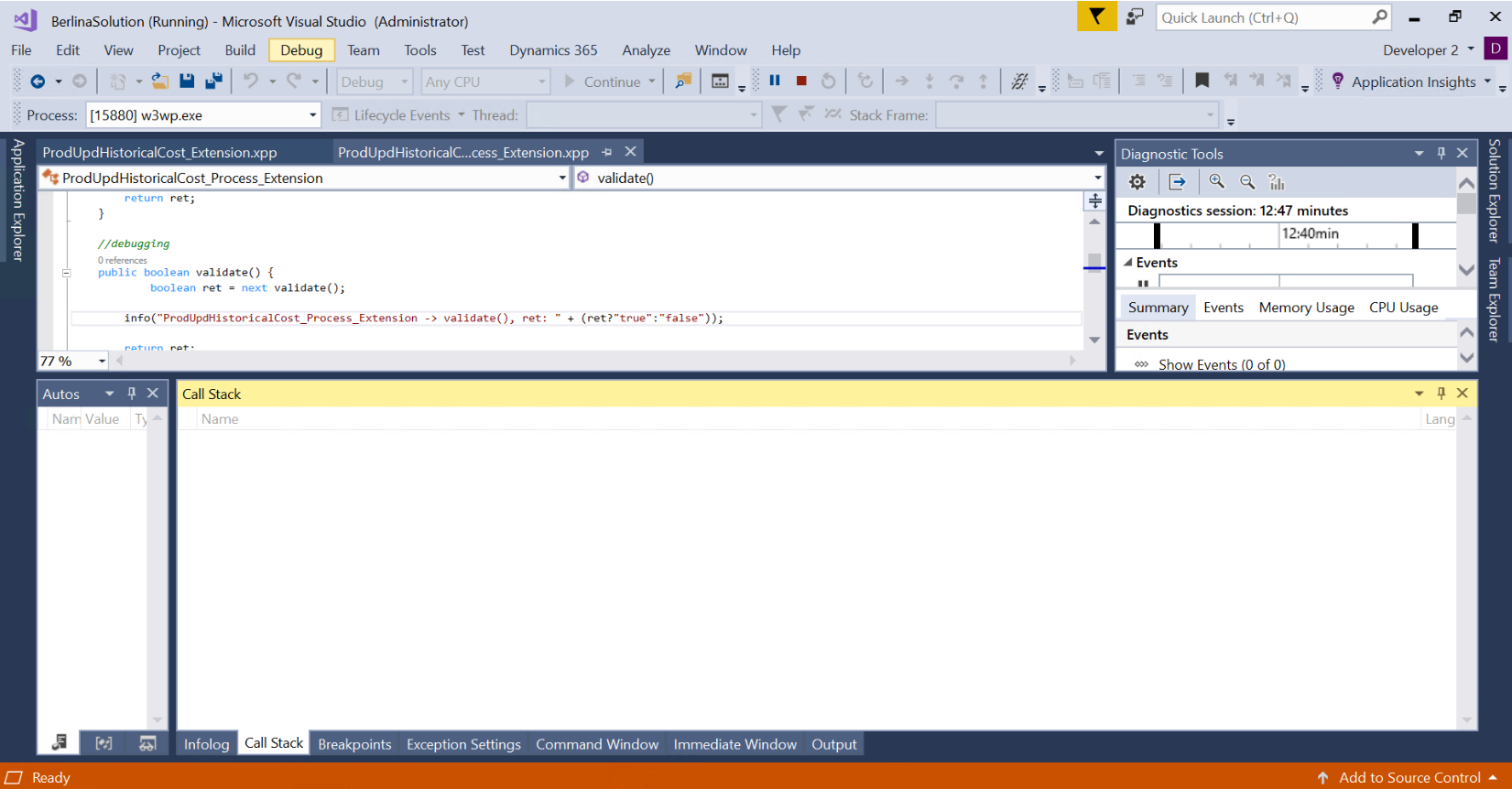
7610.pastedimage1623568695238v5.png

The error only appears on the Output error tab, so it doesn't explain where the error is coming from.
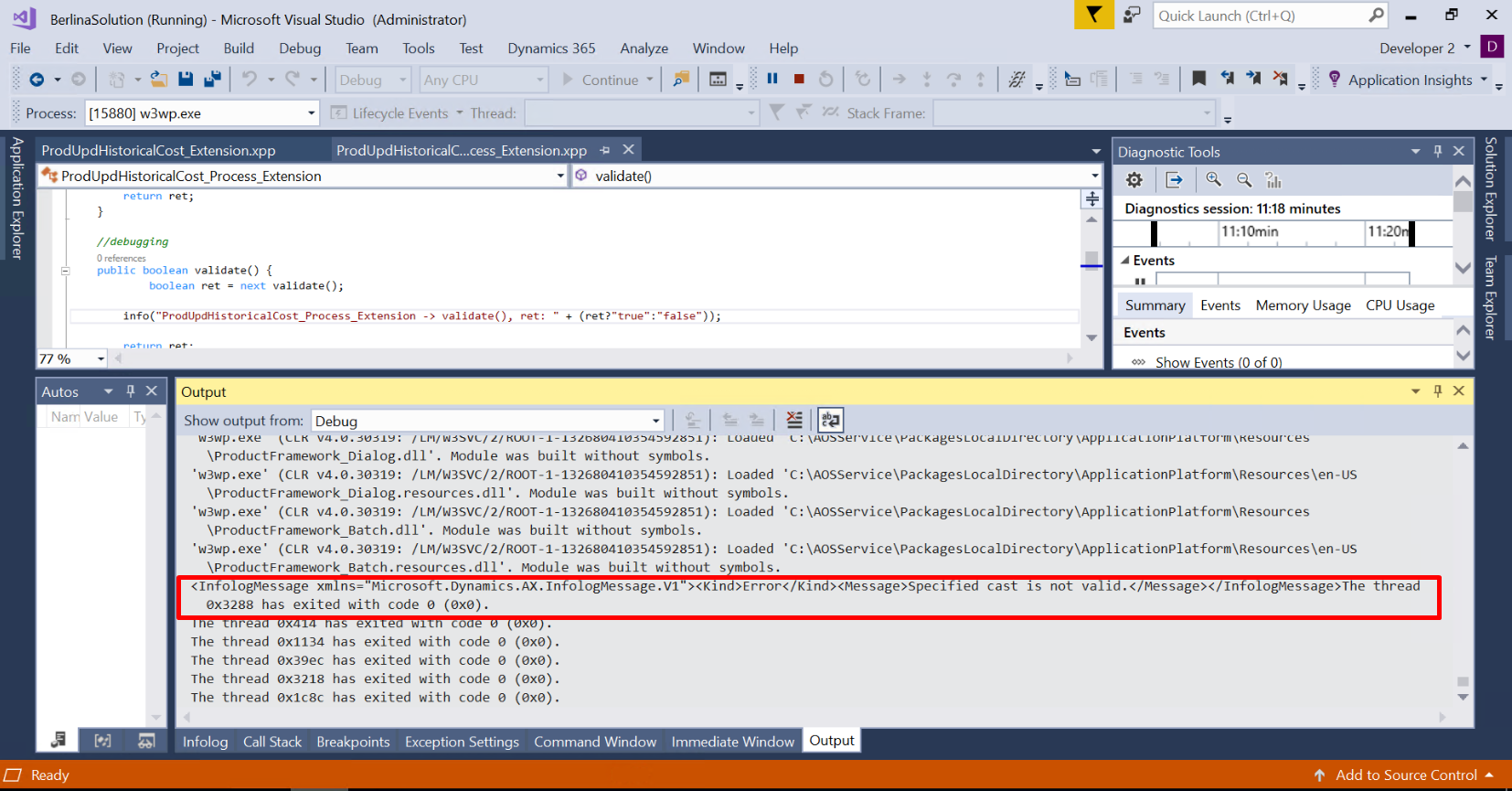
3681.pastedimage1623568620765v3.png

Do you have any suggestions friend, what is the right way to find the source of the error?
Any advice would be very helpful to me.

Thank you and Regards, Antony.

I have the same question (0)
  • Verified answer
    Martin Dráb Profile Picture
    237,801 Most Valuable Professional on at

    Are you attaching debugger to the right process? Shouldn't you attach to iisexpress?

    Also, maybe it's an X++ exception, not System.InvalidCastException. What if you add breakpoints to Info.add() and Message::Add()? (Make sure that your Visual Studio is configured to load symbols for objects outside your solution.)

    By the way, please ask quesions about D365FO in one of D365FO forums, not in AX forum. I moved this thread to Dynamics 365 Finance Forum.

  • Michael Antony Profile Picture
    314 on at

    Hi Martin,
    thank you for your advice, it worked for me.
    I read in here https://docs.microsoft.com/en-us/visualstudio/debugger/how-to-find-the-name-of-the-aspnet-process?view=vs-2019
    for IIS version 6.0 and above I could using w3wp.exe.
    I also changed some settings in Options for debugging by following this guide dynamics365musings.com/.../.
    And finally it worked for me.

    Thank you and Best regards,
    Antony

Under review

Thank you for your reply! To ensure a great experience for everyone, your content is awaiting approval by our Community Managers. Please check back later.

Helpful resources

Quick Links

Responsible AI policies

As AI tools become more common, we’re introducing a Responsible AI Use…

Neeraj Kumar – Community Spotlight

We are honored to recognize Neeraj Kumar as our Community Spotlight honoree for…

Leaderboard > Finance | Project Operations, Human Resources, AX, GP, SL

#1
Martin Dráb Profile Picture

Martin Dráb 660 Most Valuable Professional

#2
André Arnaud de Calavon Profile Picture

André Arnaud de Cal... 549 Super User 2025 Season 2

#3
Sohaib Cheema Profile Picture

Sohaib Cheema 307 User Group Leader

Last 30 days Overall leaderboard

Product updates

Dynamics 365 release plans
