web
You’re offline. This is a read only version of the page.
close
Skip to main content

Notifications

Announcements

No record found.

Community site session details

Community site session details

Session Id :
Microsoft Dynamics 365 | Integration, Dataverse...
Suggested Answer

Problem with Dynamics 9.0 IFD behind a WAP

(1) ShareShare
ReportReport
Posted on by 7

Hi All,

I am deploying a brand new Dynamics 365 (v9) deployment behind a web application proxy. I followed all the manuals but I have a strange issue.

CRM setup is finished and IFD works. If I make the servers directly available on their own external IP's it works.

Now I put a WAP in between for the AD FS url, discover URL, auth URL and the organisation URL. So everything goed through the WAP. I also did the tweak for the CRM cookies for the 3 CRM URLS:

Set-WebApplicationProxyApplication -ID <id of auth web app> -DisableTranslateUrlInResponseHeaders 


Now when I access CRM from the outside I get to the AD FS login screen, it loads instantly. Then I provide my credentials and CRM is loading for about 2 minutes.
After 2 minutes I only get a white screen with a blue bar (the start of the ribbon) and nothing loads after that.

I have 2 fresh Dynamics 365 installs with the same issue. Windows, SQL and Dynamics all up to date. All servers have more then enough RAM and CPU.

On the WAP I tested with pass through and AD FS preauthentication all with the same result.

I ran the google performance tool which shows me it fails to load the main screen. The strange thing is that this only occurs when accessing the site through the WAP.
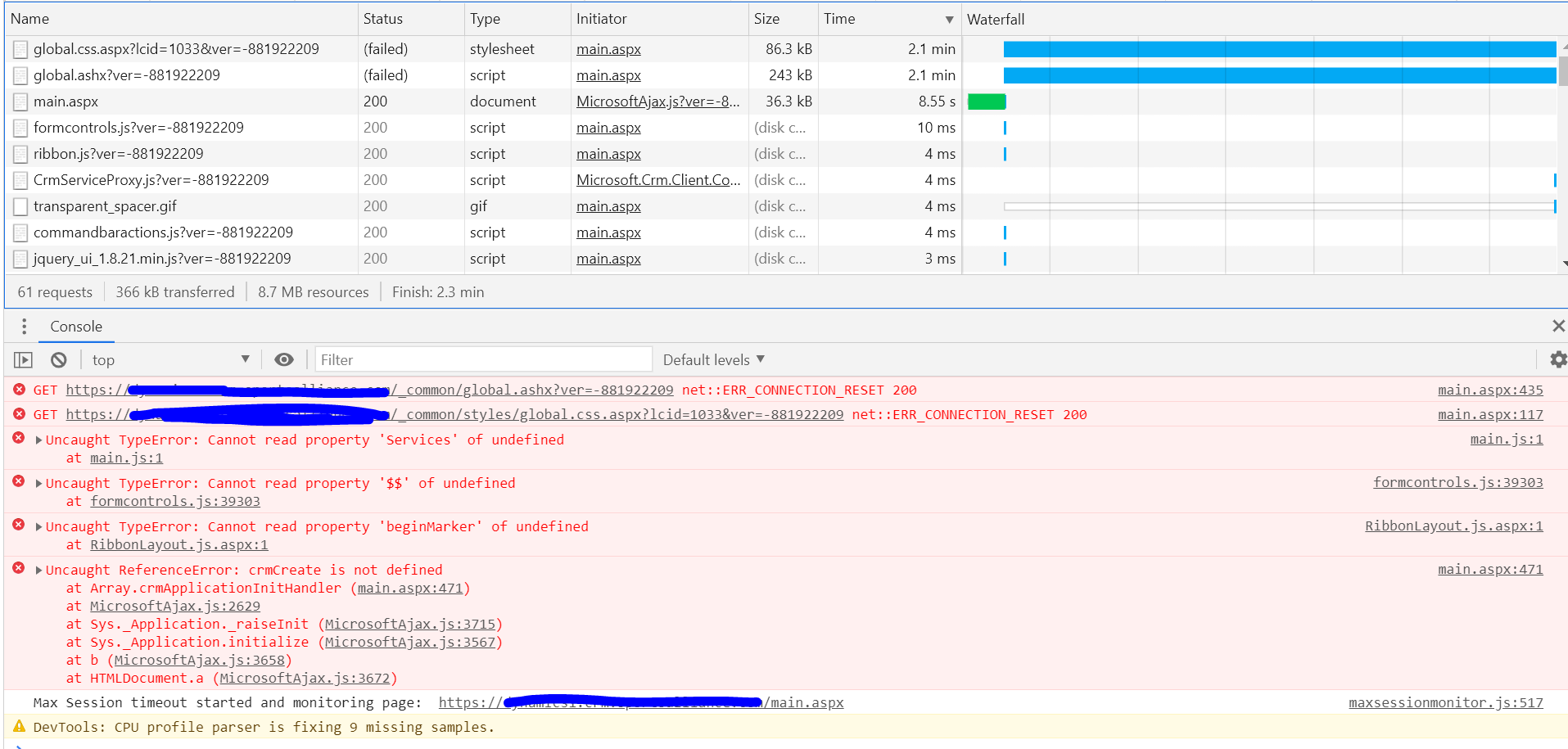

pastedimage1603784264423v1.png

Any suggestions on this?

Kind regards,
Eddy
I have the same question (0)
  • Suggested answer
    Eddy85 Profile Picture
    7 on at

    Well I deployed a fresh server for WAP and now it is working.. Really strange but I am glad we can now use the new CRM :)

  • Suggested answer
    Prasanna Lakshmi T J Profile Picture
    on at

    Hi Eddy,

    Hope you are doing good. 

    Request you to check on below articles for your reference :

    https://community.dynamics.com/crm/b/dynamicscrmsupportblog/posts/publishing-crm-internet-facing-deployment-using-web-application-proxy-wap

    If there is any proxy setup in your environment please refer the article https://support.microsoft.com/en-us/help/2964735/authentication-failures-and-event-422-when-ad-fs-sts-servers-and-ad-fs 

    Also please check the event logs of ADFS and WAP server to check on the appropriate error message for further troubleshooting. 

    Also make sure all the required ports are opened in the WAP server for CRM accessibility. 

  • MLarsen Profile Picture
    508 on at
    Hello. Did you find any good solution to this other than reinstall the WAP? I am having the exact issue you're describing right now.
  • MLarsen Profile Picture
    508 on at
    I have now tried to setup a new WAP server, same as you did, and it is now working again. Very strange. Not sure what's happening here.
  • MLarsen Profile Picture
    508 on at
    .. and now after a reboot of the new WAP-server the problem is back..
  • Suggested answer
    MLarsen Profile Picture
    508 on at
    An update: the problem seems to be HTTP\2 feature on server 2019. I disabled this and everything worked as it should.
     

Under review

Thank you for your reply! To ensure a great experience for everyone, your content is awaiting approval by our Community Managers. Please check back later.

Helpful resources

Quick Links

Responsible AI policies

As AI tools become more common, we’re introducing a Responsible AI Use…

Neeraj Kumar – Community Spotlight

We are honored to recognize Neeraj Kumar as our Community Spotlight honoree for…

Leaderboard > Microsoft Dynamics 365 | Integration, Dataverse, and general topics

#1
Siv Sagar Profile Picture

Siv Sagar 93 Super User 2025 Season 2

#2
#ManoVerse Profile Picture

#ManoVerse 76

#3
Martin Dráb Profile Picture

Martin Dráb 64 Most Valuable Professional

Last 30 days Overall leaderboard

Product updates

Dynamics 365 release plans
