web
You’re offline. This is a read only version of the page.
close
Skip to main content

Announcements

No record found.

News and Announcements icon
Community site session details

Community site session details

Session Id :
Customer experience | Sales, Customer Insights,...
Answered

One consent checkbox for many or all subscription lists?

(0) ShareShare
ReportReport
Posted on by 25

Hi all,

our customer has two or more Subscription lists and wishes to use only one checkbox for marketing consent in a Marketing Form for all or a few of their Subscription lists.

In the Subscription Center all subscription lists will be visible individually.

pastedimage1610716983054v1.png

Please, let me know if anyone has solved this or if there is a solution within Marketing that we have missed? 

Best regards


I have the same question (0)
  • cloflyMao Profile Picture
    25,210 on at

    Hi, Magnus

    You can follow the next steps to achieve your request.

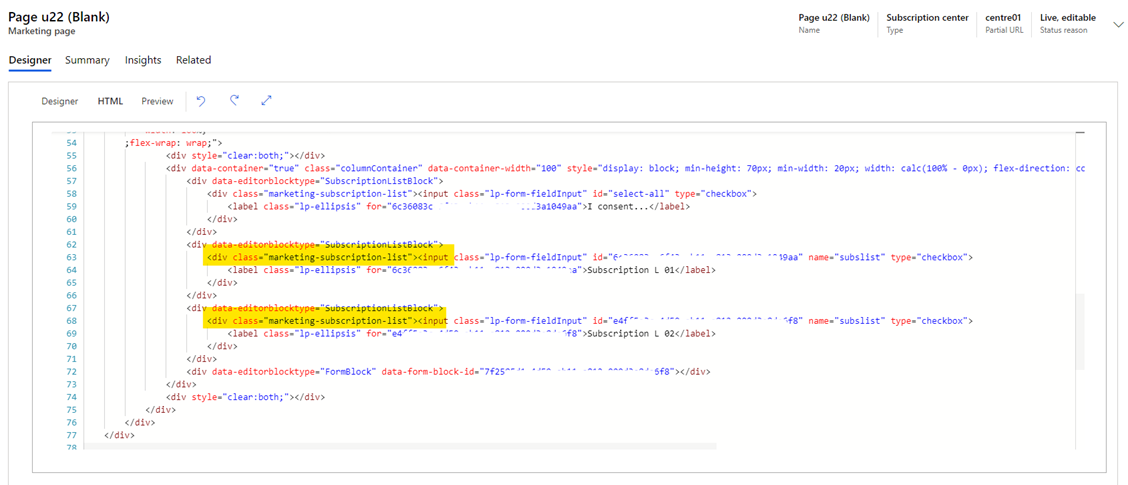
    1. Add the subscription lists into Marketing Page instead of Market Form. You can add them into Marketing Form first and then cut them into the HTML of the Marketing Page.
    2630.w1.png

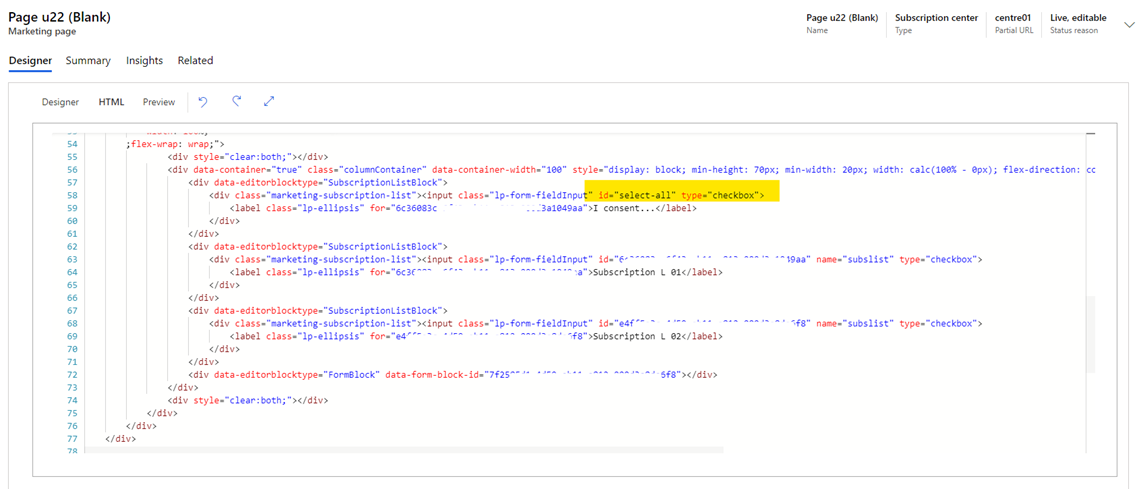
    2. Add a consent checkbox which you’d like to control all the subscription lists.
    w2.png

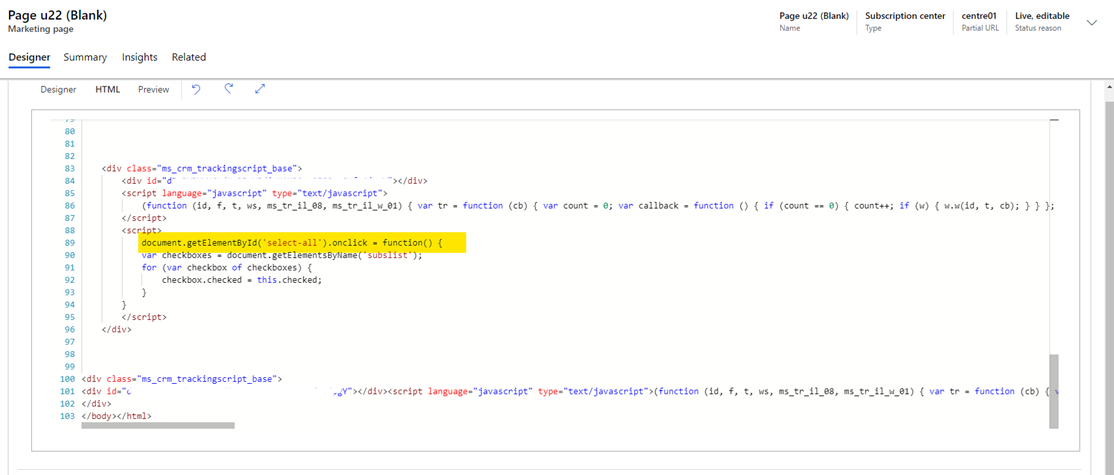
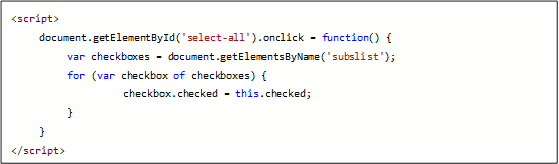
    3. Add a JavaScript function to the consent checkbox which is under the script ’ function (id, f, t, ws, ms_tr_il_08, ms_tr_il_w_01)’
    w3.png

    w4.png

    Then you can use only one checkbox for marketing consent in a Marketing Form for all or a few of their Subscription lists.
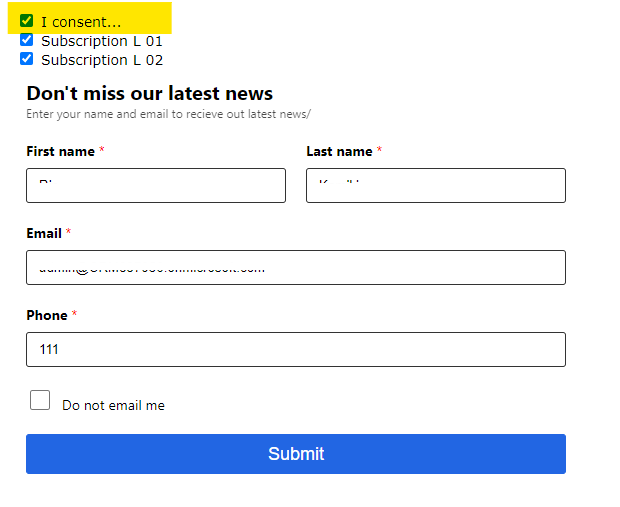
     w5.png

    Hope this will help you.

    Regards,

    Clofly

  • Magnus Jerkebo Profile Picture
    25 on at

    Hi Clofly Mao,

    Thank you very much for your thorough answer!

    1. This Customer will be embedding forms on their external website. Do you see that as possible with embed forms only, without the use of marketing pages?

    2 & 3 OK.

    Best regards

    Magnus

  • Verified answer
    cloflyMao Profile Picture
    25,210 on at

    Hi Magnus,

    If using embedding forms on external website, we just need to put the function within Form Event function provided by Form API:

    https://docs.microsoft.com/en-us/dynamics365/marketing/developer/marketing-form-client-side-extensibility#form-events

    Then we add whole code above to source code of the external page.

    https://docs.microsoft.com/en-us/dynamics365/marketing/developer/marketing-form-client-side-extensibility#add-your-code-snippet-when-youre-using-your-own-cms-and-form-hosting(see step 9.)

    Regards,

    Clofly 

  • Suggested answer
    Magnus Jerkebo Profile Picture
    25 on at

    Hi Clofly,

    Thank you once again!

    We will try that and I will let you know the result, once we have one.

    Best regards,

    Magnus

Under review

Thank you for your reply! To ensure a great experience for everyone, your content is awaiting approval by our Community Managers. Please check back later.

Helpful resources

Quick Links

Introducing the 2026 Season 1 community Super Users

Congratulations to our 2026 Super Stars!

Meet the Microsoft Dynamics 365 Contact Center Champions

We are thrilled to have these Champions in our Community!

Congratulations to the April Top 10 Community Leaders

These are the community rock stars!

Leaderboard > Customer experience | Sales, Customer Insights, CRM

#1
ManoVerse Profile Picture

ManoVerse 128 Super User 2026 Season 1

#2
11manish Profile Picture

11manish 113

#3
Muhammad Shahzad Shafique Profile Picture

Muhammad Shahzad Sh... 69 Most Valuable Professional

Last 30 days Overall leaderboard

Product updates

Dynamics 365 release plans
