web
You’re offline. This is a read only version of the page.
close
Skip to main content

Notifications

Announcements

No record found.

Community site session details

Community site session details

Session Id :
Microsoft Dynamics AX (Archived)

A reservation hierarchy must be set up for the item. You can create transactions for the item after a reservation hierarchy has been set up.

(0) ShareShare
ReportReport
Posted on by 437

 Although we are not using Advance warehouse module but i am getting this error  when uploading inventory journal for few items."A reservation hierarchy must be set up for the item. You can create transactions for the item after a reservation hierarchy has been set up." Following are screenshot of license configuration and information. I have tried by disabling following points also but result is same. Can anyone advise to get out of this situation. 

Since Advance warehouse is not being used so there is no point to configure Reservation hierarchy.
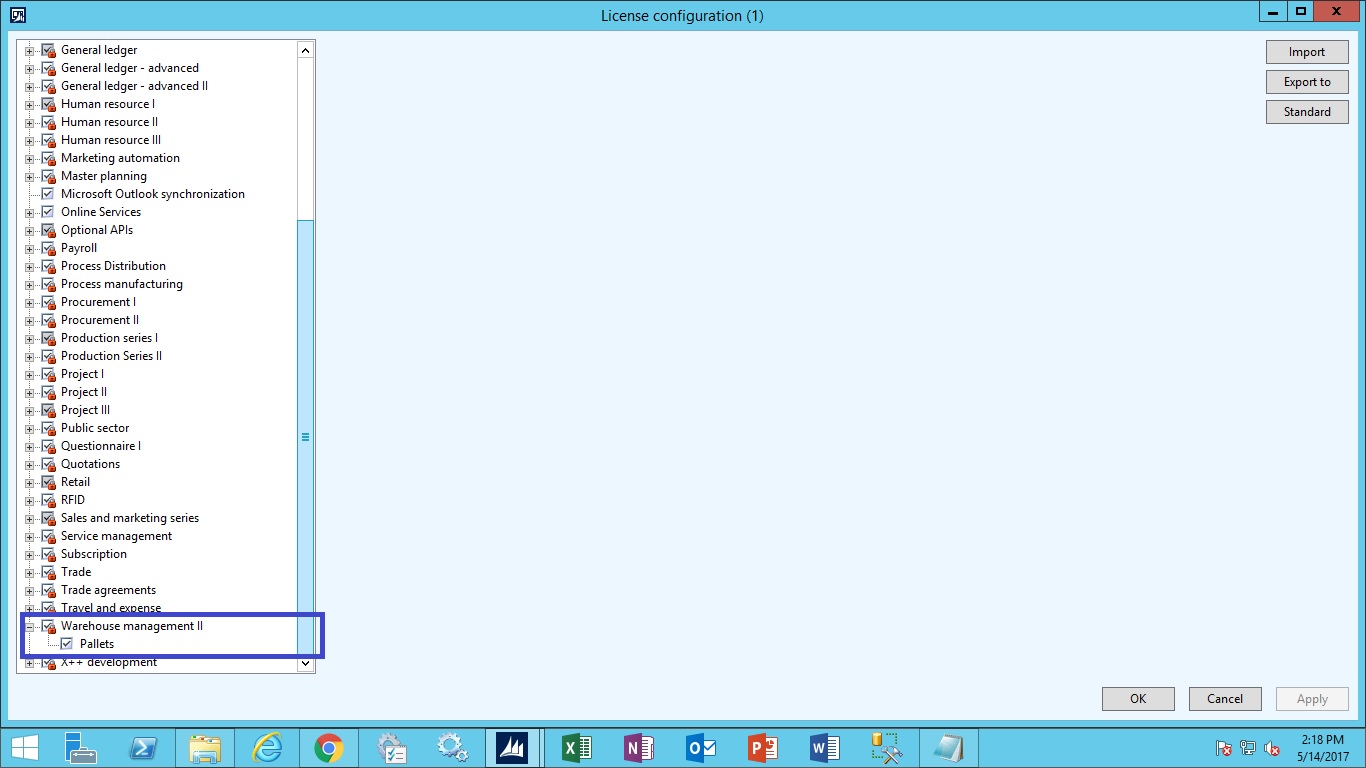
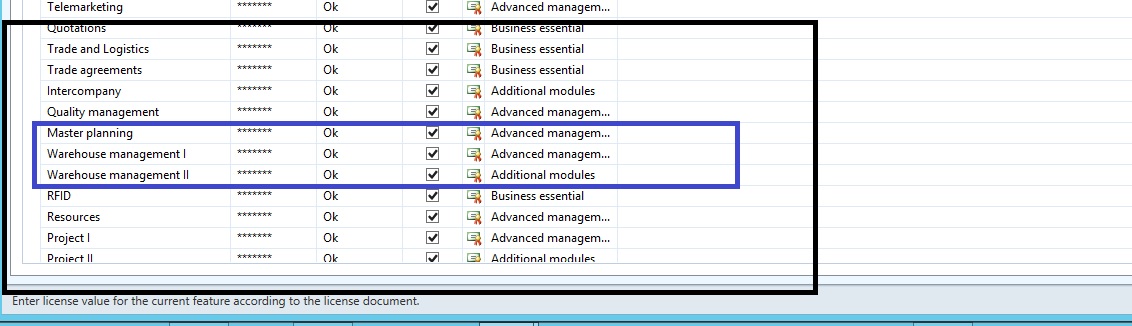
3302.Untitled.jpg7534.Untitled2.jpg

*This post is locked for comments

I have the same question (0)
  • Suggested answer
    guk1964 Profile Picture
    10,888 on at

    You will find this question already answered here :

    community.dynamics.com/.../184138

    There is a point to reservation hierarchy whether or not you use WMS. There were challenges in the past with the system trying to reserve items at too granular of a level, resulting in the system being too restrictive for use in many scenarios. With the introduction of AX 2012 R3, there were significant changes to make the use of reservation hierarchies more attractive with out-of-the-box AX.

    The new reservation functionality can be used only for items that are enabled for warehouse management processes.  

    An item is defined as using Advanced Warehousing processes by the flag on its storage dimension group. Product information management > Setup > Dimension groups > Storage dimension groups.

    (for a warehouse to be WMS enabled  setting is on the warehouse. Inventory management > Setup > Inventory breakdown > Warehouses and this selection cannot be reversed.)

    However, when an item is enabled for warehouse management processes, it can still be used both in warehouses that are enabled for warehouse management processes and for those warehouses that are not.

    The behavior in reservation scenarios is different, depending on the warehouse setup.

    So  someone has defined  the item as enabled for warehouse management.

  • SadiqQ Profile Picture
    437 on at

    Thank you very much for your prompt input.

    Please look at following screenshot of my setting for storage dimension and warehouse. In both cases Use  warehouse management processes checkbox is cleared. when i am uploading to product data is copying to WHSInventEnabled table also. I am wondering what is the thing which is making it to copy into this table.

    Untitled5.jpgUntitled5.jpg 

    I think i have to use reservation hierarchy but now the case is that in order to use reservation hierarchy i will have to enable Use  warehouse management processes checkbox for storage dimension and warehouses. If i do so what will be the effect on other items.

    Input from members is highly appreciated.

  • Suggested answer
    guk1964 Profile Picture
    10,888 on at

    Product information management > Common > Released products

    When you create a new product, you specify the Storage dimension group, Tracking dimension group, and the Reservation hierarchy on the New Released product form.

    So what did you set here for the item in question?.

  • Guy Terry Profile Picture
    28,924 Moderator on at

    If your items do not have a Storage dimension group which is 'Enabled for Warehouse processes', and you are still getting this message, I think you might have a problem with the item import.

    Can you try creating a dummy item manually, and see if creating a manual journal produces the same error?

  • Suggested answer
    guk1964 Profile Picture
    10,888 on at

    There are only two relevant configuration factors (it does not matter whether you use WMs or AMS).

    If the item is setup for location on the storage dimension and if the warehouse is set for physical control then a reservation hierarchy is needed.

    if that is not the case, then something odd has been done in your system, either to upload or change data at the back end, or to change the Ax logic.

    I suggest test with a new item, and new storage dimension, with the   the right settings in a test system and see if it works correctly.  If does then its probably not a code issue, but a data issue, if doesn't then maybe its a code issue.

    If its a data issue, then its probably simpler to inactivate the item and to create a new item.

  • Verified answer
    SadiqQ Profile Picture
    437 on at

    Yes I tried this way also. When I set Reservation hierarchy, there was ans error saying that storage dimension should be enabled for use warehouse management. This is what I don't want to set.  From one of the post in this blog I came to know that When we upload data using DIXF, record is being entered in WHSInventEnabled table also as well as in Product table. After uploading completed I had to delete records from WHSInventEnabled table. After deleting from this table when I validated item everything went fine and Reservation hierarchy was not required anymore.

    Thank you very much members for all your advises. I really appreciate your support.

Under review

Thank you for your reply! To ensure a great experience for everyone, your content is awaiting approval by our Community Managers. Please check back later.

Helpful resources

Quick Links

Responsible AI policies

As AI tools become more common, we’re introducing a Responsible AI Use…

Neeraj Kumar – Community Spotlight

We are honored to recognize Neeraj Kumar as our Community Spotlight honoree for…

Leaderboard > 🔒一 Microsoft Dynamics AX (Archived)

#1
Martin Dráb Profile Picture

Martin Dráb 4 Most Valuable Professional

#1
Priya_K Profile Picture

Priya_K 4

#3
MyDynamicsNAV Profile Picture

MyDynamicsNAV 2

Last 30 days Overall leaderboard

Featured topics

Product updates

Dynamics 365 release plans
