web
You’re offline. This is a read only version of the page.
close
Skip to main content

Notifications

Announcements

No record found.

Community site session details

Community site session details

Session Id :
Microsoft Dynamics 365 | Integration, Dataverse...
Suggested Answer

How to know in which queues a recording was sent ?

(0) ShareShare
ReportReport
Posted on by 188

Hello !

I'm trying to have a log of the entries & departures from the queues, in PowerBI. I have tried with the "audit" table, but it's not giving me enough info.
I can see when something was created in a queue, I think I can see when it was deleted, but I don't know which kind of entity it was for, and which queue it was for. So it's impossible to work with that. There must be more info in another entity, but which one ? 

I see the number of the fields modified, in "attributemask", but I don't see the values anywhere.

Am I missing something ? Thanks in advance ! =) 

I have the same question (0)
  • Suggested answer
    LuHao Profile Picture
    40,892 on at

    Hi Francois,

    We can create a custom entity to store the deleted queue item information.

    I create a new entity called "Queue item audit".
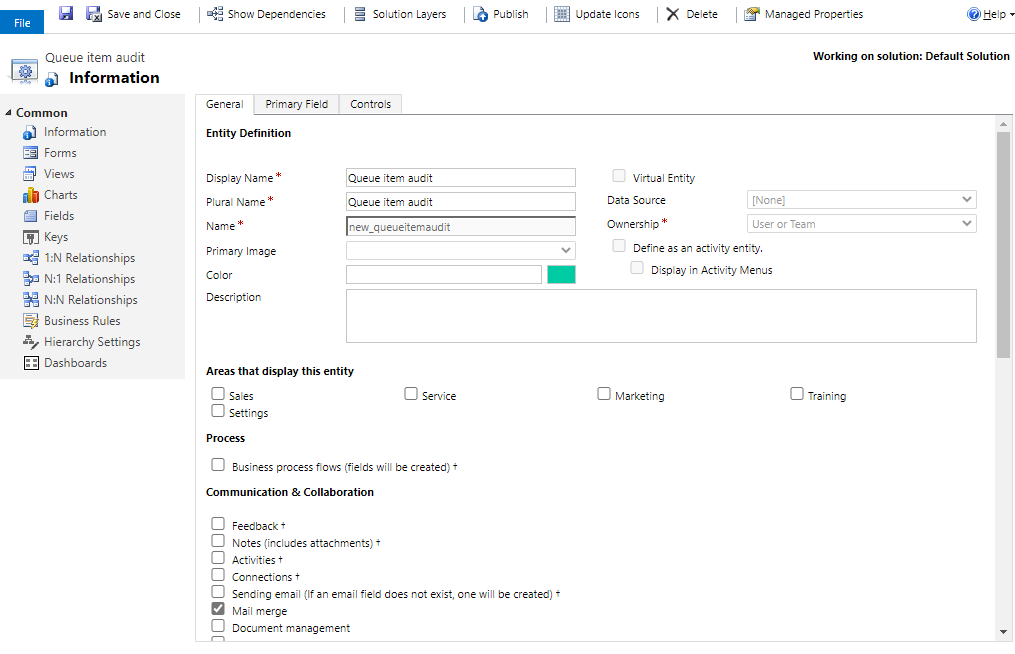
    pastedimage1601631646243v1.png

    Here you need the values of two fields, one is which queue it was for, another is which kind of entity it was for. So I will create two fields to correspond to the two fields you need.

    1. which queue it was for

    New a lookup field of lookup type, select entity to Queue.
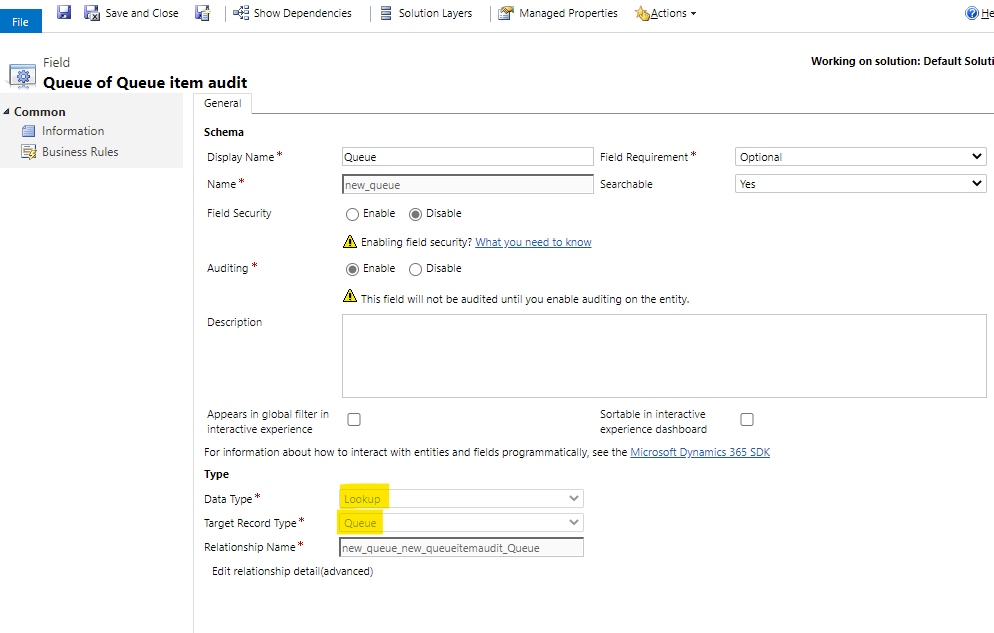
    pastedimage1601631690170v2.png

    2. which kind of entity it was for

    New a field of Option Set type, add some options. Here I just add 3 options.
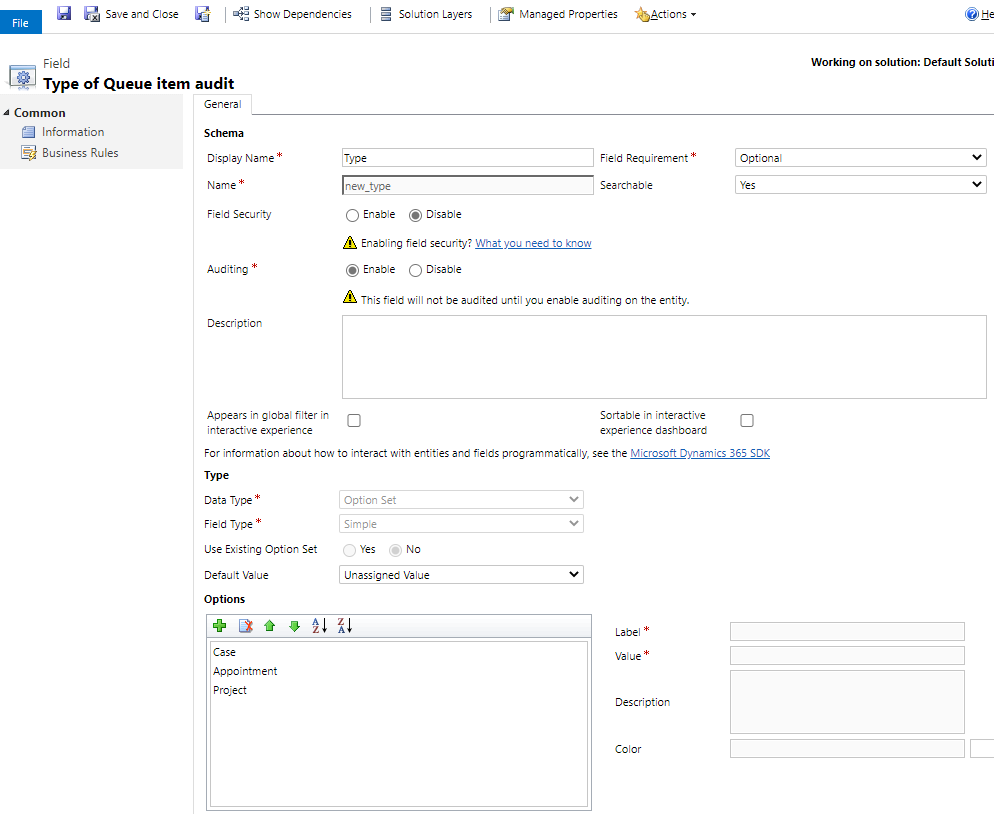
    pastedimage1601631767808v3.png

    The name of the original field of Queue Item entity is objecttypecode, you could refer to this field to make the options of the custom entity's field.
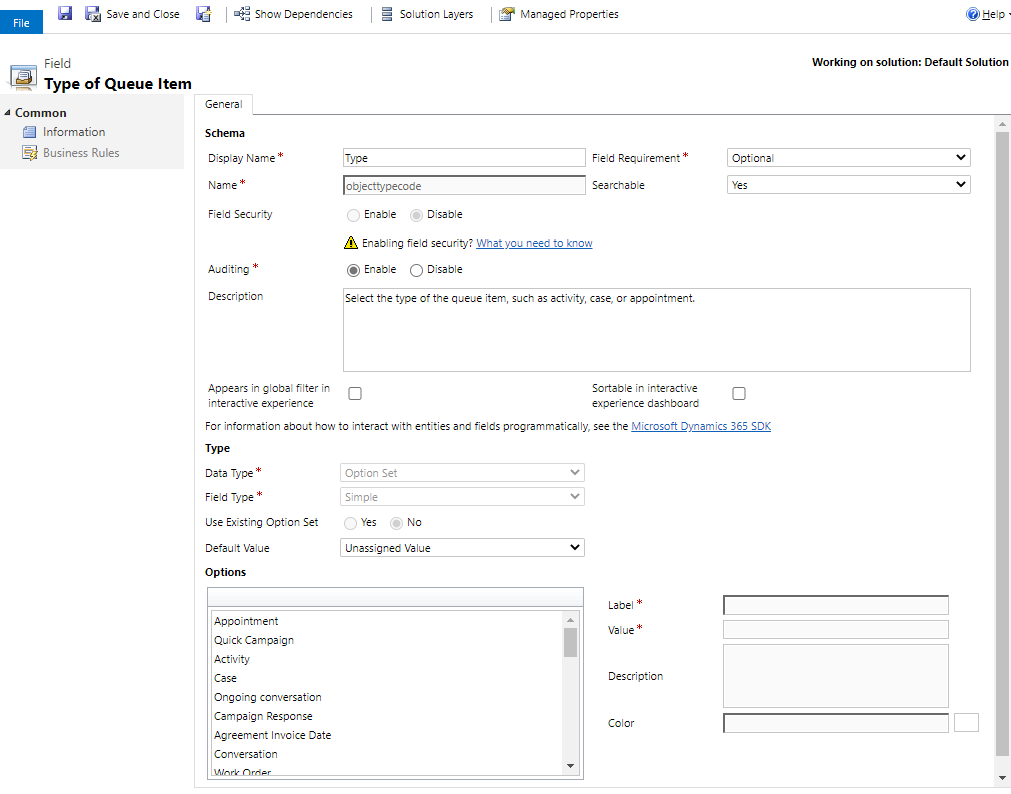
    pastedimage1601631859678v4.png

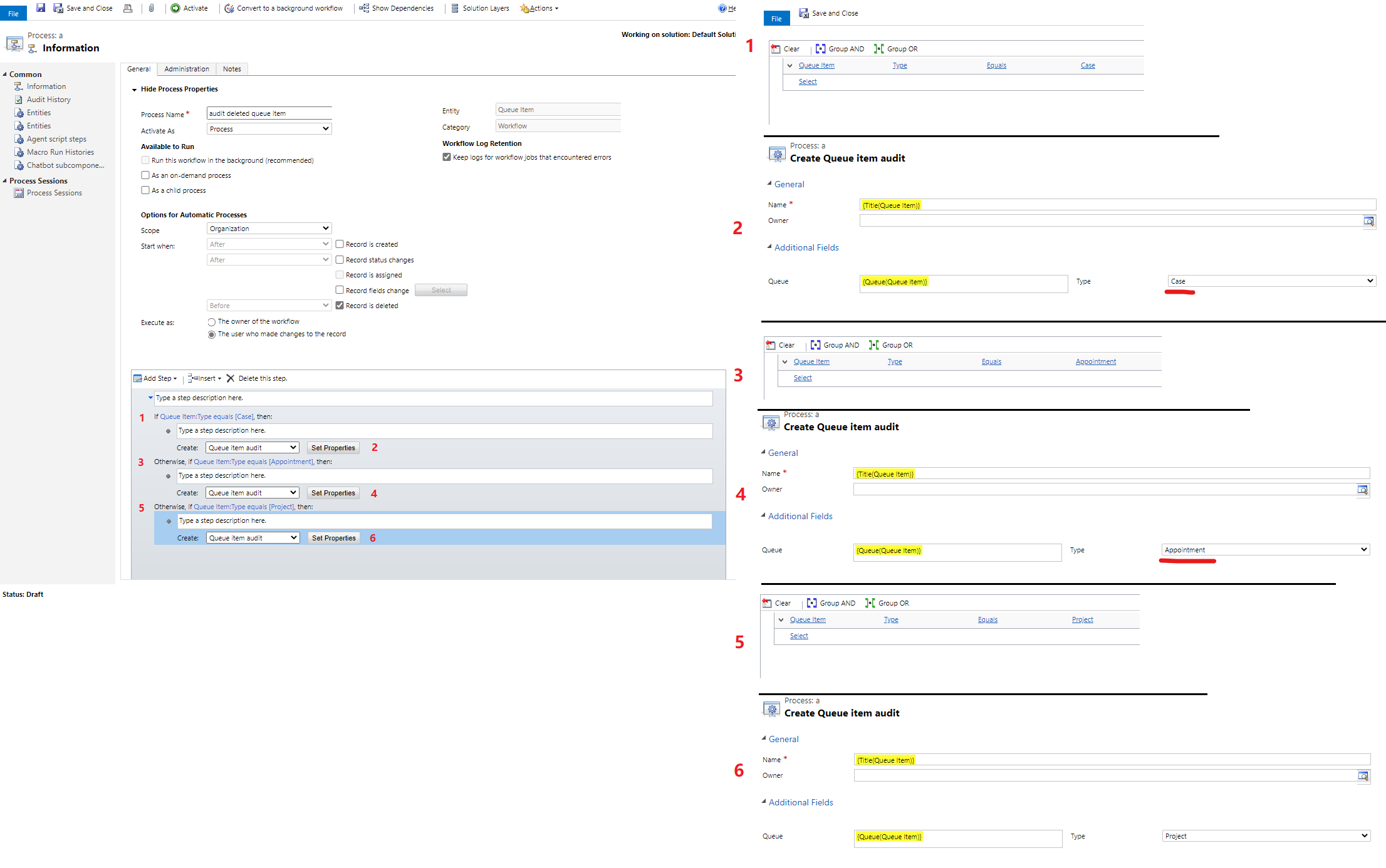
    3. Then go to Settings > Processes to new a worklfow, select Queue Item entity, uncheck Run this workflow in the background.
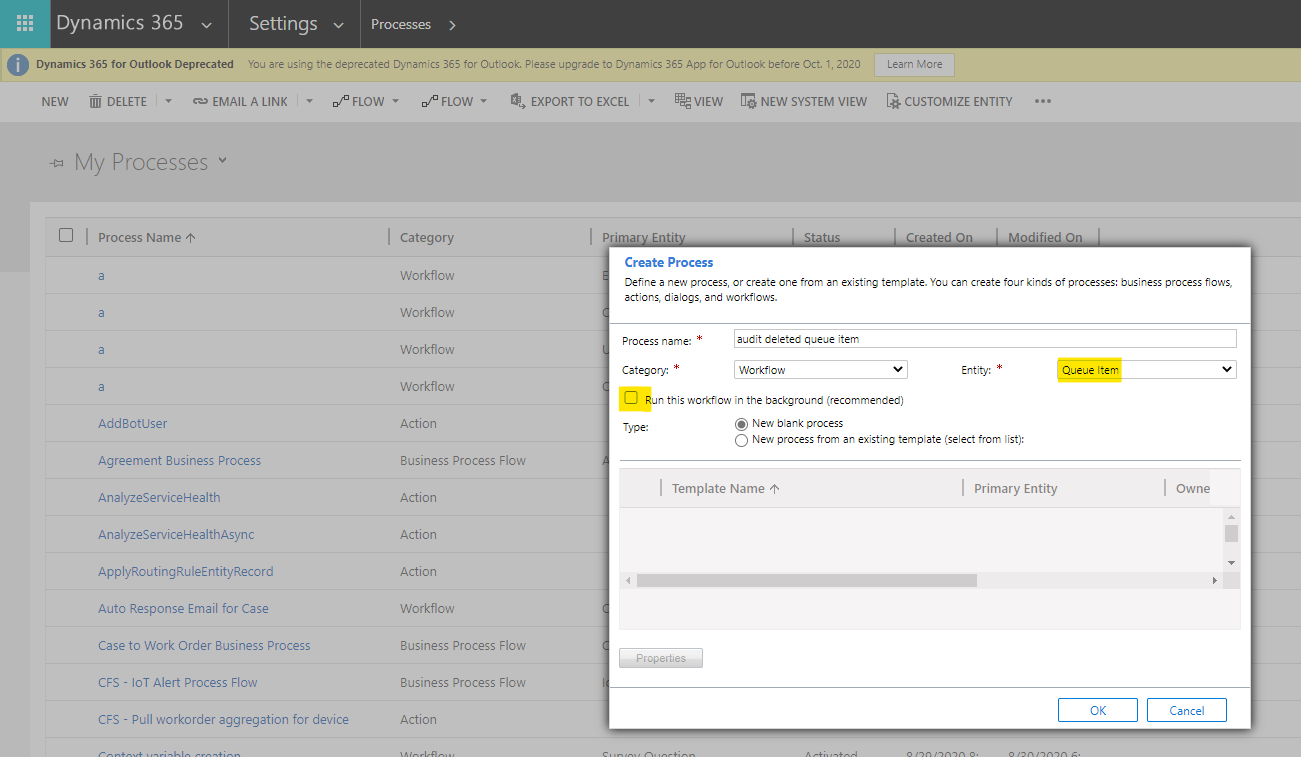
    pastedimage1601632026704v5.png

    Then set the workflow as follow.

    pastedimage1601632790381v6.png

    Each type option is a conditional branch that creates one conditional branch each for all types, and the action of each branch is to create a custom entity record with the same type as the conditional branch.

    Activate the workflow.

    In this way, when the queue item is deleted, a corresponding custom entity record will be created and its information will be stored.

  • FrancoisT Profile Picture
    188 on at

    Thanks for your answer. Indeed, that would work. It requires to create a new entity and workflows though. The audit of the QueueMember entity should have all the info recorded somewhere. If I use XRMToolBox, I can restore a queue member. So everything is available somewhere already (with XRMToolbox, I can see all the necessary info), without the need to recreate a similar info in a custom entity (which I would prefer of course).

    Does anybody know where this info is available, and if PowerBI can access it?

  • LuHao Profile Picture
    40,892 on at

    Hi Francois,

    Do you mean export Audit history of the Queue Item in the XRMToolbox?

    If so, unfortunately there is currently no supported way to obtain audit data in Power Bi.

    The only solution I can think of is to export the audit records to Excel in XRMToolBox, and then use this Excel as the data source of Power Bi.

    If you don't do this, then as mentioned in my last answer, you have to create a custom entity to store the Queue Item data.

    Or, as mentioned in my last answer, you have to create a custom entity to store Queue Item data.

Under review

Thank you for your reply! To ensure a great experience for everyone, your content is awaiting approval by our Community Managers. Please check back later.

Helpful resources

Quick Links

Responsible AI policies

As AI tools become more common, we’re introducing a Responsible AI Use…

Neeraj Kumar – Community Spotlight

We are honored to recognize Neeraj Kumar as our Community Spotlight honoree for…

Leaderboard > Microsoft Dynamics 365 | Integration, Dataverse, and general topics

#1
Siv Sagar Profile Picture

Siv Sagar 93 Super User 2025 Season 2

#2
#ManoVerse Profile Picture

#ManoVerse 74

#3
Martin Dráb Profile Picture

Martin Dráb 64 Most Valuable Professional

Last 30 days Overall leaderboard

Product updates

Dynamics 365 release plans