web
You’re offline. This is a read only version of the page.
close
Skip to main content

Notifications

Announcements

No record found.

Community site session details

Community site session details

Session Id :
Service | Customer Service, Contact Center, Fie...
Suggested Answer

Portal integration with SharePoint online gives error: " The remote server returned an error: (401) Unauthorized."

(1) ShareShare
ReportReport
Posted on by 10

We have an online Dynamics 365 environment with portals add-on which functions as a customer serviceportal.
Our Dynamics 365 instance is succesfully connected with SharePoint Online. We use the documents integration allready in the internal facing Dynamics apps. We now want to use it to present important files to our customers on the portal.

I'have set up the Portal-SharePoint integration according the explainatory from Microsoft Docs (https://docs.microsoft.com/nl-nl/powerapps/maker/portals/manage-sharepoint-documents). I have performed all the steps and settings, also the permissions related stuff. We have set it up for the Account entity.

Here the error, when in the portal (as you can see the buttons for new folder and upload are visible):
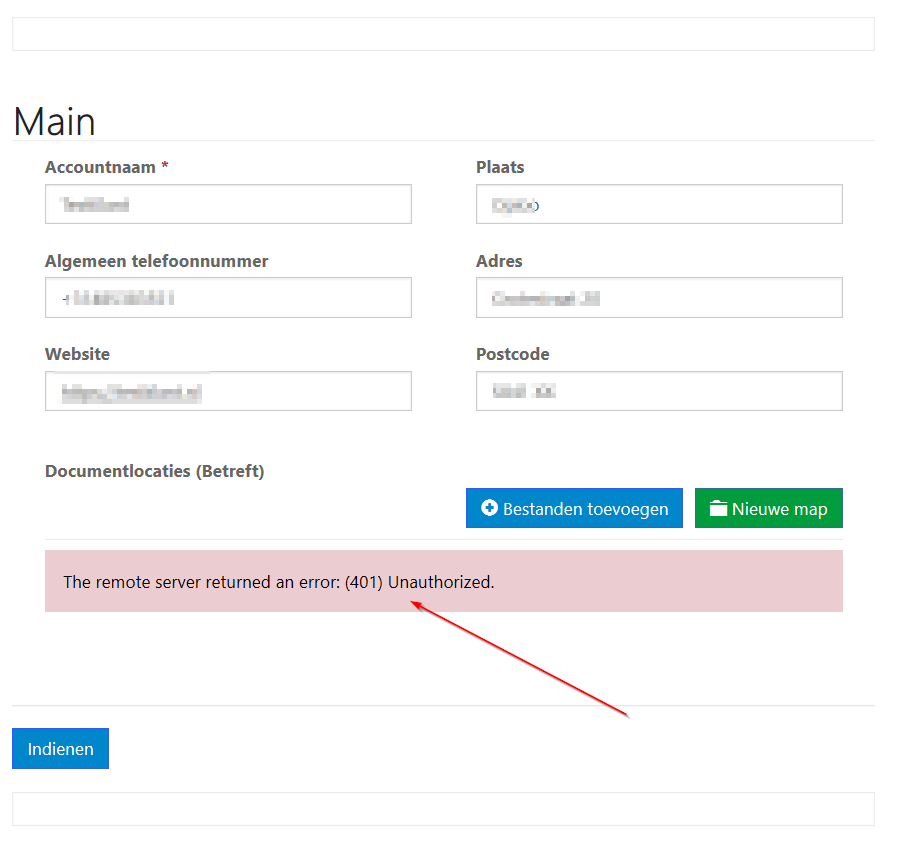
pastedimage1585305478677v1.png

This is the form with the documents subgrid:
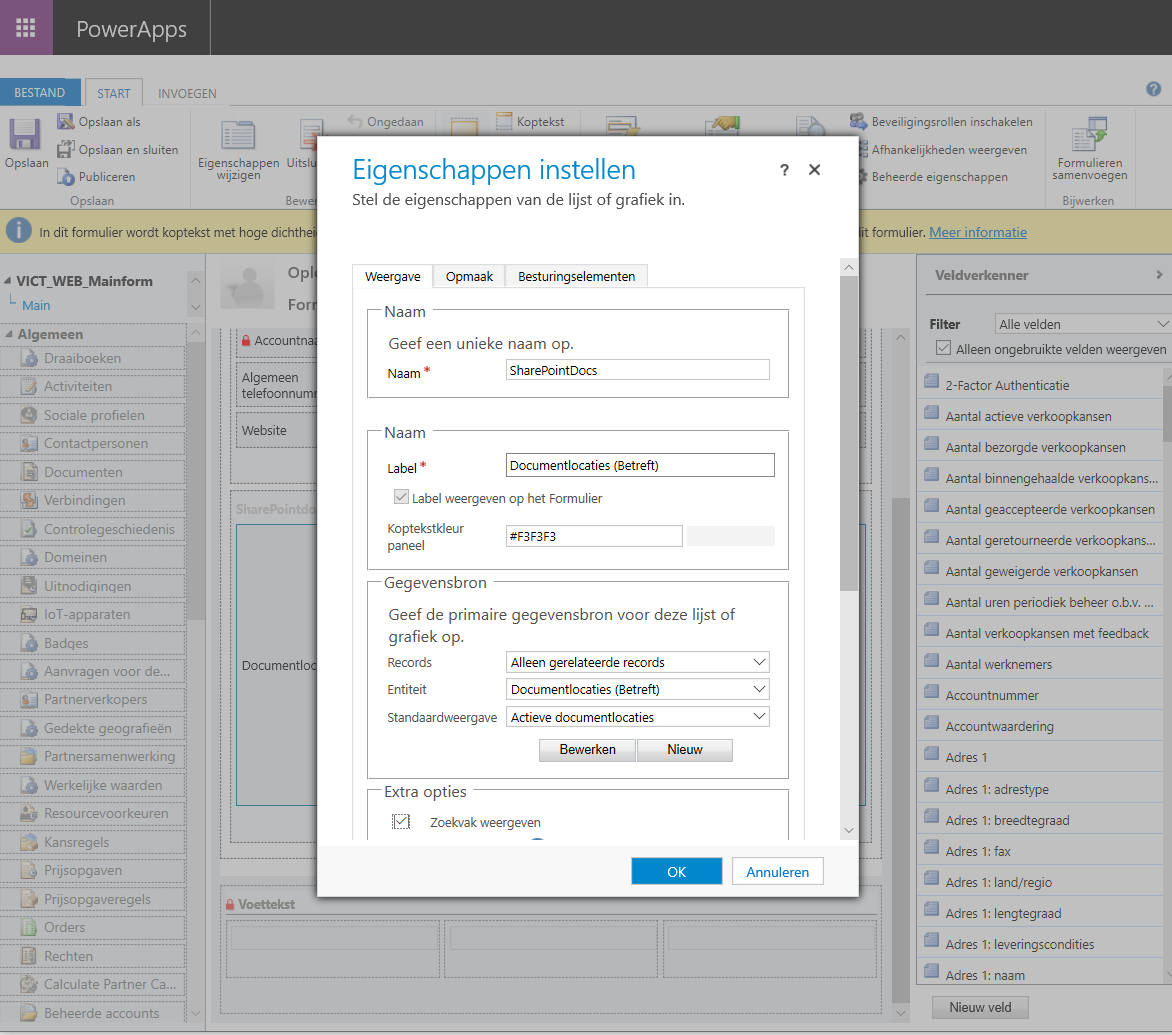
pastedimage1585305555244v2.png

This is the entityform in Portals admin:
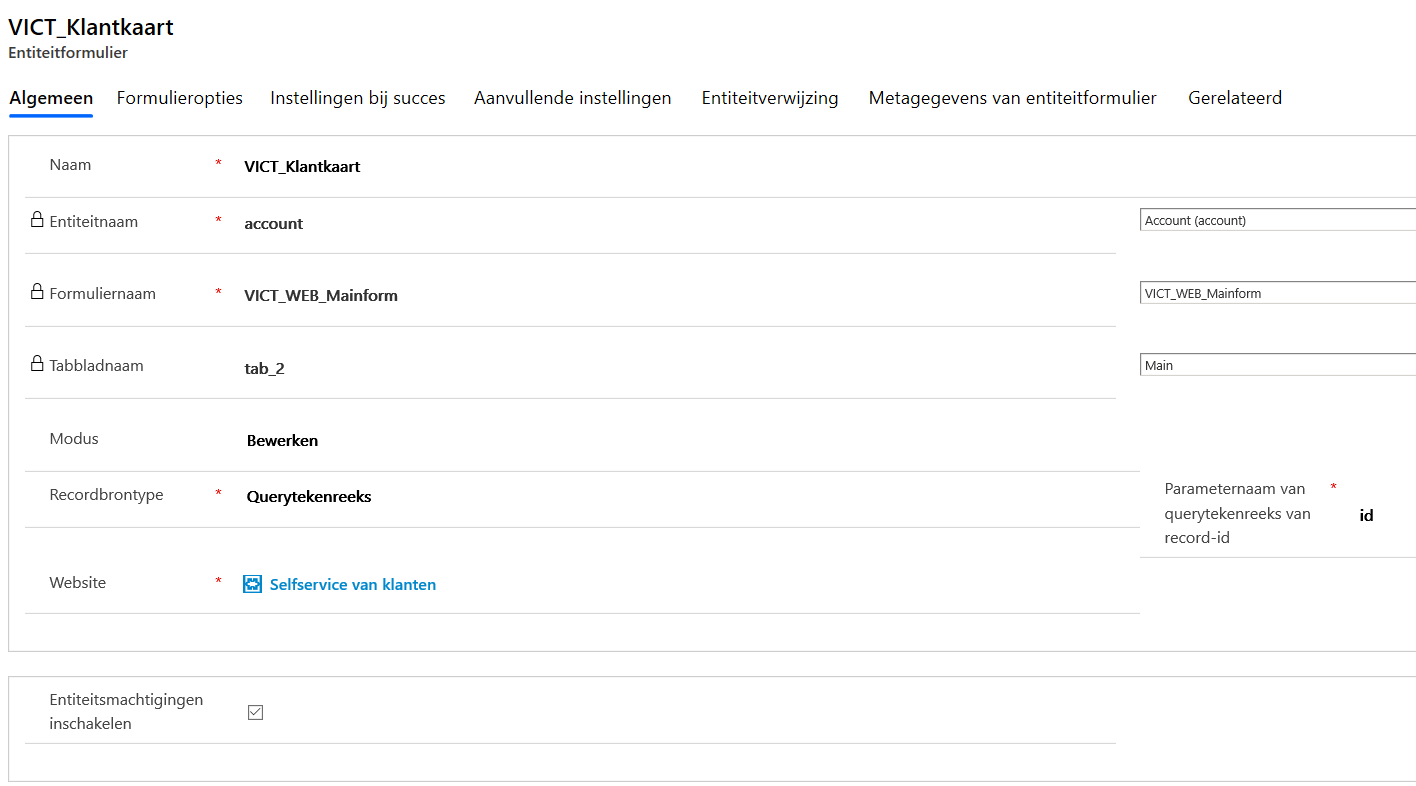
pastedimage1585305625644v3.png

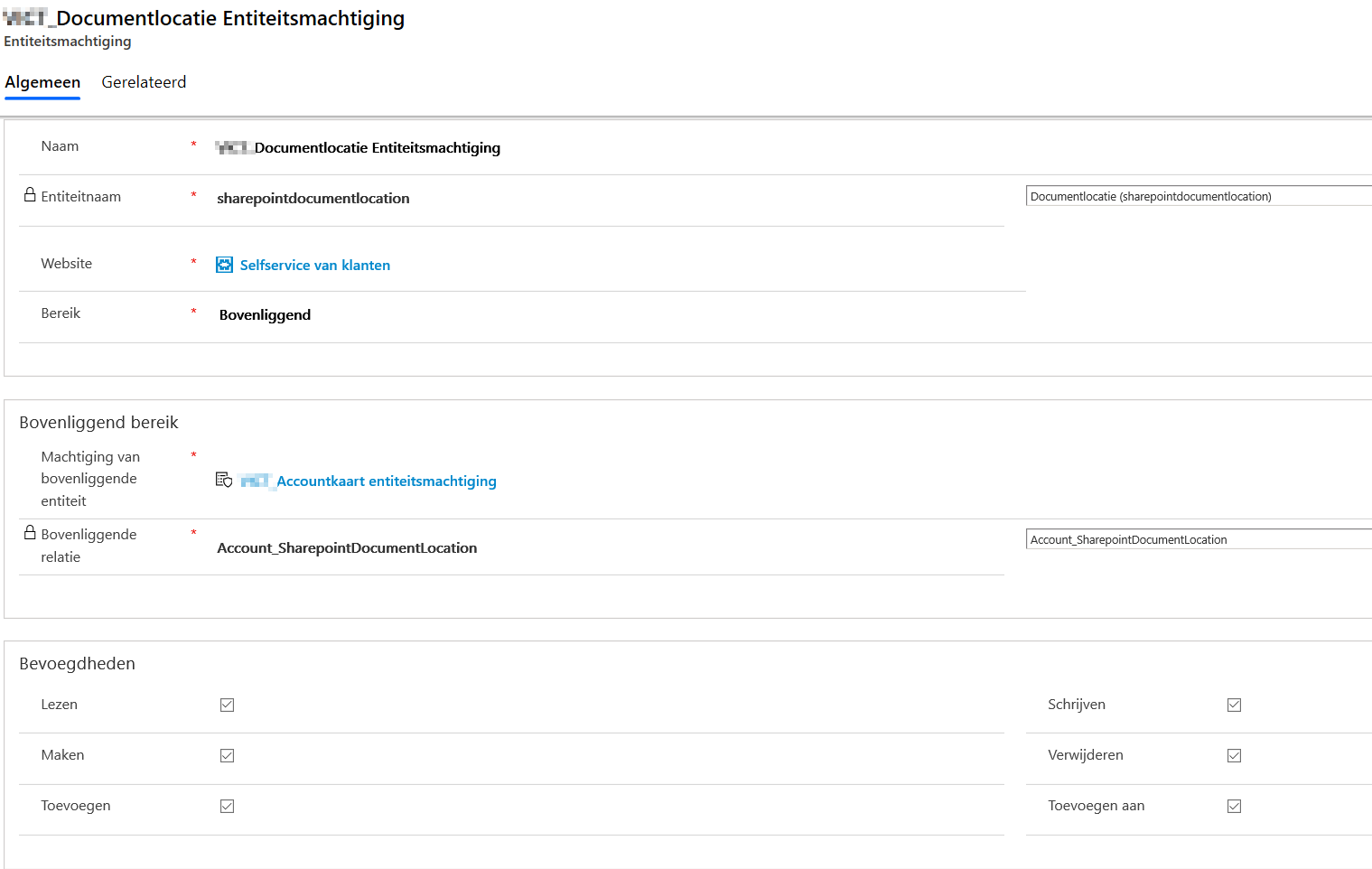
Entity permissions in Portals admin:

 Parent entity account
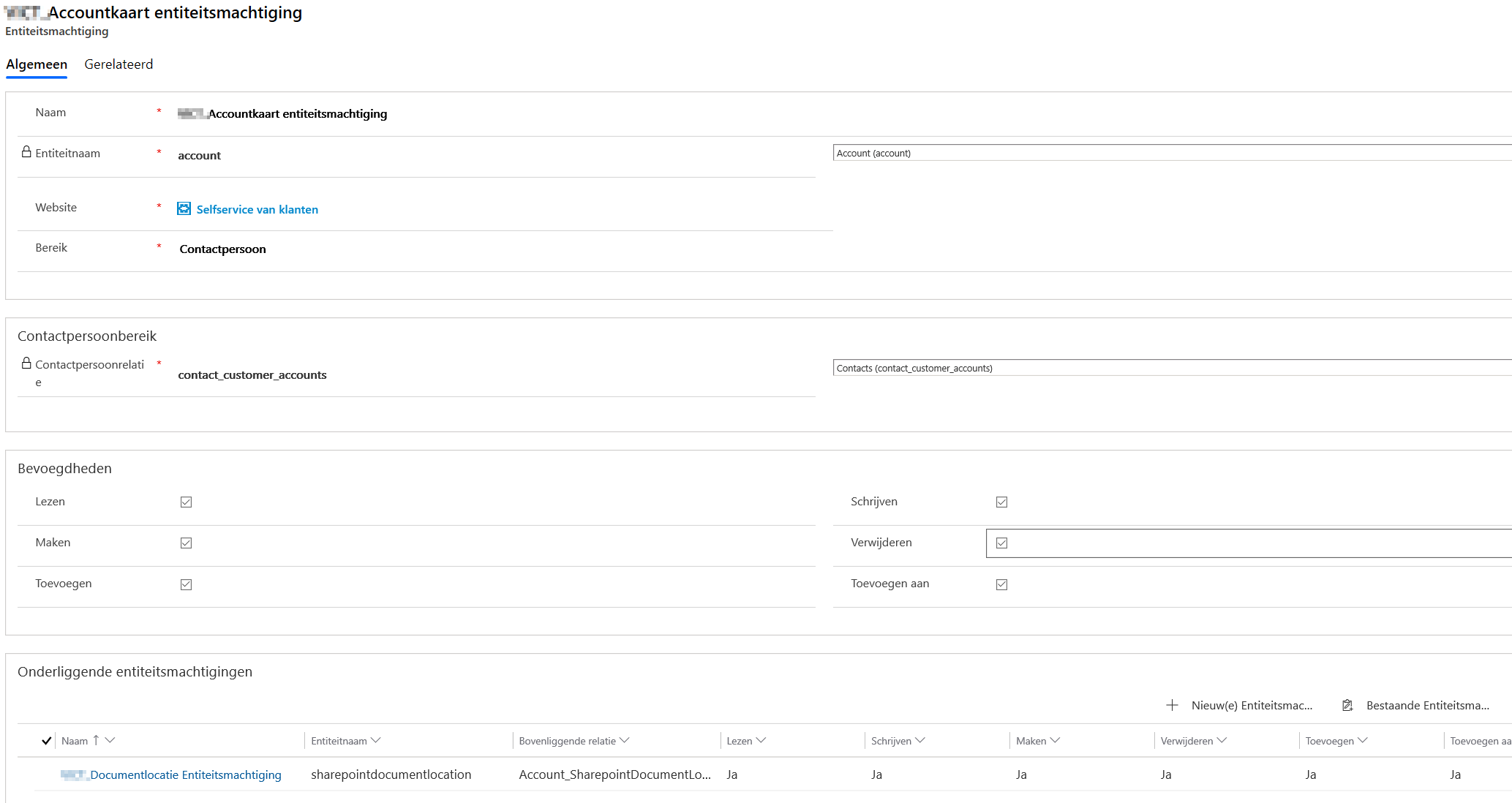
pastedimage1585305697371v4.png

Child entity Document locations:

pastedimage1585305765441v5.png

Does anyone know why this is still not working? Sorry that the screenshots are in Dutch.

Thanks in advance

I have the same question (0)
  • Alejandro Serdan Profile Picture
    on at

    Hi !!!

    This error is not related to entity permissions but the service-side authentication between SharePoint Server and Dynamics Portals.

    The issue looks to be in step 2 of the documentation or

    The authorization in step 3 "Permissions requested Accept for your organization" or

    The permissions in SharePoint of the user you used to setup the synchronization.

    If these steps were followed, please help us creating an incident to take a deep look of the problem and fix it.

    Regards.

  • saurabhtiwarii Profile Picture
    on at

    Hello,

    Thanks for reaching Dynamics community. The problem might be appearing due to insufficient permissions for the user account who performed this integration with the portals site.

    pastedimage1585380609951v1.png

    Please check if the user account owns the Portals app registration on Azure AD, also ensure that he user is not a guest on the Azure tenant where Dynamics 365/Sharepoint services belong. 

    https://docs.microsoft.com/en-us/dynamics365/portals/manage-portal#to-add-yourself-as-an-owner-of-the-azure-ad-application

    If these do not help, try to capture F12 HTTP/Network traces while reproducing this issue in order to understand what was the response served from the end server on this unauthorized request. The HTTP response might give you some more details regarding this unauthorized request.

    Please mark my comment as answered if these help. 

    Thanks,

    Saurabh

  • KvRoploo Profile Picture
    10 on at

    Hello Saurabh and Alex, thank you for your reply's

    I'm very shure I performed the second step on the correct way, I did give consent on the permissions. I am Tenant administrator and also administrator in Azure and Dynamics 365. I have all the permissions needed.

    I have reached out to Microsoft to raise a ticket. It is under investigation at the moment. Suggestions are always welcome.

  • Suggested answer
    KvRoploo Profile Picture
    10 on at

    Reaching out to Microsoft Support has positively worked out. The problem was a broken API connection between SharePoint and Dynamics Portals. Restarting the integration from within the Dynamics 365 Portal-admin page gave the desired results. Hereby my problem is solved.

    Thank you all for the offered help.

  • zl0903 Profile Picture
    5 on at

    hi! Brother, I wonder if you solved the problem

Under review

Thank you for your reply! To ensure a great experience for everyone, your content is awaiting approval by our Community Managers. Please check back later.

Helpful resources

Quick Links

Responsible AI policies

As AI tools become more common, we’re introducing a Responsible AI Use…

Neeraj Kumar – Community Spotlight

We are honored to recognize Neeraj Kumar as our Community Spotlight honoree for…

Leaderboard > Service | Customer Service, Contact Center, Field Service, Guides

#1
Tom_Gioielli Profile Picture

Tom_Gioielli 61 Super User 2025 Season 2

#2
Siv Sagar Profile Picture

Siv Sagar 52 Super User 2025 Season 2

#3
Daniyal Khaleel Profile Picture

Daniyal Khaleel 31 Most Valuable Professional

Last 30 days Overall leaderboard

Featured topics

Product updates

Dynamics 365 release plans